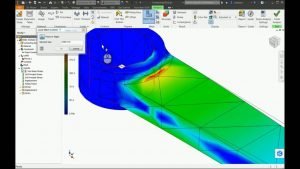
Autodesk Inventor Professional Simulation Training

Brochure
Course Length: 16-Hours
- 16-Hours – 8 x 2-hour sessions
- Remote training over MS Teams
- Sessions are recorded and download links for each session are provide for future use
- Training for up to 1-3 People
- Sessions can start within 7 days upon ordering
- Flexible sessions (i.e. consecutive or Monday, Wednesday, Friday, etc.)
- Courses are private and topics can be customised to suit
- Includes Certificate of Completion
- Training manuals are additional $159 each for soft copy
Course Overview
Learn the fundamental principles and recommended workflows for analysing designs and creating dynamic simulations of mechanisms using Autodesk® Inventor® Professional.
Users learn how to validate digital prototypes by simulating the operation of mechanisms and motorised assemblies in the Dynamic Simulation Environment.
They also learn how to analyse parts and assemblies, perform parametric design studies, and use modal analysis in the FEA and Frame Analysis Environment of Autodesk Inventor. Hands-on exercises representing real-world, industry-specific design scenarios are included.
Topics Covered
- Cyclic Symmetry Analysis
- Assembly Optimization
- Bolted Connections
- Weldment Analysis
- Assembly Analysis with built-in welds
- Wind Load Analysis
- Fabrication Analysis
- Sheet Metal Analysis
- Motion Load Transfer Analysis
- Multiple Motion Load Transfer
- Modal Analysis
- Frame Analysis Environment
- Frame Analysis Using Content Centre Structures
- Frame Analysis Using Frame Generator Structures
- Dynamic Simulation Joints
- Dynamic Simulation Environmental Constraints
- Analysing Dynamic Simulation Results
Prerequisites
Students should have completed an Autodesk Inventor Introduction to Modelling course. Students are also should also have a solid understanding of Frame Generator and Weldments found in the Autodesk Inventor Advanced Assembly Modelling course and have a working knowledge of the following:
- Complex assembly design using Autodesk Inventor
- Foundational Understanding of Finite Element Analysis and Kinematic Motion
- Mechanical engineering or engineering analysis principles