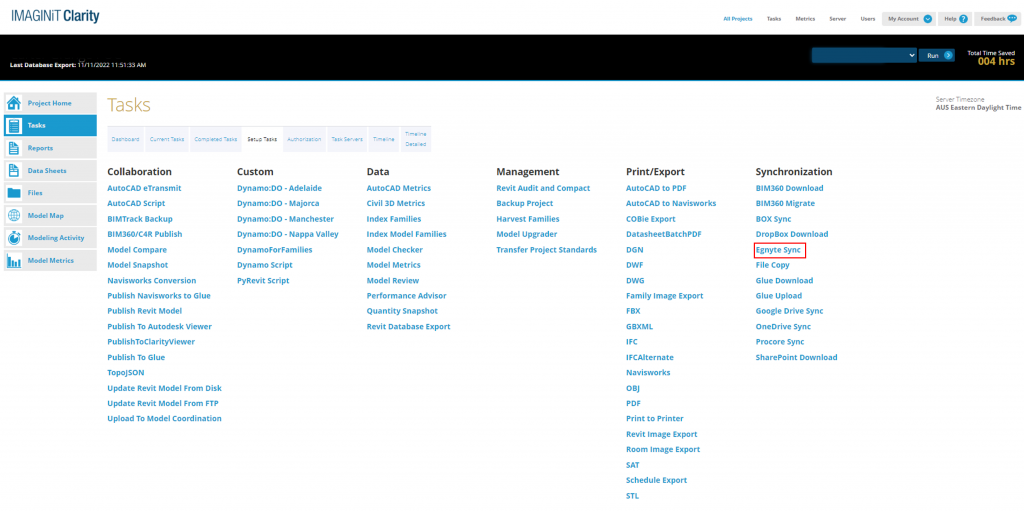
IMAGINiT Clarity now supports Egnyte, so users of the Egnyte Cloud File Sharing system can now connect their Revit projects to Clarity to automate tasks and analyse metrics.
Adding your Egnyte Account
Connecting Egnyte to Clarity is easy and you can add multiple Egnyte accounts to Clarity by going to Clarity’s Settings and clicking ‘Add or Update Credentials’. Clicking this link will open up a new tab where you sign into your Egnyte domain. Once that’s been done, your Egnyte account will show up in Clarity under the Egnyte heading next to Default.
Adding Your Egynte Account Step 1
Adding Your Egynte Account Step 2
Adding Your Egynte Account Step 3
Egnyte Sync Step 1
Egnyte Sync Step 2
Post Action Egynte Sync Step 1
Post Action Egynte Sync Step 2
How Clarity Works with Egnyte
Clarity connects with Egnyte 3 ways:
Clarity Projects – When you set up a Clarity project, you can point to the Egnyte network path to access your files
Post Action: Egnyte Upload – Let’s say you’ve created a PDF task and want to publish PDF’s from selected rvt files on a schedule or on-demand. Using the post action option, you can upload the PDF to Egnyte is a specified location
Egnyte Sync Task – This tasks either synchronises, uploads or downloads specific files to specific paths in Egnyte.
What is IMAGINiT Clarity?
IMAGINiT Clarity is an Automation, Analytics and Access for Autodesk Revit, AutoCAD-based programs and BIM Projects that connects to the most popular construction management systems and cloud sharing platforms.
What is Egnyte?
It is one trusted platform to secure and govern all your company’s files, no matter where work happens and supports large datasets which is very popular for managing large CAD and Point Cloud files.
Want to Learn More?
Learn more about how IMAGINiT Clarity can save time on your projects or make an enquiry by filling out the form below and we’ll be in touch.