

Autodesk Fabrication CADmep Training Course Introduction
The CADmep Training Course provides practical instructor led training for mechanical, electrical, plumbing, and fabrication professionals wanting to develop advanced detailing and fabrication workflows using Autodesk Fabrication CADmep. This Fabrication CADmep Training course focuses on intelligent fabrication modeling, services coordination, spooling, reporting, and production ready documentation workflows used across BIM and construction projects.
Delivered through live Fabrication CADmep Remote sessions, this course gives participants hands on experience creating fabrication ready MEP systems using real world project workflows. Whether you are searching for a CADmep Course, Fabrication CADmep Course, or flexible Fabrication CADmep Online training, this course helps improve productivity, coordination, and fabrication accuracy using Autodesk Fabrication CADmep tools.
The CADmep Training Course is designed to help detailers, BIM coordinators, and fabrication professionals streamline project delivery through accurate modeling, efficient documentation, and coordinated fabrication outputs ready for manufacturing and installation.
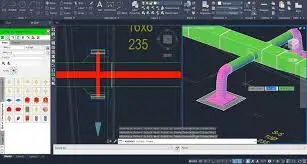
CADmep Training Course
Develop practical fabrication detailing skills with structured Fabrication CADmep Training focused on MEP services modeling, fabrication workflows, spooling, reporting, and BIM coordination for construction projects.
What You’ll Learn
- Navigating the Autodesk Fabrication CADmep interface
- Working with fabrication databases and configurations
- Creating ductwork and piping systems
- Using ITM content and service templates
- Applying fabrication specifications and standards
- Creating fabrication ready MEP layouts
- Working with insulation and ancillary components
- Generating spools and fabrication outputs
- Managing item properties and reporting workflows
- Creating sections, dimensions, and annotations
- Coordinating MEP fabrication models
- Working with collision detection workflows
- Producing installation and workshop documentation
- Improving BIM coordination and fabrication productivity
Autodesk Fabrication CADmep Training Course Topics
Chapter 1: Introduction to Fabrication CADmep
- Introduction to Autodesk Fabrication CADmep
- Interface and navigation
- Fabrication workflow overview
- Project setup basics
Chapter 2: Database and Configuration
- Fabrication databases
- Services and specifications
- Configuration setup
- Template workflows
Chapter 3: Ductwork Design
- Rectangular ductwork
- Round ductwork
- Fittings and transitions
- Duct layout editing
Chapter 4: Pipework Design
- Pipe routing workflows
- Pipe fittings and valves
- Pipe editing workflows
- Service coordination
Chapter 5: Fabrication Content
- ITM files and fabrication components
- Ancillaries and insulation
- Item properties and specifications
- Fabrication standards
Chapter 6: Modeling and Coordination
- MEP fabrication modeling
- Coordination workflows
- Clash reduction techniques
- BIM integration workflows
Chapter 7: Spooling and Documentation
- Spool creation workflows
- Reporting and schedules
- Material takeoffs
- Installation documentation
Chapter 8: Drawing Production
- Annotation workflows
- Dimensions and sections
- Detail drawings
- Printing and publishing
Chapter 9: BIM and Navisworks Workflows
- BIM coordination workflows
- Navisworks integration
- Export and collaboration workflows
- Coordination best practices
Chapter 10: Project Delivery Workflows
- Fabrication workflow management
- Project organization
- Database maintenance
- Fabrication productivity techniques
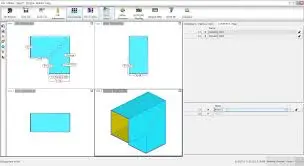
Who Should Attend
This Autodesk CADmep Course is suitable for:
- MEP detailers
- HVAC fabrication professionals
- Plumbing and piping designers
- BIM coordinators
- Mechanical contractors
- Fabrication managers
- Revit and AutoCAD MEP users transitioning into fabrication workflows
This Autodesk Fabrication CADmep Training course is ideal for professionals wanting practical fabrication detailing and BIM coordination skills through live Autodesk Fabrication CADmep Remote training sessions.
CADmep Training Course Prerequisites
Participants attending this Autodesk Fabrication CADmep Course should have basic AutoCAD knowledge and understanding of MEP or fabrication workflows. Previous Autodesk Fabrication CADmep experience is beneficial but not essential. This Autodesk Fabrication CADmep Online training course is suitable for professionals wanting structured fabrication and BIM coordination training.
Why Choose Design Consulting | Autodesk Gold Partner | Autodesk Service Provider
Design Consulting is a trusted Autodesk Gold Partner and Autodesk Service Provider. Design Consulting empowers architects, engineers, manufacturers, and builders with smart software, automation, and digital tools that provide Autodesk end-to-end solutions that are connected with systems and machines. As an Autodesk Gold Partner, we deliver tailored solutions that simplify workflows, reduce costs, and drive better project outcomes.
Enrol Now in the Autodesk AutoCAD Fundamentals Remote Training
Start your journey in digital CAD design in this AutoCAD Fundamentals Online Course. Contact Design Consulting today to book or learn more about our online and face to face training options.


