Comprehensive Comparison of BIM Collaborate and BIM Collaborate Pro
Comprehensive Comparison of BIM Collaborate and BIM Collaborate Pro
Building Information Modeling (BIM) has revolutionised the architecture, engineering, and construction (AEC) industries by fostering enhanced collaboration and coordination among project stakeholders. Autodesk, a leader in BIM solutions, offers two significant tools: BIM Collaborate (BC) and BIM Collaborate Pro (BCP). Although both platforms aim to enhance project collaboration, they cater to distinct needs and offer varied functionalities. This comprehensive comparison explores the features, benefits, and use cases of these two platforms to help you determine which is best suited for your needs.
What is BIM Collaborate?
BC is a cloud-based platform available with Autodesk Construction Cloud that is tailored to streamline document management, design coordination, and project administration. It centralises project information, allowing teams to collaborate seamlessly from any location. Key features include automated clash detection, design review tools, and advanced analytics, making it ideal for teams seeking robust collaboration without the need for real-time co-authoring.
What is BIM Collaborate Pro?
BCP builds on the capabilities of BIM Collaborate by incorporating real-time co-authoring and advanced collaboration tools, specifically designed for Autodesk software such as Revit, Civil 3D, and Plant 3D. This platform is geared towards larger teams and complex projects that demand simultaneous collaboration on models, enabling multiple users to work on the same design file concurrently.
Key Differences Between BIM Collaborate and BIM Collaborate Pro
Detailed Feature Analysis and Comparison
Cloud-based Document Management
BC offers a comprehensive cloud-based document management system, enabling teams to centralise project data and access documents from any location. This feature ensures that all team members are working with the latest information.
On the other hand, BCP enhances document management by adding real-time collaboration capabilities. Users can work on shared documents simultaneously, facilitating quicker issue resolution and more dynamic project updates.
Automated Clash Detection
Both platforms feature automated clash detection, essential for identifying design conflicts before construction begins.
BC allows users to run clash detection scans and generate reports to highlight conflicts, crucial for maintaining project timelines and budgets, whereas BCP not only includes clash detection but also supports real-time collaboration on clashes. Users can view and address issues as they arise, speeding up decision-making and minimising rework.
Advanced Analytics
Advanced analytics tools are available in both BC and BCP, offering valuable insights into project performance and the impact of changes. BC provides comprehensive analytics dashboards that allow users to track project progress and manage resource allocation effectively. These dashboards enable teams to generate detailed reports, helping them assess the effects of changes across various disciplines. Building on this foundation, BCP enhances the analytics experience with real-time data visualisation. This capability allows teams to identify trends and address issues as they emerge, ensuring timely interventions and more informed decision-making.
Design Review and Coordination
Design review and coordination are crucial for aligning all stakeholders on project goals. BC features intuitive markup tools that enable users to annotate designs and track issues seamlessly. Design reviews can be conducted via a web browser, simplifying the feedback collection process and making it accessible to all team members. On the other hand, BCP takes design review to the next level by adding real-time capabilities. This enhancement allows multiple users to provide feedback simultaneously, significantly improving communication and efficiency throughout the review process.
Real-time Co-authoring
A standout feature of BCP is its real-time co-authoring capability, which sets it apart from BC, which requires users to check out files for edits, potentially causing delays. On the other hand, BCP allows multiple users to work on the same model simultaneously. Changes made by one user are instantly visible to others, facilitating seamless collaboration and reducing the time required for design iterations. This real-time co-authoring capability enhances teamwork and accelerates project timelines.
Collaboration for Specific Software
BCP offers specialised collaboration tools for various Autodesk software, making it highly suitable for complex projects. For instance, it includes cloud worksharing for Revit models, which facilitates seamless collaboration among architects and engineers. Additionally, it enhances collaboration on site designs and grading plans for civil engineering teams using Civil 3D. For industrial projects, it supports real-time collaboration on piping and instrumentation diagrams with Plant 3D. In contrast, BC lacks these specialised tools, making it less suitable for teams that rely heavily on these specific applications.
Robust Access Controls
Both BC and BCP provide robust access controls to protect sensitive project data. BC allows administrators to set user permissions, controlling who can view, edit, and share project information. BCP builds on these access control features by adding the ability to manage permissions in real time. This ensures that data security is maintained during collaborative sessions, allowing teams to work confidently without compromising sensitive information.
Sandboxed Coordination Spaces
Sandboxed coordination spaces are a feature available in both platforms, enabling teams to explore design options without affecting the main project. BC supports the creation of isolated environments for testing changes, which is particularly useful for evaluating different design scenarios. Enhancing this capability, BCP allows for real-time collaboration within sandboxed spaces. This feature enables teams to discuss and resolve issues while exploring various design alternatives, fostering innovation and improving overall project outcomes.
Project Timeline Visualization
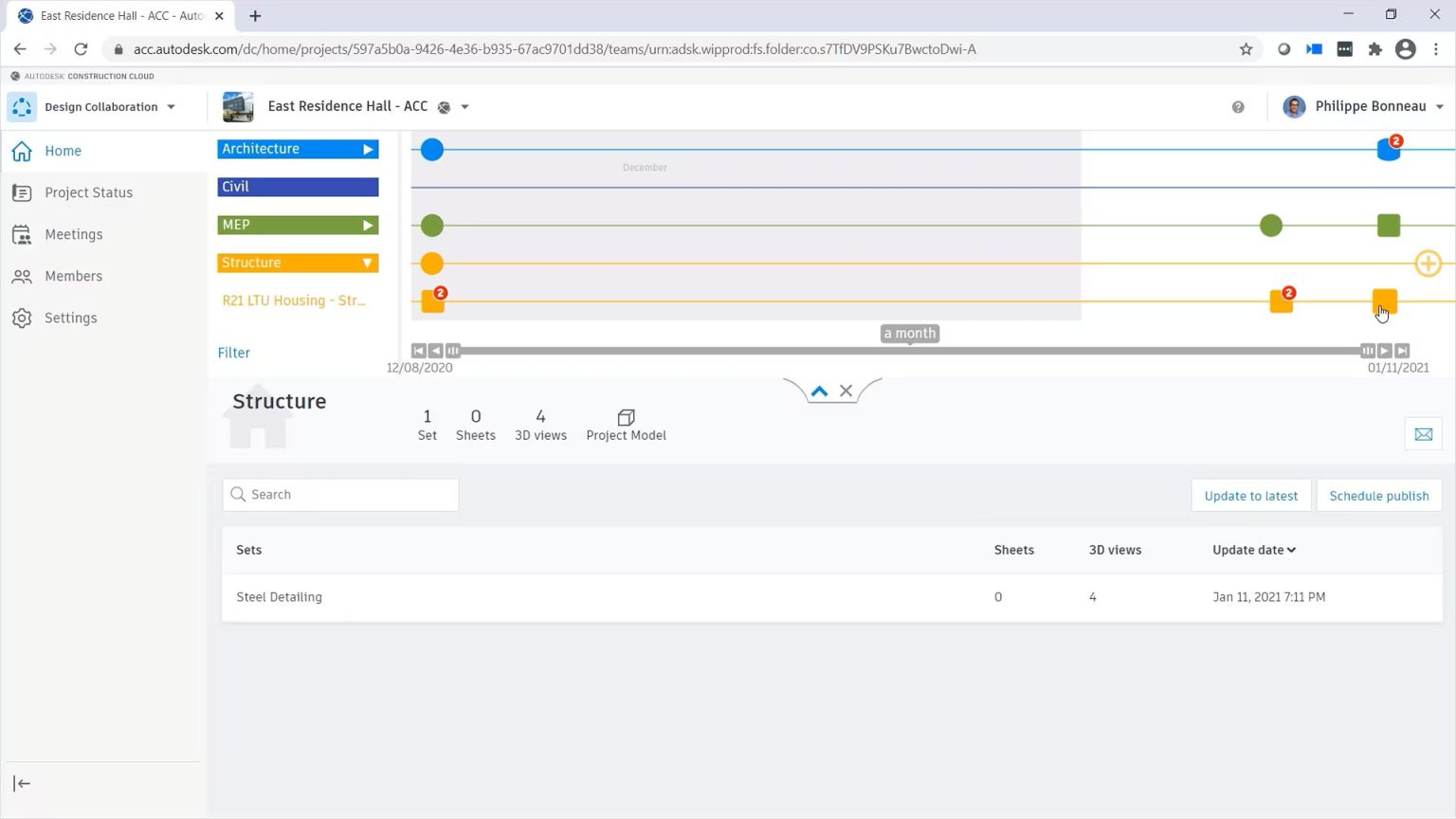
Effective project management requires clear visualisation of project timelines and milestones. BIM Collaborate includes tools such as Gantt charts and milestone tracking to help teams understand deadlines and dependencies. BIM Collaborate Pro offers these same visualisation tools but with the added benefit of real-time updates based on collaborative inputs. This ensures that all team members are aware of changes as they occur, promoting better coordination and timely adjustments to project schedules.
Valuable Project Insights
Both platforms provide valuable insights into project performance, helping teams identify trends and make informed decisions. BIM Collaborate offers analytics tools that track common issues and assess project performance over time. In contrast, BIM Collaborate Pro provides enhanced insights with real-time data visualisation. This capability makes it easier to spot potential problems and opportunities for improvement, allowing teams to proactively address issues and optimise project outcomes.
When to Use BIM Collaborate?
BC is ideal for:
- Small to Medium-Sized Projects: Suitable for teams that do not need extensive real-time collaboration features.
- Document Management Focus: Projects prioritising document management and design coordination.
- Budget Constraints: Organisations seeking a cost-effective solution.
When to Use BIM Collaborate Pro?
BCP is best for:
- Large Teams and Complex Projects: Ideal for teams needing real-time collaboration and coordination across multiple disciplines.
- Integrated Workflows: Projects involving Autodesk software applications like Revit, Civil 3D, and Plant 3D.
- Remote Collaboration: Organisations with distributed teams needing real-time co-authoring capabilities.
Integration with Other Autodesk Tools
Both BIM Collaborate and BIM Collaborate Pro integrate with other Autodesk tools:
- Autodesk Revit: Both support Revit, with Pro offering advanced cloud work sharing.
- Autodesk Civil 3D: Pro facilitates effective collaboration on site designs.
- Autodesk Plant 3D: Pro supports industrial design collaboration.
- Autodesk Navisworks: Both can be used with Navisworks for project visualisation and coordination.
Make the Right Choice for Your BIM Needs
Both BC and BCP play vital roles in enhancing collaboration within the AEC industry. While BC offers a strong foundation for document management and design coordination, BCP enhances the experience with real-time co-authoring and specialised tools for Autodesk applications.
When selecting between the two, consider your project size, team structure, and specific collaboration needs. Understanding the differences and capabilities of each platform will enable teams to make informed decisions, leading to more efficient project execution and better outcomes.
Embracing a cloud-based BIM solution is a step towards modernising your project workflows and enhancing collaboration throughout all phases of construction.
Contact Us
Contact us to find out how we can help your business. Fill out the form below, by live chat, phone or email.
P: 1800 490 514 | E: info@designconsulting.com.au