Understanding Autodesk Fusion 360 Manage: Integration with CAD Software and Data Management Solutions

Understanding Autodesk Fusion 360 Manage: Integration with CAD Software and Data Management Solutions
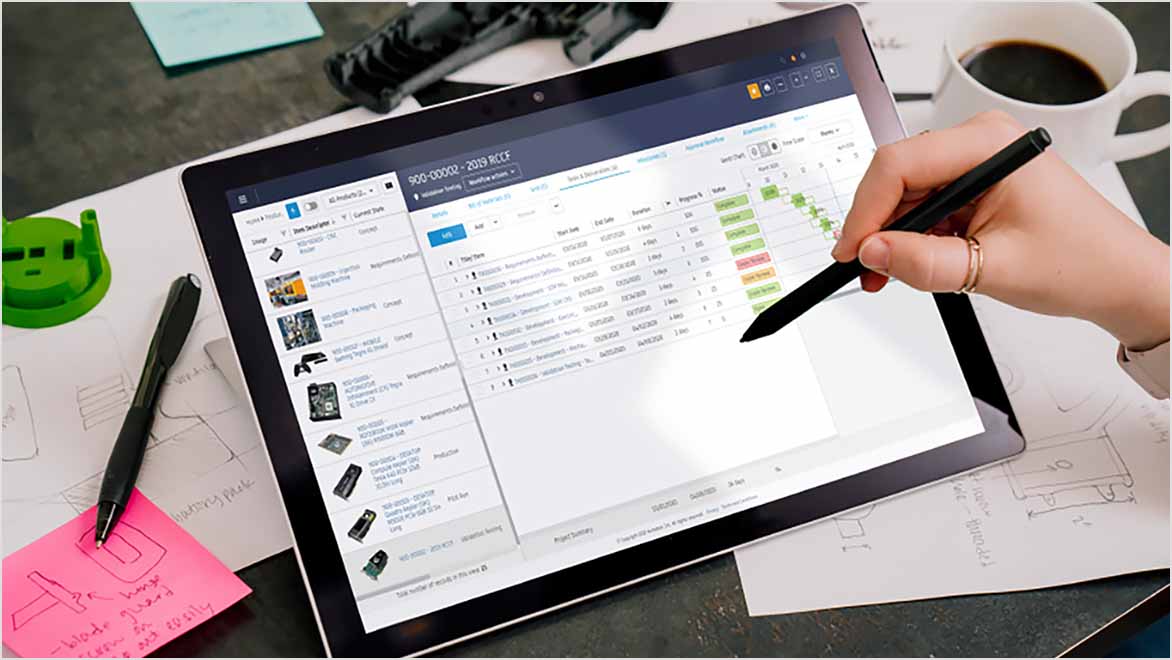
Autodesk Fusion 360 Manage is a robust cloud-based Product Lifecycle Management (PLM) platform designed to enhance collaboration and efficiency across various design and engineering processes. By integrating seamlessly with Autodesk’s suite of CAD software—including Fusion 360, Inventor, and AutoCAD—Fusion 360 Manage provides a comprehensive solution for managing product data and workflows. Additionally, it connects with data management solutions like Autodesk Vault, Upchain, and Prodsmart, creating a cohesive ecosystem that streamlines product development.
This blog post delves into the intricacies of Autodesk Fusion 360 Manage, its integration capabilities, and the benefits these integrations offer.
What is Autodesk Fusion 360 Manage?
Autodesk Fusion 360 Manage is a cloud-based PLM solution that connects people, processes, and data throughout the product life cycle. It offers a wide range of functionalities, including:
- Project Management: Fusion 360 Manage allows teams to plan, execute, and monitor projects effectively. Users can create tasks, assign resources, and track progress in real-time, ensuring that projects stay on schedule.
- Change Management: The platform provides tools to manage engineering changes, ensuring that all stakeholders are informed and changes are documented and approved systematically.
- Bill of Materials (BOM) Management: Autodesk Fusion 360 Manage allows users to create, manage, and track BOMs, ensuring that all components are accounted for throughout the product life cycle.
- Collaboration Tools: With built-in collaboration features, teams can share information, communicate effectively, and work together seamlessly, regardless of their physical location.
By providing a centralised platform for collaboration and data management, Fusion 360 Manage enables teams to work together efficiently, leading to faster product development cycles and improved quality.
Integration with CAD Software
1. Fusion 360
The integration of Fusion 360 with Autodesk Fusion 360 Manage is one of the most significant advantages of the platform. Fusion 360 is a powerful 3D CAD, CAM, and CAE tool that allows users to design, simulate, and manufacture products. The integration provides several key benefits:
- Real-Time Collaboration: Users can manage design data directly within the PLM environment, facilitating real-time collaboration on design changes. This ensures all stakeholders can access the latest information, reducing the risk of errors and miscommunication.
- Design Iteration Tracking: Autodesk Fusion 360 Manage allows teams to track design iterations effectively. Users can see the history of changes made to designs, making it easier to revert to previous versions if needed.
- Centralised Data Management: All design data, including models, drawings, and simulations, can be stored and managed within Fusion 360 Manage. This centralisation simplifies data retrieval and ensures that everyone is working with the most current information.
2. Inventor
For users of Autodesk Inventor, Autodesk Fusion 360 Manage provides powerful tools to manage complex assemblies and parts. The integration between Inventor and Fusion 360 Manage offers:
- Enhanced Control Over Assemblies: Users can manage large-scale projects with confidence, knowing that they have a clear overview of the design hierarchy and dependencies. This visibility helps teams coordinate their efforts and avoid conflicts.
- Revision Management: Autodesk Fusion 360 Manage allows users to manage revisions and changes to Inventor files systematically. This ensures that all changes are documented and approved, reducing the risk of errors in the final product.
- Seamless Data Exchange: The integration enables seamless data exchange between Inventor and Fusion 360 Manage, ensuring that design data is always up-to-date and accessible to all team members.
3. AutoCAD
AutoCAD is one of the most widely used CAD software applications, particularly for 2D design and drafting. The integration of AutoCAD with Autodesk Fusion 360 Manage provides several advantages:
- Document Management: AutoCAD users can manage drawings and related documents within the PLM framework. This ensures that all design data, including 2D drawings, specifications, and supporting documents, are organised and accessible from a single location.
- Version Control: Fusion 360 Manage offers robust version control features, allowing users to track changes to AutoCAD files and ensure everyone is working with the latest version.
- Collaboration on Designs: The integration facilitates collaboration among team members working on AutoCAD designs, enabling them to share feedback and make changes in real-time.
Integration with Autodesk Vault
Autodesk Vault is a data management solution that ensures secure storage, version control, and tracking of design data. Although there is no native integration between Vault and Fusion 360 Manage, third-party tools like CoolOrange PowerPLM bridge this gap effectively, enabling organisations to leverage the strengths of both platforms.
How CoolOrange PowerPLM Works
PowerPLM allows for seamless data exchange and process synchronisation between Vault and Fusion 360 Manage. It acts as a bridge, enabling the transfer of data and workflows between the two systems. Key functionalities of PowerPLM include:
- Item and Process Transfers: PowerPLM automates the transfer of items and processes between Vault and Fusion 360 Manage, ensuring that data is accurately and efficiently transferred between the two platforms. This enhances data integrity and collaboration by eliminating manual data entry and reducing the risk of errors.
- Sample Workflows: PowerPLM provides predefined workflows that can be customised to suit specific organisational needs. For example, it can automatically create items in Fusion 360 Manage when items in Vault change states or synchronise Engineering Change Orders (ECOs) between both systems. This ensures that design changes are reflected across platforms, maintaining consistency and accuracy throughout the product development process.
- Bidirectional Synchronisation: The tool enables bidirectional synchronisation between Vault and Fusion 360 Manage. This means that changes made in one system can be automatically reflected in the other, keeping both platforms up-to-date and reducing the risk of data discrepancies.
Benefits of Integrating Vault with Fusion 360 Manage
The integration of Autodesk Vault with Fusion 360 Manage through PowerPLM provides numerous benefits:
- Improved Data Integrity: By automating data transfers and synchronisation, organisations can maintain high data integrity, ensuring that all stakeholders are working with accurate and up-to-date information.
- Streamlined Workflows: The integration simplifies workflows by reducing the need for manual data entry and minimising the risk of errors. Teams can focus on their core tasks rather than spending time on administrative duties.
- Enhanced Collaboration: With all design data accessible from both Vault and Fusion 360 Manage, teams can collaborate more effectively, leading to improved communication and faster decision-making.
Integration with Upchain and Prodsmart
While specific details on the integration of Fusion 360 Manage with Upchain and Prodsmart were not highlighted in the search results, both platforms are known for enhancing collaboration and data management in product development.
Upchain
Upchain is a cloud-based PLM solution that connects teams and data across the supply chain. Its integration with Fusion 360 Manage would likely facilitate better visibility and control over product data, enabling teams to collaborate more effectively and make informed decisions throughout the product life cycle. Key features of Upchain include:
- Centralised Data Repository: Upchain provides a centralised repository for all product data, making it easy for teams to access the information they need when they need it.
- Real-Time Collaboration: Teams can collaborate in real-time, sharing feedback and making changes to designs quickly. This agility is crucial in today’s fast-paced product development environment.
- Enhanced Visibility: Upchain offers tools for tracking project progress and monitoring key performance indicators (KPIs), providing teams with insights into their workflows and helping them identify areas for improvement.
Prodsmart
Prodsmart is a manufacturing execution system (MES) that provides insights into production processes. Integrating Fusion 360 Manage with Prodsmart can improve efficiency and data-driven decision-making throughout the manufacturing lifecycle. Key benefits of this integration include:
- Real-Time Production Data: By connecting design data from Fusion 360 Manage with real-time production data from Prodsmart, organisations can optimise their manufacturing processes and identify bottlenecks.
- Data-Driven Decision Making: The integration allows teams to make informed decisions based on real-time data, improving productivity and quality.
- Streamlined Manufacturing Processes: By aligning design and manufacturing data, organisations can streamline their processes, reducing lead times and improving overall efficiency.
The Importance of Integration in Product Development
The integration of Fusion 360 Manage with various CAD software and data management solutions is crucial for modern product development. Here are some reasons why these integrations are essential:
1. Enhanced Collaboration
In today’s globalised world, teams often work across different locations and time zones. Integrating PLM with CAD software and data management solutions enables real-time collaboration, ensuring that all stakeholders can access the latest information and contribute to the project regardless of their location. This collaborative environment fosters innovation and accelerates product development.
2. Improved Data Management
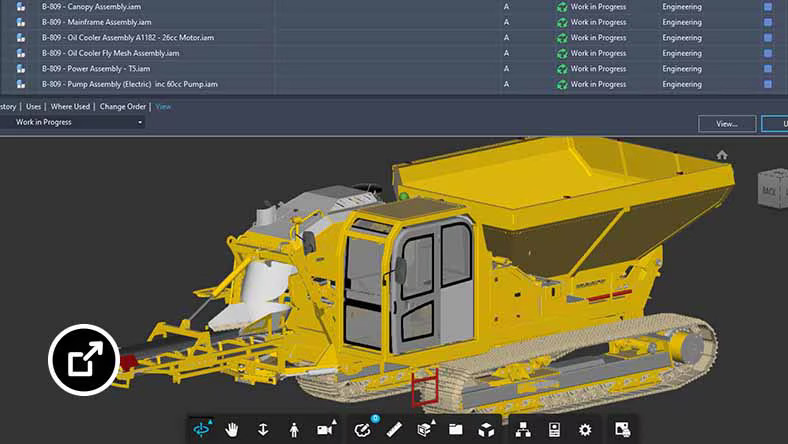
Managing product data effectively is critical for successful product development. Integrating Fusion 360 Manage with tools like Autodesk Vault, Upchain, and Prodsmart ensures that all data is organised, accessible, and up-to-date. This reduces the risk of errors, minimises data silos, and enhances overall data integrity.
3. Streamlined Workflows
Integrations help streamline workflows by automating data transfers and synchronising processes. This reduces the need for manual data entry and minimises the risk of errors, allowing teams to focus on their core tasks and improving overall efficiency.
4. Better Decision-Making
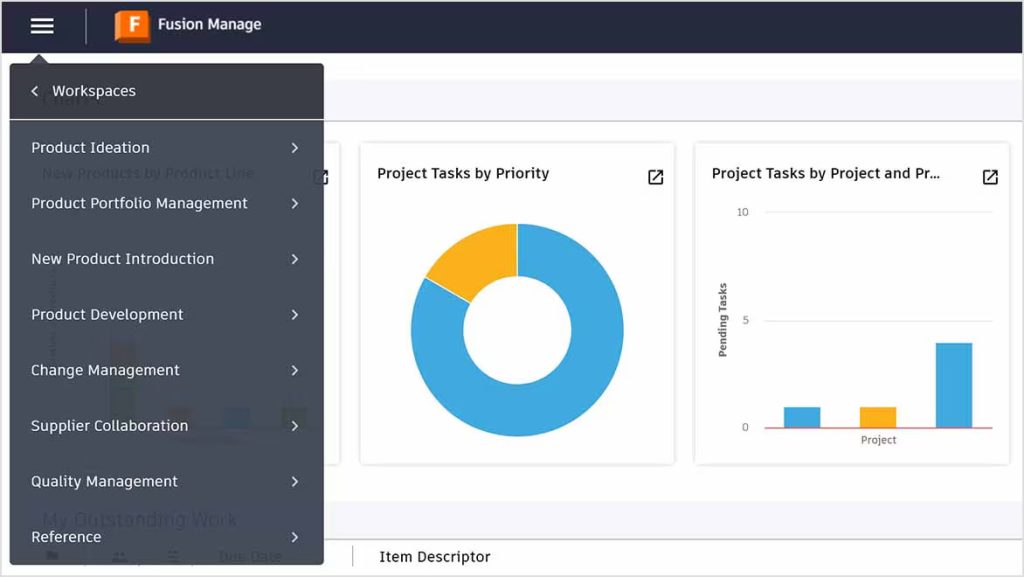
Access to accurate and up-to-date data is essential for informed decision-making. By integrating various systems, organisations can ensure decision-makers have access to the information they need to make timely and effective decisions, ultimately leading to better project outcomes.
Ready to Transform Your Product Development Process?
Autodesk Fusion 360 Manage is a powerful PLM solution that offers seamless integration with Autodesk’s suite of CAD software and data management solutions. By connecting with tools like Fusion 360, Inventor, AutoCAD, Vault, Upchain, and Prodsmart, Fusion 360 Manage provides a comprehensive platform for managing product lifecycles and optimising product development processes. These integrations enhance collaboration, streamline workflows, and improve data integrity, enabling organisations to bring products to market faster and with greater success.
For design professionals looking to stay ahead of the curve, understanding and leveraging these integrations is crucial. By adopting a fully integrated approach to product development, organisations can achieve new levels of efficiency and innovation, setting themselves apart in today’s competitive market.


Contact Us
Contact us to find out how we can help your business. Fill out the form below, by live chat, phone or email.
P: 1800 490 514 | E: info@designconsulting.com.au