Rize - World's first UL Greenguard 2904 Certified 3D Printers
How safe is your 3D printer for indoor use and what is the air quality while it is in use?
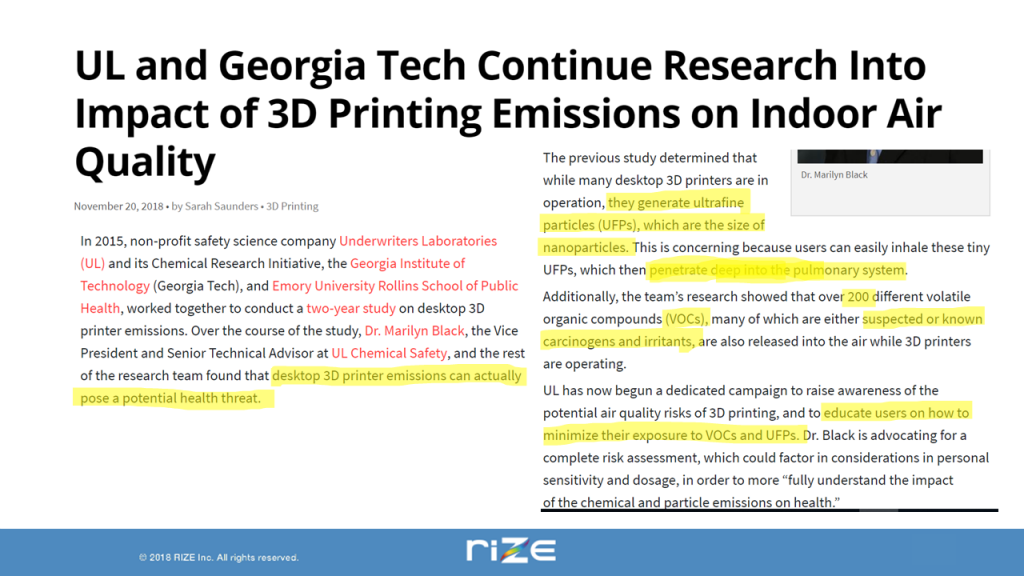
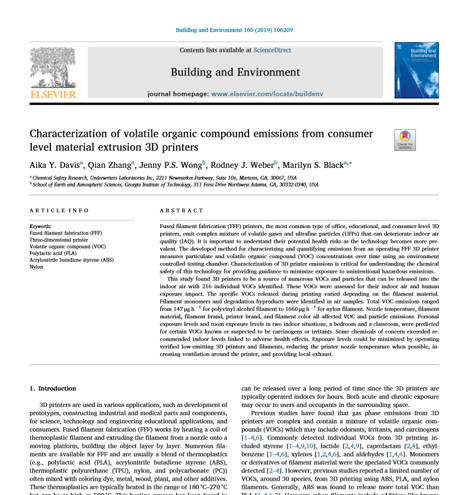
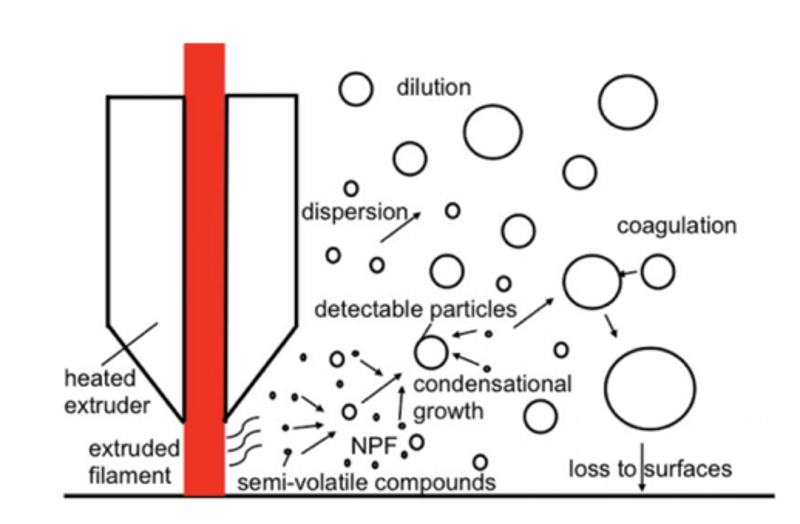
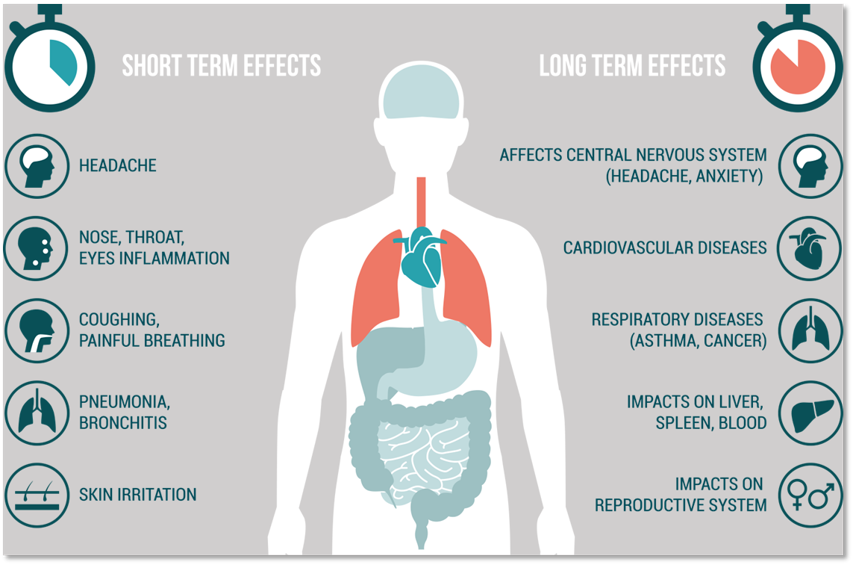
Studies have found that 3D printers in indoor settings pose potential health threats to those exposed to the nano-sized ultrafine particles (UFPs) that come off the printer during operation.
UL Greenguard 2904 Certification
Underwriter Laboratories (UL), the world’s leading non-profit safety science organization, has announced a new standard UL 2904 for safety in 3D printing focusing on setting standards for indoor air pollution by 3D Printers.
This certification assures users that the 3D printer meets the safety and sustainability goals in LEED certification, Zero Waste.
Carcinogens in 3D Printer Extrusion
RIZE became the first company in the world to receive UL 2904 GREENGUARD certification for RIZE 2XC Printing system – Rize 2XC Printer, RIZIUM Composite Filament. Rize met and exceeded the certification requirements to receive the certification of UL Greenguard.
More than 90% of the particles emitted by 3DPrinters are in nanoparticle range (less than .1 micron) and when inhaled can cause cardiovascular and pulmonary issues.
There are 200+ VOC’s detected, many are known irritants and carcinogens:
Formaldehyde (known carcinogen)
Styrene (flammable chemical and irritant)
Caprolactam (known irritant of eyes, throat and headaches)
And many others
Safe 3D Printers for Office, Education and Hospital Use
Many consumers take the risk with 3D printing unaware of the health issues and businesses with industrial floorspace can have 3D printers in well-ventilated environments, however, in office environments and education where there are small children and in hospitals where there are sick and elderly, these risks and liabilities become issues when 3D printers produce poor health quality.
Having a UL 2904 certified 3D printer reduces the risk, liability and long-term health implications of using 3D printers in indoor environments.
Rize 3D Printers - The Safest Choice
If it is safety first when choosing a 3D printer, then Rize composite and full colour 3D printers are the leading choice for environments where air quality and the short and long term side effects of carcinogen exposure are primary factors.
Contact Us
If you would to discuss Rize 3D printers, please contact us by calling on 1800 490 514, by filling out the form or clicking the live chat in the bottom right-hand corner.
3D Printer Review: Battle of Continuous Fiber Composites
With so many choices for 3D printers on the market, few can deliver strength-to-weight ratios like continuous fiber 3D printers.
Using FDM Fused Deposition Modeling (aka FFF) technology, these 3D printers lay continuous fibers into the base filament of the 3D printed part to produce strong lightweight parts that rival metal.
There is a couple of competitors in the market and Anisoprint with over 10 years of composite manufacturing experience offering a clear alternative to the rest.
The name Anisoprint is derived from anisotropy, to exhibit different parameters of stiffness and strength in different directions (e.g. horizontal and vertical).
Understanding the differences between Anisoprint and their main competitors can be confusing, however, understanding how traditional composite fiber parts are manufactured gives you insight into how these manufacturing processes were adapted to 3D printing technology.
Composite Manufacturing
Without getting too technical, producing composite parts is laying in fiber, such as carbon fiber, into polymer matrix layer by layer and laminating them together: and it is the way these 3D Printers laminate that is the most distinguishing characteristic between them.
The type of fiber and the volume of fiber in a composite can vary, for instance, when manufacturing aerospace composites the amount is as high as 60%.
3D Printer Fiber Extrusion Methods
Both Anisoprint and the competition use a dual extrusion technique where there is a base filament and continuous fiber, the latter can be customized in the slicing software.
The way the competitor system extrudes the fiber is a prepreg placement technique: heating a roll of filament fiber which has about 28% fiber and the remaining being a thermoplastic and by heating the filament as it extrudes, it bonds to the base thermoplastic filament, usually a Nylon or Nylon mixed with short fibers of carbon fiber and limited colour choices.
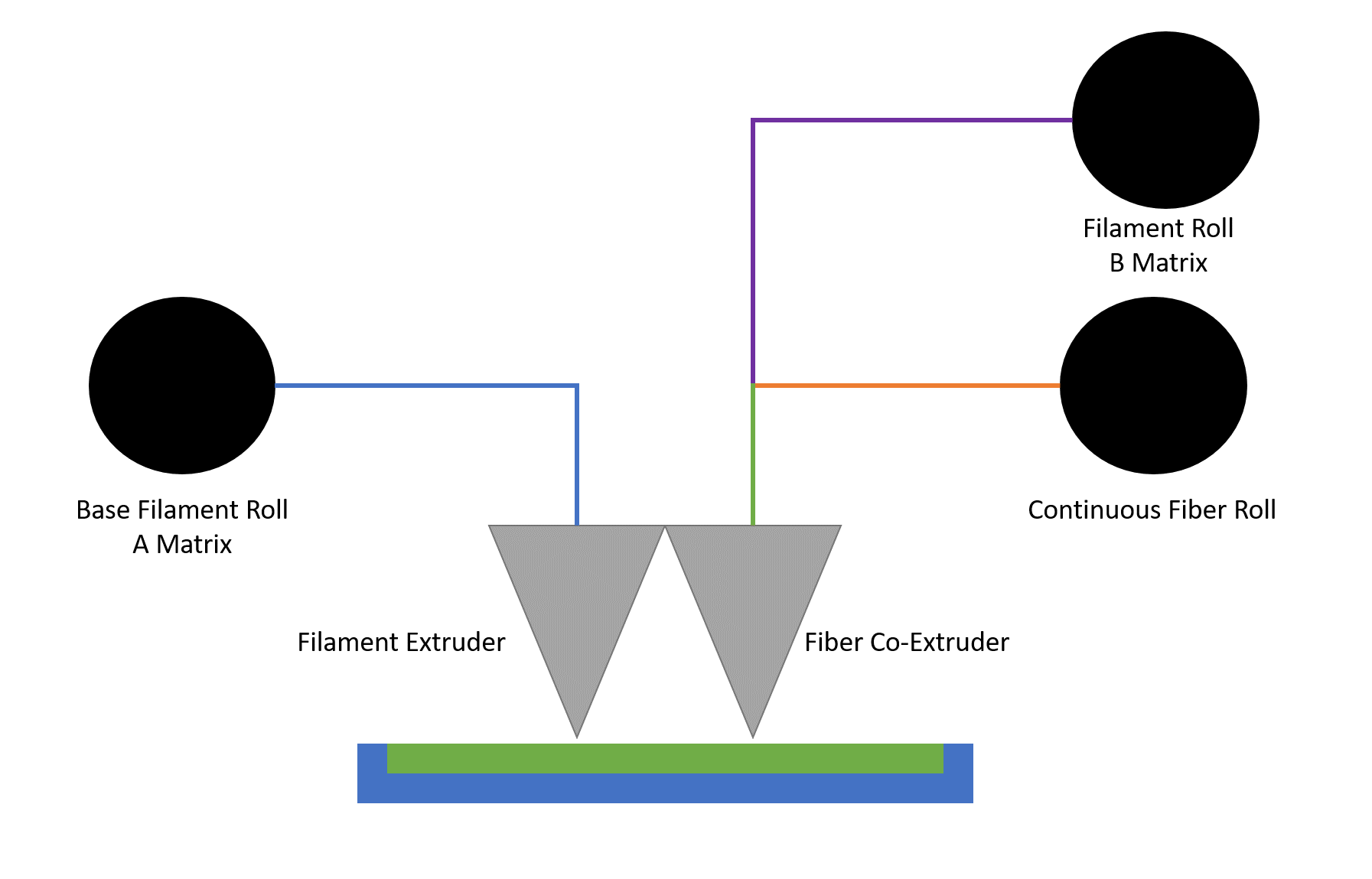
Anisoprint use a unique co-extrusion technique, where prepreg (fiber impregnated with thermoset) and thermoplastic matrix and fed into the extruder simultaneously. The extruder heats them, making the matrix soft and elastic and the fiber sticky and less rigid, then the blend is extruded as one single composite material.
Its this patented co-extrusion technique using preimpregnated (with thermoset) fiber that gives it the ability to bond to a wide range of thermoplastics.
Composite Co-Extrusion
Anisoprint composite co-extrusion
Anisoprint Diagram
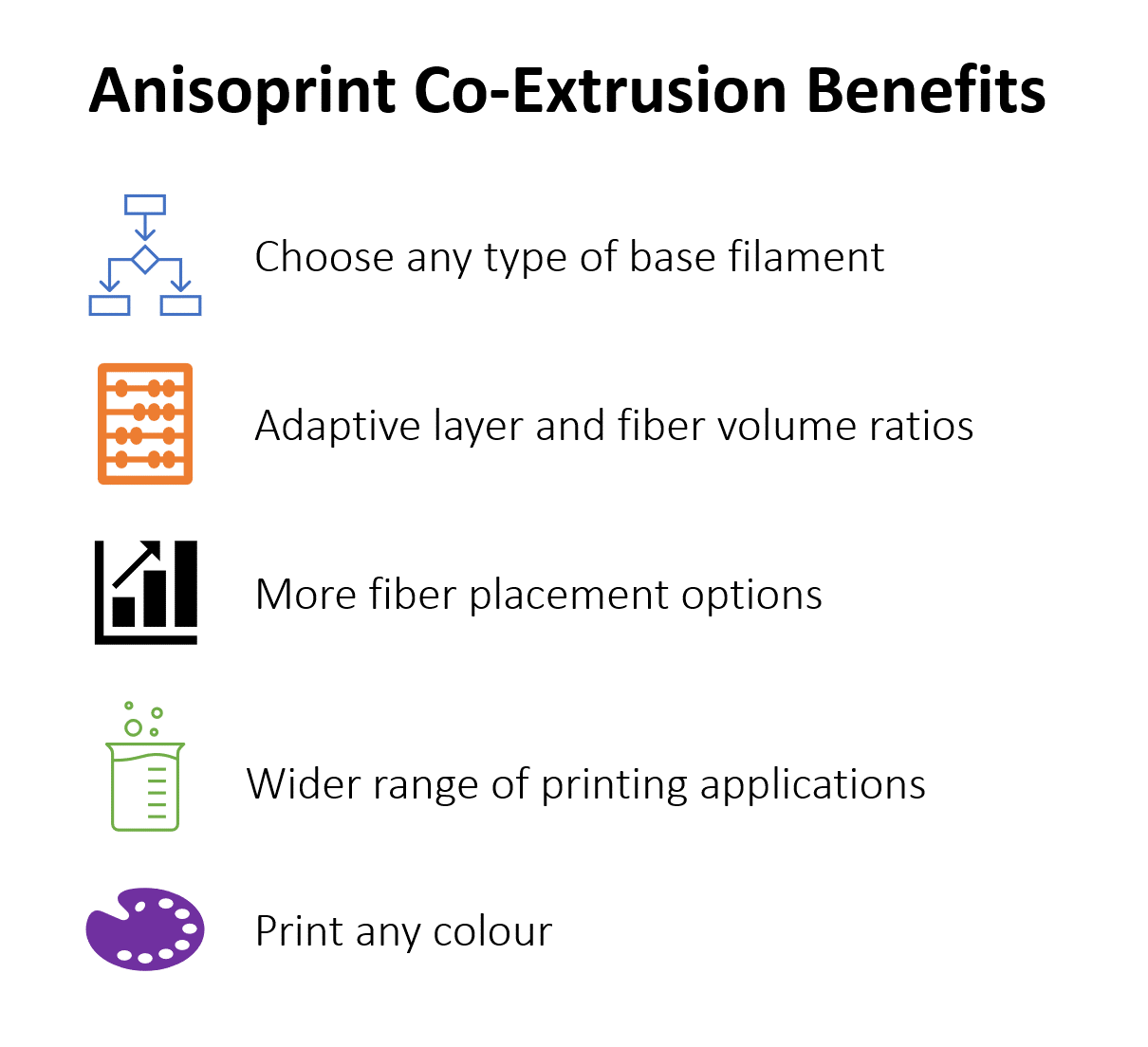
The benefit of using Anisoprint co-extrusion is adaptive 3D printing: where the volume ratio change or amount of matrix and fiber can be modified, if required.
Anisoprint co-extrusion allows 3D printer users to create parts with fiber volumes up to 60% (which meets the demands of aerospace production), 3D print internal lattice structures with continuous fiber (not just base filament), make use of adaptive layer thickness, and make many other flexible choices to lay continuous fiber.
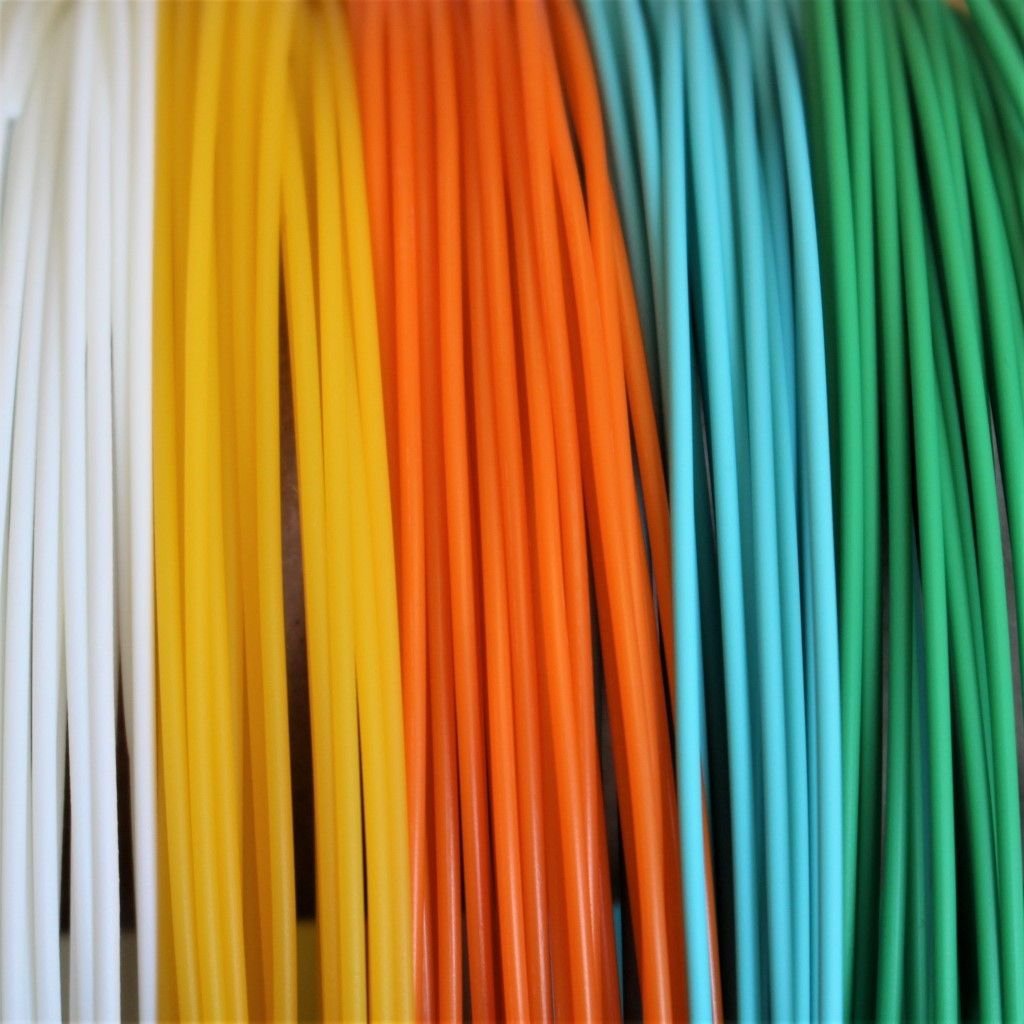
Using prepreg plus thermoplastic instead of dry fiber plus thermoplastic creates an open system, giving the user the ability to print with any type of base filament or colour within the specifications of the printer, such as PLA, Nylon, TPU, ABS, Pet-G, or composites such as a thermoplastic with short fibers to provide characteristics for specific applications and conditions, such as high or low temperature, friction, UV, chemical resistance, anti-microbial/bacterial or flame retardant.
Materials
Many other continuous fiber 3D printer manufacturers offer only a limited range of their proprietary materials which can be limited to the application and colour selection. While Anisoprint have their own materials as well, they offer an open system, so users have a wide range for choice when it comes to material applications such as Nylon, PLA, PET-G, Polycarbonate, PC-FR, TPU, etc. and of course any colour choice that the filament comes in, so you can print in the right material for the right application.
Aura Slicing Software
Aura slicing software allows the user to use the flexibility of anisoprinting technology to the fullest. With a wide range of adjustable parameters that are unique in the market, Aura can fully control the process of printing to meet all customer demands. For those who wish to simply choose a material and print, there is a number of preset optimized plug and play profiles for various materials that can produce an excellent finished part with no manual input or parameter adjustment.
Anisoprint Aura - Masking
Masking
A mask is an additional model that is added to the work area to intersect with the base model, changing the model’s internal structure in the intersection volume.
This type of marking intersection serves for adjusting fiber and support parameters that are different from those selected for the rest of the model.
You can see the base model (grey) and the mask model (orange) in the picture below. The base part volume inside the mask will be printed with special settings for the mask.
Layer Thickness
Aura software allows users to adapt layer thickness, for instance, a user may want a nice surface finish and 3D print a layer of 50um around the surfaces and on the inside 3D print 200um or higher where surface finish is not an issue, this hack increases the speed of the print.
Fiber Directions
Competitors’ slicing software has the option for linear or concentric printing of continuous fibers.
Anisoprint Aura software gives the user the option for a combination of:
Linear
Concentric (with an option to choose separately, concentric fibers for inner and outer perimeters)
Curvilinear trajectories
Lattices
These combinations provide users with the flexibility to lay fibers in the right directions giving maximum strength and directional force.
Lattices
The ability to 3D print various lattice structures with continuous fiber gives parts strength in the right places, speed to print and lighter parts, providing load distribution along the 1D ribs, making the part 2-3x stronger compared to the one with plastic lattices. Compared to printing on a competitor’s machine that cannot print continuous fiber lattices such part will also be lighter.
Anisoprint provides users with flexible options for lattice patterns:
Solid
Rhombic
Isogrid
anisogrid
Fiber printing (Microns)
Aura allows 3D printing of continuous fibers of up to 350um whereas the competing 3D printing systems only 3D print up to 200um.
Desktop Composite Continuous Fiber 3D Printers
Using stepper motors, the desktop range from Anisoprint provide large print volumes:
Anisoprint Composer A4: 297x210x140mm
Anisoprint Composer A3: 460x297x210mm
Industrial Continuous Fiber Composite 3D Printers
When it comes to industrial application, Anisoprint has a true industrial printer with industrial level components, designed for 24/7 production to print 60cc p/hr of continuous carbon fiber with a max travel speed of 20,000 mm per minute:
PLC Based BOSCH Rexroth XM42 controller
Servo motors with brakes
Industrial automation
Safety and sensors
Liquid cooling
400 degrees max. extruder temp to 3D print thermoplastics such as PEEK and PEI
160-degree heated chamber
Build volume: 600x420x300mm
Tool changer for 4 extruders
Material dryer
Server-based software
Competitive Comparison Matrix - Continuous Fiber 3D Printers
Anisoprint Desktop Composer
Competitor Desktop
Build Volume
A4: 297x210x140mm - 25% larger build volume than competitor
A3: 460x297x210mm - 77% larger build volume than competitor
320x132x154mm
Base Filaments (Matrix)
Open material system
Yes
No
Continuous Fibers
Continuous carbon fiber
Yes
Yes
Continuous basalt fiber
Yes
No
Continuous aramid fiber
No
Yes
Continuous fibreglass fiber
No
Yes
Variable Fiber to Volume Ratio
Yes
No
Fiber to volume Ratio
Up to 60%
28%
Layer Resolution
Resolution (microns)
36 to 360
100 to 200
Adaptive Layer Resolution
Yes
No
Continuous Fiber Directions
Linear Trajectories
Yes
Yes
Concentric Trajectories
Yes
Yes
Rhombic Lattice Structures
Yes
No
Isogrid Lattice Structures
Yes
No
Anisogrid Lattice Structures
Yes
No
Curvlinear Trajectories
Yes
No
Combination of Trajectories
Yes
No
Combination of Linear, Curvlinear, and Concentric Trajectories
Yes
No
Combination of Trajectories and Lattices
Yes
No
Slicing Software
Masks
Yes
No
Support Blockers
Yes
No
Support Enforcer
Yes
No
Headless Mode (CLI)
Yes
No
Export G-Code
Yes
No
Anisoprint Industrial Prom IS 500
Competitor Industrial
Build Volume
600x420x300 - 78% larger build volume than competitor
330x270x200mm
Servo Motors
Yes
No
Tool Changer
Yes
No
Base Filament Extruders
4
1
Liquid Cooled Extruder
Yes
No
Max temperature of 400 degrees
Yes
No
Heated Build Chamber
Yes
No
Material Dryer
Yes
No
Safety Sensors
Yes
No
Laser Scanning
No
Yes
Base Filaments (Matrix)
Open material system
Yes
No
Continuous Fibers
Continuous carbon fiber
Yes
Yes
Continuous basalt fiber
Yes
No
Continuous kevlar fiber
No
Yes
Continuous fibreglass fiber
No
Yes
Variable Fiber to Volume Ratio
Yes
No
Fiber to volume Ratio
Up to 60%
28%
Layer Resolution
Resolution (microns)
60 to 350
50 to 200
Adaptive Layer Resolution
Yes
No
Continuous Fiber Directions
Linear Trajectories
Yes
Yes
Concentric Trajectories
Yes
Yes
Rhombic Lattice Structures
Yes
No
Isogrid Lattice Structures
Yes
No
Anisogrid Lattice Structures
Yes
No
Curvlinear Trajectories
Yes
No
Combination of Trajectories
Yes
No
Combination of Linear, Curvlinear, and Concentric Trajectories
Yes
No
Combination of Trajectories and Lattices
Yes
No
Slicing Software
Masks
Yes
No
Support Blockers
Yes
No
Support Enforcer
Yes
No
Headless Mode (CLI)
Yes
No
Export G-Code
Yes
No
Conclusion
While on the surface, composite 3D printers seem to be the same and do similar functions, when you look at the extrusion hardware and slicing software in the desktop range and the motors and other components in the industrial range, differences are quite contrast.
If you are looking for greater continuous fiber choices, then Anisoprint may not be the right fit, however, the fact that it can use any base plastic, whether it be rigid or flexible, offers greater choice and eliminates the need for a wider range of continuous fiber.
The Anisoprinting system gives the user basic settings like the competition to simply print and go, or for advanced use, the freedom and the ability to manipulate the direction of fibers, lattice structures to produce lighter parts and the choice in the right base filament to fit the desired application with a bigger build volume to print larger parts.
In the industrial range, the Prom is a true industrial size and built for 24×7 use with 4x tool changers and servi motors, while the alternative is small and doesn’t use the same industrial components but compensates with a laser scanning tool.
All composite 3D printers with continuous fiber will give you strong, lightweight parts that rival replacing metal, it’s just that the Anisoprint has the hardware and software to be to steer the continuous fibers with greater flexibility, which caters to the benefits of composite fiber manufacturing.
Contact Us
If you would learn more about Anisoprint, please contact us by calling on 1800 490 514, by filling out the form or clicking the live chat in the bottom right-hand corner.
What is Fiber Steering? 3D Anisoprinting with Continuous Fibers
Continuous Fiber 3D Printers are great but what’s the point of 3D printing long fibers if you can’t control the direction of the fibers in the way you need them to be?
It’s a bit like having a car with a that can only drive straight.
Fiber steering is the ability to control the trajectories of fiber reinforcement.
It is one of the biggest advantages of continuous fiber 3D printing technology. This allows you to produce optimal composites for a given load without increasing the weight, wich impossible with conventional composite manufacturing technologies such as composite layup or winding.
FFiber Steering Composites - Reinforcement Where You Need It
For example, you can effectively reinforce the parts with holes. It’s well known that holes are stress concentrators that significantly reduce the strength of structural elements. The main goal was to find a method for rational reinforcement of such parts.
The sample was reinforced with curved paths corresponding to the load distribution, without increasing the weight. Traditionally, to increase the strength of an element, a part thickness is increased that leads to an increase of the part weight.
As a result of a specific layup of the reinforcing fiber in the sample, the stress concentrations are removed from the holes and the load evenly distributed over the entire part.
Three panels, one for each type of laminate, are built from thermoset prepreg material using automated fiber placement. One of the panels was made by fiber steering, the other two were with straight fibers: one with quasi-isotropic and the second with constant stiffness.
All panels are tested in pure tension. The failure loads, failure modes, and weights of the tested panels are compared. The results indicate that the variable stiffness laminate (fiber steering) is capable of sustaining loads of up to 2 times, before failure, then the constant stiffness and quasi-isotropic laminates of equal weight.
Design Consulting supplies the complete range of Anisoprint continuous fiber desktop and industrial 3D printer range that provides an open system to print in virtually any plastic material and re-inforce the 3D print with continuous basalt or carbon fiber.
Contact Us
If you would to discuss Anisoprinting, please contact us by calling on 1800 490 514, by filling out the form or clicking the live chat in the bottom right-hand corner.
3D Printing Non-Planar Continuous Fiber Reinforced Composites
Most 3D printing processes are actually 2.5D but what does that really mean if it is a 3D printer? The conventional process of 3D printing is laying material on top of each other on a parallel plane (usually the print bed), and as layers build, it results in a three-dimensional object.
Planar Vs Non-Planar - Planar Continuous Fiber 3D Printing
In traditional 3D printers, moving parts are most often either the print bed (or table), or the print head, or both of them, such as in the Anisoprint Composer Desktop series of continuous fiber 3D printers. Even though the table and the print head move along the x, y, z axes, the layers are still stacking in the parallel plane, and each subsequent layer is parallel to the previous one.
Planar Vs Non-Planar - Continuous Fiber 3D Printing Limitations
Both FFF (plastic) and continuous fiber 3D printing have a number of limitations. Since the layers are stacked parallel to each other, it is not possible to reinforce parts in two planes at the same time and therefore, the part can only be reinforced in the same plane.
For example, in the parts pictured below, it is not possible to effectively strengthen parts using conventional 3D printers.
The second limitation is in the difficulty with printing curved shape models because the extruder is fixed to the XY plane and cannot move out of these planes so that the nozzle remains always perpendicular to the point where the material is laid out.
Continuous Fiber Non-Planar 3D Printing
There is a way for ‘’true 3D printing’’ with continuous fibers by using an Anisoprint 6-axis robot that allows reinforcing parts of any shape in different planes.
The robot includes a 6-axis robot arm and an end-effector printing with continuous fiber. The robot’s axis allow free movement in 6-axis to print complex shapes, without additional supports, molds and tools.
Design Consulting supplies the complete range of Anisoprint continuous fiber desktop and industrial 3D printer range that provides an open system to print in virtually any plastic material and re-inforce the 3D print with continuous basalt or carbon fiber.
Contact Us
If you would to discuss Anisoprinting, please contact us by calling on 1800 490 514, by filling out the form or clicking the live chat in the bottom right-hand corner.
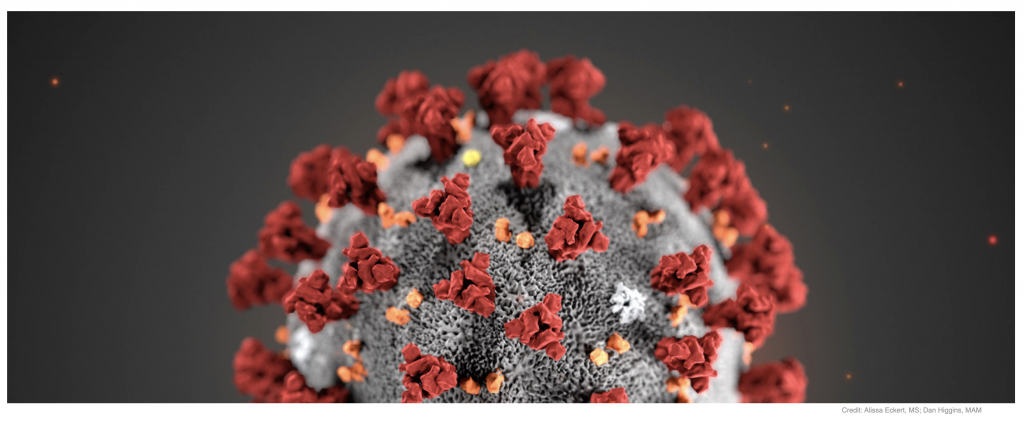
Copper3D, a pioneer company inantimicrobial materials for the 3D printing industry, has had a very intense 2020, in a period that has been dominated by the ongoing COVID-19 pandemic with a global effort to find effective solutions to protect ourselves from this virus, as well as hundreds of other microorganisms dangerous to humans. Copper3D has been working in infectious control development well before the Coronavirus pandemic began, having been founded in January 2018 in Santiago, Chile, the world’s biggest producer of copper and an expert nation in antimicrobial solutions based on this element.
Read the full press release here on how Copper3D is being used in the fight against Coronavirus
Design Consulting specialises in supplying 3D printers and Autodesk CAD software.
For pricing on Copper3D filament, please visit our shop
Contact Us
If you would like more information on Copper3D filament, please contact us by calling on 1800 490 514, by filling out the form or clicking the live chat in the bottom right-hand corner.
Photocentric are on a mission to solve a global problem and focusing their entire R&D team on improving energy storage using their unique additive manufacturing techniques.
They hope the technology will provide massive improvements in the performance of batteries which are used in Giga factories in the UK.
By leveraging on Photocentrics visible light polymersation in combination with their LCD screen-based 3D printers, Photocentric have several patents to manufacture low-cost mass manufactured batteries.
“currently, electric vehicles are made to fit around the battery module, we want to create customised batteries that fit the vehicle.”
Head of R&D Chemistry at Photocentric, Dr. Sarah Karmel
Batteries that are commonly used in automotive are typically large and heavy with opportunity for optimisation.
Photocentrics intention is to 3D print battery electrides and by using the unreestricted freedom of the 3D printing process, has an objective to deliver remarkable advancemnets in battery manufacturing. Hed of R&D Chemistry at Photocentric, Dr. Sarah Karmel says “currently, electric vehicles are made to fit around the battery module, we want to create customised batteries that fit the vehicle.”
Check out the video below for the full interview:
About Design Consulting
Design Consulting are providers of 3D CAD software, 3D Printers, Plastic Shredders, Filament Makers, IT equipment, Web Configurators and a range of Professional Services and Consulting.
For more information, please contact us by calling on 1800 490 514, by filling out the form or clicking the live chat in the bottom right-hand corner.
Sika Automotive, a leading OEM supplier for automotive components, needed to streamline prototyping and pre-series productive for their innovative heat-expandable acoustic inserts. They incorporated the 3devo Composer 350 filament maker into their in-house 3D printing and manufacturing process which was capable of extruding heat-reactive, low-temp materials.
Background
Sika Automotive manufactures bonding, sealing, damping and reinforcing solutions for the automotive industry with lightweight, robust and customised chassis components for OEMs across Europe. Thier acoustic inserts and precision engineered with proprietary materials. Using the 3devo Composer 350, Sika are able to process heat-reactive, highly expandable thermoplastic material into 3D filament, streamlining their manufacturing and prototyping processes by being able to additive manufacture prototypes in the same material in production.
The Challenge
Sika’s cavity sealers typically go through 5-10 design iterations and as their products are injected molded, prototypes were costly to produce and design cycles were lengthy waiting on molds to be produced, tested and re-iterated, so they wanted a cost effective solution to be able to prototype materials and needed a solution that could process medium melt flow index polymers without changing its chemical composition.
The Solution
To be able to 3D print their cavity sealers, they needed a filament maker that could sucessfully process their SikaBaffle material, which was already available in its pellet form. With alow melting point of 90 degrees, this made it incompatible with most extruders, except for the 3devo Composer 350, which is sucessfully able to extrude the material and create filament.
By creating their own filament, Sika are able to reduce the lead times by 90% being able to get the saame process done in 2-5 days instead of 4-8 weeks.
About Design Consulting
Design Consulting are providers of 3D CAD software, 3D Printers, Plastic Shredders, Filament Makers, IT equipment, Web Configurators and a range of Professional Services and Consulting.
For more information, please contact us by calling on 1800 490 514, by filling out the form or clicking the live chat in the bottom right-hand corner.
Design Consulting are a technology service provider of CAD software, 3D printers and Professional Services for the architectural, engineering, construction and manufacturing sectors.
Contact Us
If you would to discuss Photocentric 3D printers, please contact us by calling on 1800 490 514, by filling out the form or clicking the live chat in the bottom right-hand corner.