Terms and Conditions
ENTER YOUR SITE TERMS AND CONDITIONS HERE
ENTER YOUR SITE TERMS AND CONDITIONS HERE


No posts found!

2D or 3D PDF Files

DXF for Standard or Sheet Metal Flat patterns files

3D STEP or IGES for part or assembly files

2D/3D DWG Files

Excel or CSV

XML Files
The Job Processor is a separate application that reserves queued jobs and pulls them from the job server to process them. Since the job processor is installed along with the Vault client, any workstation with the Autodesk Vault edition can be used to publish jobs.
A job processor is a software application that automates the execution of tasks in Vault Professional. This can help to improve efficiency and productivity by freeing up users to focus on other tasks, while the job processor handles the repetitive or time-consuming tasks.
There are many benefits to using a job processor for Vault Professional. Some of the most common benefits include:
If you are looking for a way to improve the efficiency, productivity, and compliance of your Vault Professional workflows, then a job processor is a good option. There are many different job processors available, so you can choose one that meets your specific needs and requirements.
Here are some specific examples of how a job processor can be used to improve the efficiency, productivity, and compliance of Vault Professional workflows:

Design Consulting provide competitive renewal prices on Autodesk software, premium technical support and consulting advice for your business.

Please provide your details, along with the contract number/s, products and quantities and we’ll send you a competitive quote.
Design Consulting offer unique support, advice, contract management and payment terms compared to buying direct or through other sources.
Feature | Design Consulting | Direct/Other |
Technical Support | Technical support through Design Consulting in addition to Autodesk technical support | Autodesk technical support only |
Premium Support | Included with most licences.4-hr response, 8am-8pm Mon-Fri | – |
Advice | Free advice on Autodesk design, analysis and collaboration workflows. | – |
Licencing | Align new/existing licenses to contracts (same end date), add to serial (merge licences). | – |
Payment terms | Flexible 14-day payment terms | – |
Experience | Staff with over 10 years of experience | – |
Australian Owned | Yes | – |
As you can see, Design Consulting offers a number of unique advantages over Autodesk, including:
If you are looking for a comprehensive and reliable Autodesk subscription solution, Design Consulting is a great option. We offer a number of unique advantages over buy direct, including technical support, advice, licencing, payment terms, experience, location and premium technical support.


Design Consulting Premium Technical Support from Monday to Friday, from 7am to 8pm by phone, email, live chat or by logging a ticket.
In addition, Autodesk offers the following Subscription benefits. While we make every attempt to keep our site up to date, these benefits may change:


Autodesk have announced that it has signed an agreement to acquire cloud-based artificial intelligence platform Spacemaker
Spacemaker is an AI platform for the Architectural industry suited for architects, urban designers, and real estate developers make data-driven design decisions for building and urban development projects. A SaaS-native platform, Spacemaker enables customers to quickly optimize and iterate on design solutions in the early stages of a project. Dozens of firms already use Spacemaker for their early-stage urban design efforts and our Architecture, Engineering, and Construction customers will now benefit from being able to leverage their technology as well.
Click the link below to learn more: https://adsknews.autodesk.com/pressrelease/autodesk-aquires-spacemaker
If you would to discuss architectural and generative design please contact us by calling on 1800 490 514, by filling out the form or clicking the live chat in the bottom right-hand corner.


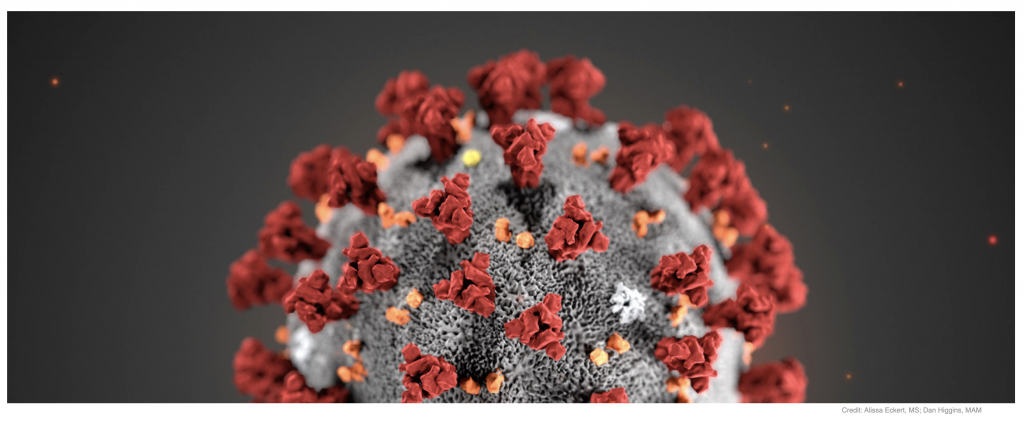
Copper3D, a pioneer company inantimicrobial materials for the 3D printing industry, has had a very intense 2020, in a period that has been dominated by the ongoing COVID-19 pandemic with a global effort to find effective solutions to protect ourselves from this virus, as well as hundreds of other microorganisms dangerous to humans. Copper3D has been working in infectious control development well before the Coronavirus pandemic began, having been founded in January 2018 in Santiago, Chile, the world’s biggest producer of copper and an expert nation in antimicrobial solutions based on this element.
Read the full press release here on how Copper3D is being used in the fight against Coronavirus
Design Consulting specialises in supplying 3D printers and Autodesk CAD software.
For pricing on Copper3D filament, please visit our shop
If you would like more information on Copper3D filament, please contact us by calling on 1800 490 514, by filling out the form or clicking the live chat in the bottom right-hand corner.


Add-Ins – Cable and Harness
Resolved a Cable & Harness Loom style color cannot be updated issue. INVGEN-41120
Resolved issue where visibility of the components setting is ignored when editing a Cable & Harness sub assembly. INVGEN-43727
Add-Ins – Content Center
Resolved issue where the Place from Content Center icon (Ribbon) switched to Place icon during placing a component from Content Center. INVGEN-32831
Resolved issue where columns with formulas that reference other columns weren’t working correctly. INVGEN-36130
Resolved issue where Content Center commands were enabled for non-master positional representations when switching between documents. INVGEN-37050
Improved performance when placing large Content Center families. INVGEN-39031
Resolved issue for the Chinese version where Boolean values were translated in the opposite direction. INVGEN-43480
Add-Ins – Design Accelerator
Improved the constraint behavior of bolted connections (BC) by applying temporary ground constraints to keep the BC in position when constraining to them. Temporary constraints are removed afterward. INVGEN-39989
Resolved issue preventing bolted patterns from following the pattern after being edited. INVGEN-41252
Resolved error messaging issue, it is improved for cases where template report files aren’t accessible. INVGEN-41345
Resolved issue that the bolted connection did not insert the correct bolt length. INVGEN-41805
Resolved issue where the bolted connection generator created Through All holes instead of To Face holes. INVGEN-42562
Resolved a refresh Content Center Standard Parts with Bolted Connection sub-assembly issue. INVGEN-42851
Resolved issue that prevented changing the shaft generator element type or deleting the element. INVGEN-43202
Resolved issue that bolted connections did not work properly when the sub-assemble structure was disabled. INVGEN-44310
Resolved issue where Bill of Materials didn’t update correctly after using the Bolted Connection Follow pattern setting. INVGEN-44383
Add-Ins – Frame Generator
An additional index is added at the end of the file name to avoid duplicating file names. INVGEN-39016
Frame Generator property panel. Moved “Zoom” label away from border. INVGEN-39378
Improved stability when working with Frame Generator. INVGEN-41396
Add-Ins – Mold Design
Resolved issue with displaying saved Part Fill Analysis results after reopening the file. INVGEN-2884
Resolved a performance issue with imported data in Mold Design Generate core and cavity. INVGEN-40356
Add-Ins – Simulation
Resolved issue where saved Inventor files (when using the Centaur addin) did not include FEA results when re-opened. INVGEN-41945
Add-Ins – Simulation – Stress Analysis
Improved performance when moving an FEA probe tag. INVGEN-43601
Add-Ins – Task Scheduler
Resolved issue preventing Task Scheduler from checking files into Vault as part of a migration task. INVGEN-41548
Add-Ins – Tube and Pipe
Resolved issue where file naming defaults and indexing for Tube & Pipe run locations weren’t working correctly. INVGEN-37052
Resolved the issue where dimensions applied to a route did not persist when the Auto Dimension option is OFF. INVGEN-40329
It’s now possible to promote/demote tube and pipe content center components when they are outside the scope of tube and pipe assemblies. INVGEN-40379
Resolved issue preventing you from moving Tube and Pipe components in the browser. INVGEN-41253
Resolved a Tube and Pipe issue where Copy run doesn’t offer unique filenames for populated copied components. Now, when a run with populated route/s is copied, unique filenames for populated components are offered to finish the workflow. INVGEN-43243
Resolved issue where a Tube & Pipe assembly lost its adaptivity. INVGEN-43341
Improved stability when editing a Tube & Pipe route in some models. INVGEN-43347
Improved stability when editing routes in the Tube & Pipe environment. INVGEN-43616
Resolved issue where it was not possible to snap a tube and pipe component to the route end point during component placement. INVGEN-44122
Resolved issue where an unpopulated route did not update and later populate. For 2021 and earlier versions of Inventor. INVGEN-44277
Resolved issue where there are missing context menu commands during tube and pipe fitting placement. INVGEN-46146
Add-Ins – iLogic
Resolved issue where iLogic Form wouldn’t function after changing the Level of Detail and accessing the Bill of Materials. INVGEN-36380
Removed the Page Setup command from the rule editor toolbar. INVGEN-36993
In the iLogic rule editor, autocomplete now works for function parameters. INVGEN-39827
Read only parameters now have a different background color than read/write INVGEN-42780
Resolved issue causing iLogic forms to take a long time to refresh. INVGEN-43789
Resolved issue with Migrate ETO names where Inventor displayed an error or failed to migrate names. INVGEN-44408
Resolved iLogic UI issues related to dark theme. INVGEN-45661
Resolved issue with the Dark Theme where the the Publish 3D PDF dialog box would become too dark to read after creating an iLogic rule. INVGEN-46367
AnyCAD
The units of measure defined in Revit data file are now respected during import INVGEN-38659
Resolved issue where the Resolve Link dialog box would display when importing a Pro-e assembly. INVGEN-45694
Assemblies
Improved stability when enabling Suppress on the iProperties/Occurrences tab for a component. INVGEN-43768
Assemblies – BOM
Resolved issue where copying cells in the Bill of Materials would incorrectly overwrite the Quantity and Thumbnail values. INVGEN-42397
Resolved issue where the Bill of Materials Expand All Children setting wasn’t working. INVGEN-42435
Improved stability when working with iAssemblies Bill of Materials. INVGEN-43703
Assemblies – Constraints-Joint-Assemble
Resolved issue that iMate fails to match after replacement. INVGEN-42147
Assemblies – Copy Object
Resolved incremental file naming issue in Copy Component. INVGEN-39719
Assemblies – Design Views
Improved stability when using the undo and redo commands. INVGEN-42611
Resolved issue where Modify Design View Representation changes were not being saved in an assembly. INVGEN-42770
Assemblies – Features-Sketch
Resolved issue where Include Geometry in a 3D Sketch would not create fully constrained geometry. INVGEN-42390
Assemblies – Mirror-Copy-Replace
Resolved issue where Copy Components would corrupt the file when reusing an existing instance. INVGEN-45644
Drawings
Improved stability when working in the drawing environment. INVGEN-39174
Drawings – Tables
Resolved issue that Inventor failed to set the hole table origin at existing center mark. INVGEN-41662
Drawings – True Connect
Resolved issue where the drawing file size was increased after adding iProperties. INVGEN-37773
Drawings – Views
Resolved issue that 2D constraints were lost in a section view that used projected geometry when the angle of the reference geometry was updated . INVGEN-31205
Resolved issue where the initial drawing scale was not correct. INVGEN-44129
Resolved issue where Realign Auxiliary Views command persisted a raster view when Exported to PDF/DWF. INVGEN-44136
Resolved issue preventing pasting a view into the same location as the original view when the cursor is on sheet. INVGEN-44726
Parts
Resolved a stability issue when a derived sheet metal part is resolved to a new file and an update is pending. INVGEN-45273
Parts – 2D Sketch
Resolved a performance issue that occurred when creating sketch patterns. INVGEN-36776
Parts – Derive
Improved stability when editing a derived part sketch. INVGEN-44268
Parts – Extrude-Revolve-Sweep-Coil
Improved performance of Extrude Through All. INVGEN-43112
Parts – Fillet-Chamfer
Improved stability when using fillet to select an edge loop on a non-active component. INVGEN-43787
Improved stability when creating fillets. INVGEN-44154
Resolved issue where applying a variable fillet atop another fillet would exit Inventor, INVGEN-44971
Parts – Hole-Threads
Improved stability when creating a Hole during edit-in place after turning on “Allow Center Point Creation” and placing a Hole center point. INVGEN-43698
Parts – Measure
Improved stability when editing a drawing dimension while a modeless dialog is displayed. INVGEN-44959
Parts – Sheet Metal
Improved stability of the Refold feature. INVGEN-3353
Resolved issue about an API query for FlatBendResult.Bend hangs inventor. INVGEN-44872
Platform
Resolved issue where the custom template paths did not populate the Application Options/File tab fields when using /IMPORTOPTIONS on Inventor start up. INVGEN-37765
Improved stability of Inventor close when working in the VBA editor. INVGEN-41209
Improved stability when using the und and redo commands. INVGEN-41614
Resolved issue where Save As wasn’t checking to see if another document with the same filename was already open. INVGEN-41661
Improved stability when creating a sketch and an invisible insertion point was corrupt. INVGEN-43763
Platform – Framework
Improved stability when copying and pasting work geometry. INVGEN-45716
Platform – Graphics
Improved stability when editing a sketch pasted from an AutoCAD drawing. INVGEN-42066
Presentations
The last selected option in the tweak command is retained in the current Inventor session. INVGEN-11506
Translators
Resolved issue where the component color was missing when importing Pro/E assembly files. INVGEN-28934
Improved stability when importing an NX assembly which contains parts with issues. INVGEN-41550
Resolved missing face color issue when importing certain step files. INVGEN-42138
Resolved issue where AnyCAD Catia components were in the wrong position when exported to a STEP file. INVGEN-42305
Resolved issue where Export to STEP 242 or to JT, caused unexpected termination. INVGEN-43314
Translators – DWG-DXF
Resolved issue that title block text shifted when exported to an AutoCAD DWG file. INVGEN-44331
Tutorial Framework
Resolved issue preventing you from sharing Guided Tutorials. INVGEN-43609
Resolved issue preventing you from allowing the Tutorial Gallery to work properly with a Proxy server setup. This requires the Windows environment variables: http_proxy and https_proxy. INVGEN-43662
UI
Resolved issue that the Nastran Convergence Settings icon was missing in the Inventor 2021 dark theme. INVGEN-42777
Resolved issue on My Home where the document number wasn’t showing up in the Recent Document section. INVGEN-44172
Resolved issue that the in-canvas edit box did not accept input when the model was open in a separate window. INVGEN-45983
UI – Browser
Fixed the color of the ‘unresolved’ icon for dark mode. INVGEN-43860
Improved the stability of suppressing unresolved content center files. INVGEN-44379
UI – Customization
Resolved issue that 3DA and Vault commands were removed from Quick Access Toolbar after restarting Inventor twice. INVGEN-43198
Resolved issue where a Macro button vanished from a custom panel after adding an optional parameter to the method. INVGEN-46035
UI – Mini Toolbar
Resolved issue causing View Navigation to respond very slowly when the appearance Adjust command is active under Dark theme. INVGEN-43761
If you would to discuss Autodesk software, please contact us by calling on 1800 490 514, by filling out the form or clicking the live chat in the bottom right-hand corner.
Autodesk have extended Subscription Renewal for Multi-User licences until 2022. Autodesk are still offering the 2:1 Single-User:Multi-User Trade-In promo and the terms and conditions that apply to that are offer still stand.
It’s a welcome announcement by Autodesk during these unprecedented times with COVID-19, clients have been given more time to evaluate their position and make the right decision as Autodesk transition to named users and a cloud-based licencing model.
There are a number of ways you can renew your Multi-User Subscription or transition to Named User and Autodesk are offering exceptions for clients who meet the eligibility criteria.
For more information, please contact us or refer to the Autodesk press release.

If you would to discuss the changes with Autodesk Multi-User licencing, please contact us by calling on 1800 490 514, by filling out the form or clicking the live chat in the bottom right-hand corner.

Autodesk Deal Days Sale Starts 11/07/2022 and Ends on 13/07/2022




IMAGINiT Clarity is a powerful automation system for Autodesk Revit where it automatically processes manual tasks in Revit, IT administrative tasks, data extraction and transferring files from one location to another plus more.
Below is the top 10 tasks in IMAGINiT Clarity.
IMAGINiT Clarity can automate the indexing of Revit families so you can understand the quality and usage of Revit families within your projects.
Automatically back up Revit projects to multiple file formats, platforms and locations and take regular snapshots with custom filenaming.
Automatically generate DWG files from the Revit model.
Automatically publish Revit models and other files such as PDF, DWG, IFC and many other formats to BIM 360. IMAGINiT Clarity can download the latest model from BIM 360 automatically generate PDF, DWG and other file formats and upload them automatically to BIM 360.
Get alerts on impending project issues including inflated file size and unresolved warnings
Create or update Navisworks models from the Revit model.
Extract Revit model data into a database
IMAGINiT Clarity can graph over 50 metrics and custom metrics from Dynamo scripts, Revit macros and the Revit API
Publish, clean and share Revit models with external stakeholders
Prints PDF sets and batch generation of PDF Books

If you would learn more about IMAGINiT Clarity, please contact us by calling on 1800 490 514, by filling out the form or clicking the live chat in the bottom right-hand corner.
Photocentric are on a mission to solve a global problem and focusing their entire R&D team on improving energy storage using their unique additive manufacturing techniques.
They hope the technology will provide massive improvements in the performance of batteries which are used in Giga factories in the UK.
By leveraging on Photocentrics visible light polymersation in combination with their LCD screen-based 3D printers, Photocentric have several patents to manufacture low-cost mass manufactured batteries.

Batteries that are commonly used in automotive are typically large and heavy with opportunity for optimisation.
Photocentrics intention is to 3D print battery electrides and by using the unreestricted freedom of the 3D printing process, has an objective to deliver remarkable advancemnets in battery manufacturing. Hed of R&D Chemistry at Photocentric, Dr. Sarah Karmel says “currently, electric vehicles are made to fit around the battery module, we want to create customised batteries that fit the vehicle.”

Check out the video below for the full interview:
Design Consulting are providers of 3D CAD software, 3D Printers, Plastic Shredders, Filament Makers, IT equipment, Web Configurators and a range of Professional Services and Consulting.

Sika Automotive, a leading OEM supplier for automotive components, needed to streamline prototyping and pre-series productive for their innovative heat-expandable acoustic inserts. They incorporated the 3devo Composer 350 filament maker into their in-house 3D printing and manufacturing process which was capable of extruding heat-reactive, low-temp materials.

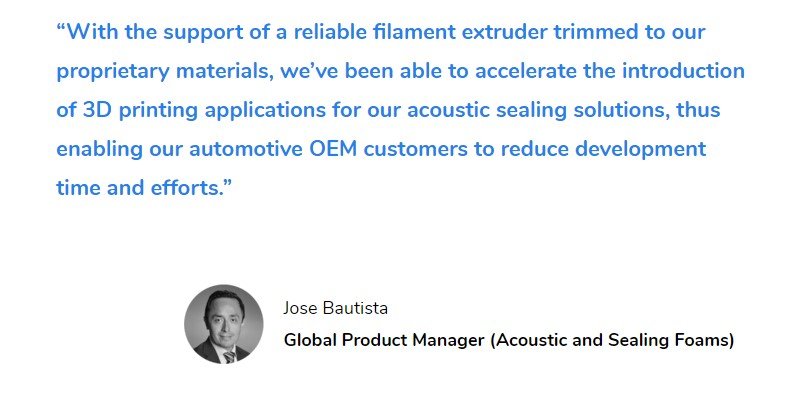
Sika Automotive manufactures bonding, sealing, damping and reinforcing solutions for the automotive industry with lightweight, robust and customised chassis components for OEMs across Europe. Thier acoustic inserts and precision engineered with proprietary materials. Using the 3devo Composer 350, Sika are able to process heat-reactive, highly expandable thermoplastic material into 3D filament, streamlining their manufacturing and prototyping processes by being able to additive manufacture prototypes in the same material in production.

Sika’s cavity sealers typically go through 5-10 design iterations and as their products are injected molded, prototypes were costly to produce and design cycles were lengthy waiting on molds to be produced, tested and re-iterated, so they wanted a cost effective solution to be able to prototype materials and needed a solution that could process medium melt flow index polymers without changing its chemical composition.

To be able to 3D print their cavity sealers, they needed a filament maker that could sucessfully process their SikaBaffle material, which was already available in its pellet form. With alow melting point of 90 degrees, this made it incompatible with most extruders, except for the 3devo Composer 350, which is sucessfully able to extrude the material and create filament.
By creating their own filament, Sika are able to reduce the lead times by 90% being able to get the saame process done in 2-5 days instead of 4-8 weeks.

Design Consulting are providers of 3D CAD software, 3D Printers, Plastic Shredders, Filament Makers, IT equipment, Web Configurators and a range of Professional Services and Consulting.
Design Consulting supply 3D Printers, CAD software, IT products and a broad range of professional and consulting services for the architectural, construction, engineering, and manufacturing sectors.


Photocentric offer 4 types of 3D printers, the LC Precision 1.5, LC Dental, LC Magna and the LC Maximus.
They are all resin based printers that work off Photocentrics patented LCD technology and vary in size, application and resolution.

Photocentric offer 4 types of 3D printers, the LC Precision 1.5, LC Dental, LC Magna and the LC Maximus.
They are all resin based printers that work off Photocentrics patented LCD technology and vary in size, application and resolution.
| FEATURES | LC Maximus | LC Magna | LC Dental | LC Precision 1.5 |
| FEATURES | ||||
| Build Volume | 920 x 510 x 800 mm | 510 x 280 x 350 mm | 310 x 174 x 200 mm | 121 x 68 x 160 mm |
| Print Speed | 8mm | 13.3mm | 18mm @ 50um | |
| Layer Cure Speed | 45 seconds @ 100um | 3 - 8 seconds @ 100um | 2 - 6 seconds @ 50um | 3 seconds @ 25um |
| Layer Thickness | 100, 150, 200 | 25, 50, 100, 150 & 200 | 25, 50, 100 | 25, 50, 100 |
| XY Pixel Size | 230 microns | 137 microns | 80 microns | 47 microns |
| Print Screen | 4K 3840 x 2160px | 4K 3840 x 2160px | 4K 3840 x 2160px | 2K 2560x 1440px |
| Touchscreen | 7″ – 800 x 480px | 7" - 800 x 480px | 7″ – 800 x 480px | 5.5″ – 800 x 480px |
| Connectivity | USB, ethernet, Wi-Fi | USB, ethernet, Wi-Fi | USB, ethernet, Wi-Fi | USB |
| Dimensions (H x W x D) | 850 x 640 x 900mm | 605 x 491 x 419 mm | 380 x 350 x 580mm | |
| Weight | 110kg | 38kg | 15kg | |
| Photocentric Studio Software | Buy Now | Buy Now | Buy Now | Buy Now |
Design Consulting are a technology service provider of CAD software, 3D printers and Professional Services for the architectural, engineering, construction and manufacturing sectors.
If you would to discuss Photocentric 3D printers, please contact us by calling on 1800 490 514, by filling out the form or clicking the live chat in the bottom right-hand corner.
Building on the 2021 release with design efficiency, collaboration and data exchange updates, the 2021.1 update has been released and here’s what’s it has inside.
Feature Line Editing
You can use new commands to insert points on crossing feature lines which assists in editing the slope or the grade on multiple feature lines which in turn can set the elevation or point on feature line based corridors at grade or slope.

Pressure Networks
Civil 2021.1 includes new tools for editing pressure networks in plan view and in profile view.
Use the compass when laying out path based pressure networks, there are options in a pipe run profile to modify (add, move and remove) vertical bends and PVI’s and there have been updates to pipe run profile settings such as an override tab and dialog box in the profile selection to include a create from surface option.

Rail Bands
The option to add cant data bands and speed bands to profile views has been included so users can annotate properties that are rail-specific.
Other features
In addition, Autodesk has added reference templates and sheet set data files for Collaboration for Civil 3D with BIM 360, add new Civil 3D objects to ArcGIS and layer controls for bridges.

About Design Consulting
Design Consulting supplies products and services for the Architecture, Engineering, Construction, Infrastructure and Manufacturing industries.
We supply an add-on utility tool for Civil 3D, funnily enough, called Utilities for Civil 3D, for you to get more productivity out of your application.
Click here or the logo to learn more or contact us below if you need anything else.

If you would to discuss Autodesk training courses, please contact us by calling on 1800 490 514, by filling out the form or clicking the live chat in the bottom right-hand corner.

IMAGINiT Civil3D Utilities Standalone.
IMAGINiT Utilities for Civil 3D is now compatible with Autodesk 2021 products and includes: Distance Between Pipes Crossing: Calculate the approximate distance between two pipes and add labels. Quick Edit for Pipes: Quickly change the invert or slope/grade of pipes in a gravity network. Enhancements in 2021 allow you to work in new ways with glyph/scale, and profile view support….

BIM Management LinkFixer Project Cleaner Family Placement Shared Parameter Check Family Processor Journal File Reader Annotation Font Update Project Information Synch Setup Utility Enhanced Transfer Project Standards Renumbering Features Element Renumber Room Renumber Sheet Number Update Sheet Number Duplicator Door Mark Update Excel Integration Spreadsheet Aggregator Room Contents Import Revit Excel Link…
BIM Management LinkFixer Project Cleaner Family Placement Shared Parameter Check Family Processor Journal File Reader Annotation Font Update Project Information Synch Setup Utility Enhanced Transfer Project Standards Renumbering Features Element Renumber Room Renumber Sheet Number Update Sheet Number Duplicator Door Mark Update Excel Integration Spreadsheet Aggregator Room Contents Import Revit Excel Link…

Imaginit Utilities for Civil3D expands the functionality of Civil3D with a set of features and functionality to help you improve productivity.
Distance Between Pipes Crossing
Calculate the approximate distance between two pipes and add labels.
Quick Edit for Pipes
Quickly change the invert or slope/grade of pipes in a gravity network. Enhancements in 2021 allow you to work in new ways with glyph/scale, and profile view support.
Pipe Invert Adjustment
Easily set a pipe invert at the beginning and endpoint of a run and calculate a consistent slope between the structures.
Polyline from Feature Line
Extract a polyline (including curves) from a 3D feature line.
Import Maps
By utilizing data from Google Maps or Bing, you can import color, georeferenced images as well as data for tin creation and terrain surfaces within Civil 3D.
Pipe Elevation Adjustment
Lets you raise or lower a set of pipe segments or an entire run.
Pipe Grade Adjustment
Makes it easier to re-adjust the grade or slope of a series of pipes. The tool can hold the invert, centerline, or crown as well as deal with drops in structures.
Multi-Part Swap
Change the Family and Size of many pipes or structures on the network – all with one click.
AutoOffset
A must-have if you work with linear design along roads (strip topo) and have a need to identify and label significant topography points (trees, structures, markers, etc.) from survey data points. The utility calculates and labels each respective point’s information in the drawing, parallel to the selected alignment, and all in a format you design.
Style Renamer
Allows you to perform a batch re-naming of all kinds of styles.
Create Offset Points
Create offset points along a feature line with a specified offset. The perfect tool for creating stakeout points for a survey crew or in grading workflows.
Profile from COGO Points
Quickly creates a profile from specified points. No surface required and we take care of creating the alignment.
Point Station and Offset Report
This tool generates a report of points along an alignment based on parameters you define; this information can then be exported to HTML or Excel for further analysis and use. All point parameters are available (number, name, northing, easting elevation, etc.) as well as station value and offset distance from an alignment.
KML/KMZ Import
Brings geometry from Google Earth/Google Maps into your drawing.
Click on the images below to download a PDF brochure

If you would to discuss IMAGINiT Utilities for Civil3D, please contact us by calling on 1800 490 514, by filling out the form or clicking the live chat in the bottom right-hand corner.

Autodesk has just released Inventor 2021.1 with some exciting new features and enhancements from feedback provided by the Inventor community.
Middle Mouse Button
Can you believe it? It’s here, something so simple, giving such pleasure… you can now assign the middle mouse button to pan, rotate and zoom, independent of using the control or shift key.
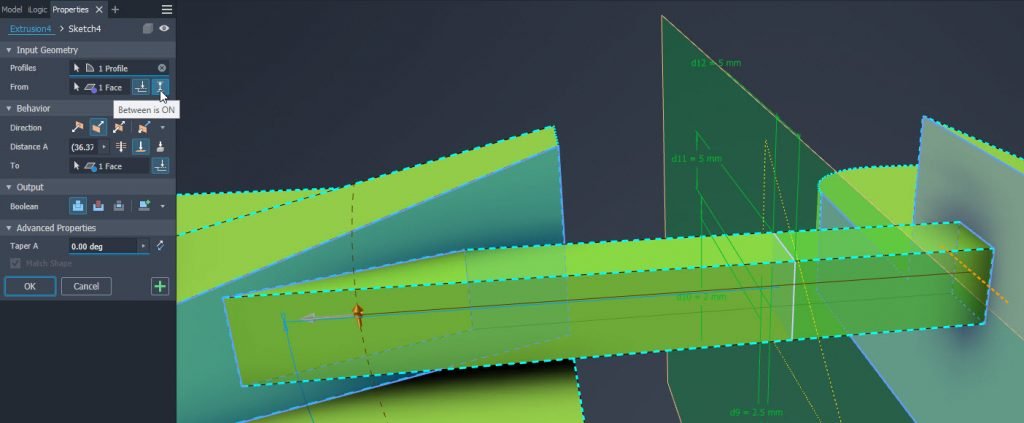
Between Option and Keep Body Tool
You can now extrude between to faces and/or planes. The second option which used to be hidden in the advanced tab is Keep Tool body.
XML Import and Export
Exporting usernames and values can be done via XML from the parameters dialog box, which is handy for iLogic users.
Multi-Open from Drawing Environment
The ability to multi-select parts, assemblies or presentations from the browser and open those files with a right click has been added which will all be opened in a separate window.
Right-Click > Align Section View
You can now align section views by right-clicking and choosing the command which is also available inside the Section View dialog box as a radio button.
Revit Interoperability
The support of choosing which Revit categories to import has now been added to the new Revit AnyCAD functionality in 2021.
Other enhancements have been with the progress bar will appear on the same monitor as Inventor and Revit files with non-ASCII characters will update properly.
Frame Generator
There continues to be improvements to Frame Generator with two new options added in this release. The first one is the ability to know if files are being saved outside your project before saving and the second option is a full path being displayed before saving.
The trim/Extend tool select is now active after you clikc apply, commands such as Insert/Miter/Notch are disabled in Weldment sub-environments.
The tool tip and property panel text has been unified and the cut for end treatments is now correct as the G_L length is now calculated by the frame algorithm and not by start/end planes which caused incorrect lengths when frames were modified.
For the full ist of updates, please refer to the Autodesk Inventor help file.
Check out the what’s new video here:
Design Consulting offers a wide range of products and services for Inventor users such as:




If you would learn more about Autodesk software, setup, training, design automation or Vault, please contact us by calling on 1800 490 514, by filling out the form or clicking the live chat in the bottom right-hand corner.

Many companies have to manually upload deliverables like PDF’s to BIM 360 in which they have to manually download projects locally, run export tasks and then upload the files to the correct folder, which can all be automated with IMAGINiT Clarity.
Regular IT adminstration such as project back-ups and storing project data offline can be scheduled and snapshots of Revit projects to share in BIM 360 with other disciplines can also be automated.
New in 2021, Clarity can now migrate BIM 360 projects and show metrics.
If you need to migrate between hubs, the task can be automated through Clarity and any metrics from IMAGINiT Clarity can automatically be imported into the BIM 360 dashboard to be visible for all project stakeholders.

Productivity and management tools for Revit. More than 50 Tools to Improve your Revit Experience Imaginit Utilities for Revit is an indispensable time-saver with more than 50 tools to improve your Revit experience by expanding Revit’s capabilities and reducing tedious tasks in Autodesk Revit. Fully integrated inside Revit based on client feedback, each utility runs in Revit to improve…
The new update from Autodesk offers new enhancements in Revit, Dynamo for Revit 2.6 which includes additional nodes and new gen design studies. There has also been an added interoperability with Infraworks and FormIt Pro.
They have also reduced the number of steps to install and update Revit thus increasing the speed to install.
Dynamo 2.6 for Revit
Dynamo 2.6 has new features such as the Documentation Browser as well as improvred performance. New nodes have been added such as Path of travel, Generative Design and new platform categories across all disciplines have been included to automate design.
Generative Design Sample Studies
Grid, Stepped Grid and Randomise Object Placement sample studies have been included for users to create and validate room layouts design alternatives. A great post can be found here on the topic.
With COVID-19 and social distancing guidelines in place, generative design can be used for such applications.
Formit Converter
Using Formit for conceptual massing and design with complex geometry can easily be converted and imported in Revit with the new 2021.1 release for modelling early stages in design.
Import
Import SAT, Rhino and Sketchup 202 files and export STL files natively from Revit which may assist in 3D printing and mesh workflows.
Improved Panel Schedules
See the properties of elements via the system browser within a working panel schedule.
Design Consulting offers a broad range of producst and servces for Revit users.


Imaginit Utilities for Vault Server and Vault Client are a set of productivity tools for Vault administrators and users.
Choose Utilities for Vault Server to manage adminstration tasks such as back-ups, permissions, configurations and changes.
Choose Utilities for Vault Client to automate deliverables, extract BOM data and manage folders and properties.


Click on the images below to download a PDF brochure
If you would to discuss IMAGINiT Utilities for Vault, please contact us by calling on 1800 490 514, by filling out the form or clicking the live chat in the bottom right-hand corner.

IMAGINiT Utilities for Vault Client
…

With the push towards cloud computing, connectivity and collaboration, Autodesk Vault has largely remained a local network environment data management system. It had recently added project sync where Vault data could be synchronised with BIM 360 or Fusion 360 Teams cloud systems, however, lacked it’s own mobile application.
They recently announced a webinar on August 25, where they will be showcasing the new mobile app for Autodesk Vault.

Autodesk Vault can also be hosted in the cloud. If you’re interested in running Vault in the cloud, Design Consulting offers cloud hosting and system deployments for Vault.
If you need additional adminstration features or want more productivity out of Vault, take a look at IMAGINiT Utilities for Vault.

If you would to discuss Autodesk Vault system deployments, migration, training or another related topic, please contact us by calling on 1800 490 514, by filling out the form or clicking the live chat in the bottom right-hand corner.


Autodesk Fusion 360 is a cloud based CAD/CAM that runs on PC and Mac for product design and manufcaturing applications.
Solid and Surface modelling.
Hybrid parametric direct editing
5-axis CAM
MCAD and ECAD
FEA Simulation
Check out what Fusion 360 can do
CAD design tools for solid modelling, parametric, direct editing, sheet metal, B-rep surfacing, freeform (NURBS with T-Splines) and mesh.
Integrated 2.5 to 5 axis CAM tools with post processing and simulation. Tools for milling, turning, probing, roughing, finishing, swarf, multi-axis contour and CNC machines with rotary axis, water and laser jets.
Local and cloud photo rendering, animations and documentation tools with bill of materials.
Integrated ECAD PCB design and documentation tools with content library to insert components.
Advanced simulation tools for linear and non-linear static loads, thermal, modal frequencies, buckling, events, shape optimisation and generative design.
Collaborate in real-time by sharing designs, posting comments, review, inspect and mark-up models and drawings.
Compare buying Fusion 360 to Inventor LT and AutoCAD LT.
Compare Fusion 360 to Inventor LT and AutoCAD LT.
| Fusion 360 | Inventor LT | AutoCAD LT | |
$590 /year Ex. GST | $590 /year Ex. GST | $590 /year Ex. GST | |
| 2D Design | |||
| 2D Drafting | |||
| 2D Sketching | |||
| Parametric Part Modelling | |||
| Direct Edit Modelling | |||
| Surface Modelling | |||
| Parametric Assembly Modelling | |||
| Sheet Metal Modelling | |||
| ECAD | |||
| Local Rendering | |||
| Cloud Rendering | |||
| Point Clouds | |||
| Bill of Materials | |||
| Technical Documentation | |||
| AnyCAD | |||
| Application Programming Interface (API) | |||
| Linear FEA | |||
| Non-Linear FEA | |||
| CAM | Buy Now | Buy Now | Buy Now |
If you would learn more about Autodesk AutoCAD software, please contact us by calling on 1800 490 514, by filling out the form or clicking the live chat in the bottom right-hand corner.

Combine AutoCAD LT and Revit LT to design and draft in 2D and 3D design architectural BIM projects and document construction drawings.
3D Modelling with tools for architectural design.
Parametric design updates floor plans elevations and section views when the model is modified.


Buy AutoCAD Revit LT Suite on an Annual Subscription.
Compare ten Architecture Engineering and Construction Collection, Revit, AutoCAD Revit LT suite with Revit LT.
| AEC Collection | Revit | AutoCAD Revit LT Suite | Revit LT | |
$4,170 /year Ex. GST | $3,410 /year Ex. GST | $775 /year Ex. GST | $635 /year Ex. GST | |
| 3D Modelling | ||||
| 2D Design | ||||
| 2D Drafting | ||||
| Architectural Modelling | ||||
| Structural Modelling | Limited | Limited | ||
| MEP Modelling | ||||
| Parts and Assemblies | ||||
| Solar Studies | ||||
| Global Parameters | ||||
| Conceptual Massing | ||||
| Local Rendering | ||||
| Cloud Based Rendering | ||||
| Analysis | ||||
| Schedules | ||||
| Collaboration | ||||
| Copy/paste elements in linked Revit files | ||||
| Linked Revit file visibility customisation | ||||
| Point Clouds | ||||
| Standard Revit Exporters | ||||
| Additional Revit Exporters | ||||
| Application Programming Interface (API) | Buy Now | Buy Now |


If you would learn more about Autodesk software, please contact us by calling on 1800 490 514, by filling out the form or clicking the live chat in the bottom right-hand corner.


Design architectural projects and document construction drawings.
3D Modelling with tools for architectural design.
Parametric design updates floor plans elevations and section views when the model is modified.


Buy Revit LT on an Annual Subscription or 3 Year Subscription. Get more value from the AutoCAD Revit LT Suite. Please note that all prices quoted below exclude GST.
Compare Revit, AutoCAD Revit LT suite and Revit LT.
| AEC Collection | Revit | AutoCAD Revit LT Suite | Revit LT | |
$Call for Price /year Incl. GST | $Call for Price /year Inc. GST | $Call for Price /year Ex. GST | $Call for Price /year Ex. GST | |
| 3D Modelling | ||||
| 2D Design | ||||
| 2D Drafting | ||||
| Architectural Modelling | ||||
| Structural Modelling | Limited | Limited | ||
| MEP Modelling | ||||
| Parts and Assemblies | ||||
| Solar Studies | ||||
| Global Parameters | ||||
| Conceptual Massing | ||||
| Local Rendering | ||||
| Cloud Based Rendering | ||||
| Analysis | ||||
| Schedules | ||||
| Collaboration | ||||
| Copy/paste elements in linked Revit files | ||||
| Linked Revit file visibility customisation | ||||
| Point Clouds | ||||
| Standard Revit Exporters | ||||
| Additional Revit Exporters | ||||
| Application Programming Interface (API) | Add to Cart | Add to Cart | Add to Cart | Add to Cart |


If you would learn more about Autodesk software, please contact us by calling on 1800 490 514, by filling out the form or clicking the live chat in the bottom right-hand corner.

Autodesk AutoCAD LT is 2D CAD software that can be used for all industries to design, review, annotate, draft and document.
Use cloud storage, web and mobile apps to be always connected to your projects, designs, clients and team members.
Share, view, design, draft and annotate on any device, anywhere, anytime.
Check out what’s new with AutoCAD, extended workflows, 2D drafting and 3D modelling capabilities.
Compare versions of drawings.
Compare XREF versions.
Blocks Palette enhancements.

Experience faster performance with improved save and install times and multicore CPU support for orbit, pan and zoom.

Open, view, edit and create drawings on any desktop, web or mobile device.

Access any DWG file with Autodesk cloud storage or through other leading cloud storage providers.
Quick Measure by hovering over with the mouse.
Compare two versions of a drawing inside the current window.
Easily purge and remove multiple objects simulataneously.

Create single text objects from single or multi-line text.

Automatic dimension creation with preview capabilities.
Create leaders from text or blocks with comprehensive formatting tools.
Create and edit centrelines and centre marks that are referenced to associated objects and move collectively

Create data tables with rows and columns for data, attributes, symbols and hyperlinks. Apply formulas and link spreadsheets to tables.

Collaborate and mark-up drawings with revision clouds.

Name views in layouts and easily find them.

Setup templates by nominating sheet size, placing title blocks and place multiple views to annotate.

Use intelligent fields in text objects that automatically update when field values are modified.

Live link Excel spreadsheets with AutoCAD drawing tables.

Extract valuable meta data from objects, blocks, attributes and drawing information.

Use Dynamic blocks to create configurable blocks that automatically change shape or size based on a configuration or field modification.
Get AutoCAD LT or bundled in with Inventor LT or Revit LT in a Suite. Prices quoted below exclude GST.
Compare AutoCAD and AutoCAD LT.
| AutoCAD | AutoCAD LT | |
$Call for Price /year Ex. GST | $ /year Ex. GST | |
| 2D Design | ||
| 2D Drafting | ||
| Link to Excel | ||
| Import PDF | ||
| Revision Clouds | ||
| 3D Modelling | ||
| Express Tools | ||
| Rendering | ||
| Cloud Rendering | ||
| Import point clouds | ||
| Basic rendering | ||
| Open API | ||
| Specialised Toolsets | Buy Now | Buy Now |

If you would learn more about Autodesk AutoCAD software, please contact us by calling on 1800 490 514, by filling out the form or clicking the live chat in the bottom right-hand corner.

Design architectural, structural and MEP projects, analyse solar studies, structures and flow and document construction drawings.
3D Modelling with tools for multi-discipline design.
Parametric design updates floor plans elevations and section views when the model is modified.
Collaborate across teams and disciplines.


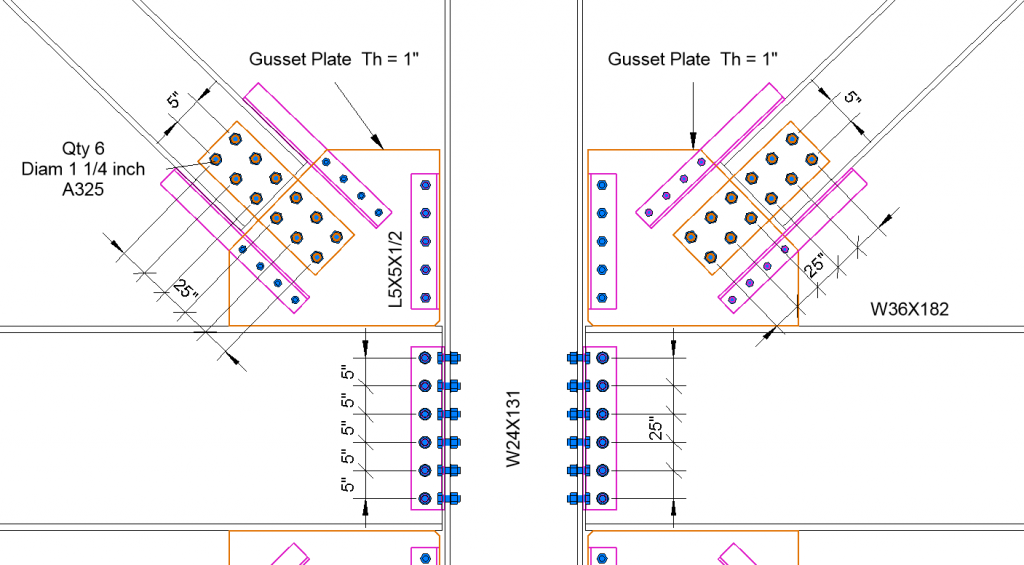


Increase productivity with these features found in the AEC Collection and BIM 360.

Buy Revit on an Annual Subscription or 3 Year Subscription. Get more value from an Architecture Engineering and Construction Collection. Please note that all prices quoted below exclude GST.
Compare the AEC Collection to other products such as Revit, AutoCAD Revit LT suite and Revit LT.
| AEC Collection | Revit | AutoCAD Revit LT Suite | Revit LT | |
$4,170 /year Ex. GST | $3,410 /year Ex. GST | $775 /year Ex. GST | $635 /year Ex. GST | |
| 3D Modelling | ||||
| 2D Design | ||||
| 2D Drafting | ||||
| Architectural Modelling | ||||
| Structural Modelling | Limited | Limited | ||
| MEP Modelling | ||||
| Parts and Assemblies | ||||
| Solar Studies | ||||
| Global Parameters | ||||
| Conceptual Massing | ||||
| Local Rendering | ||||
| Cloud Based Rendering | ||||
| Analysis | ||||
| Schedules | ||||
| Collaboration | ||||
| Copy/paste elements in linked Revit files | ||||
| Linked Revit file visibility customisation | ||||
| Point Clouds | ||||
| Standard Revit Exporters | ||||
| Additional Revit Exporters | ||||
| Application Programming Interface (API) | ||||
| Energy, lighting, solar analysis | ||||
| Non-Linear Structural Analysis | ||||
| Civil Infrastructure Design | ||||
| Structural Steel Detailing | ||||
| Electrical Schematics | ||||
| GIS Mapping | ||||
| Raster Tools | ||||
| Plant Design | ||||
| P&ID Schematics | ||||
| Clash Detection | ||||
| 5D Scheduling | ||||
| Project Review and Coordination | ||||
| Production Rendering and Animation | ||||
| Bridge loading, analysis and code checking | Buy Now | Buy Now | Buy Now | Buy Now |



If you would learn more about Autodesk software, please contact us by calling on 1800 490 514, by filling out the form or clicking the live chat in the bottom right-hand corner.

This specialised AutoCAD training course on Plant 3D, will teach you how to use, AutoCAD P&ID, AutoCAD Plant 3D and Autodesk Navisworks products to design plant equipment, P&ID and model coordination.
Chapter 1: Introduction to AutoCAD Plant 3D
Chapter 2: AutoCAD P&ID
Chapter 3: AutoCAD Plant 3D – Imperial
Chapter 4: Autodesk Navisworks
Chapter 5: Setting Up and Administering a Plant Project
If you would to discuss Autodesk training courses, please contact us by calling on 1800 490 514, by filling out the form or clicking the live chat in the bottom right-hand corner.

Suited for Civil Engineers and Surveyors, the Civil 3D Fundamentals training course will teach you how to organise your projects, create, edit, analyse and work with points, surfaces, corridors (roads), parcel layouts, grading, volume calculation and layout pipe networks.
Chapter 1: Introduction to Autodesk Fabrication CADmep
Chapter 2: Deployment
Chapter 3: User Interface
Chapter 4: Sections
Chapter 5: Drawing with the Attacher
Chapter 6: Drawing with Design Line
If you would to discuss Autodesk training courses, please contact us by calling on 1800 490 514, by filling out the form or clicking the live chat in the bottom right-hand corner.
Chapter 7: Clash Detection
Chapter 8: Importing Revit Content into CADmep
Chapter 9: Drawing Annotation
Chapter 10: Reporting
Chapter 11: Sectional Views
Chapter 12: Point Data
Chapter 13: Spooling
Chapter 14: Exporting to ESTMEP AND CAMDUCT
Chapter 15: Fabrication CADmep Customization

This course is for students who want to learn visual programming for Autodesk Revit where you will learn how to re-organise the Revit API in order to create custom commands and overrides, automate tasks and run scripts to provide you with valuable project information for analysis or scheduling.

$1,650.00
The main topics covered in this course are:
As a course outcome, it will be possible to troubleshoot and design basic custom node sets for many command variations within Revit.
Prerequisites:
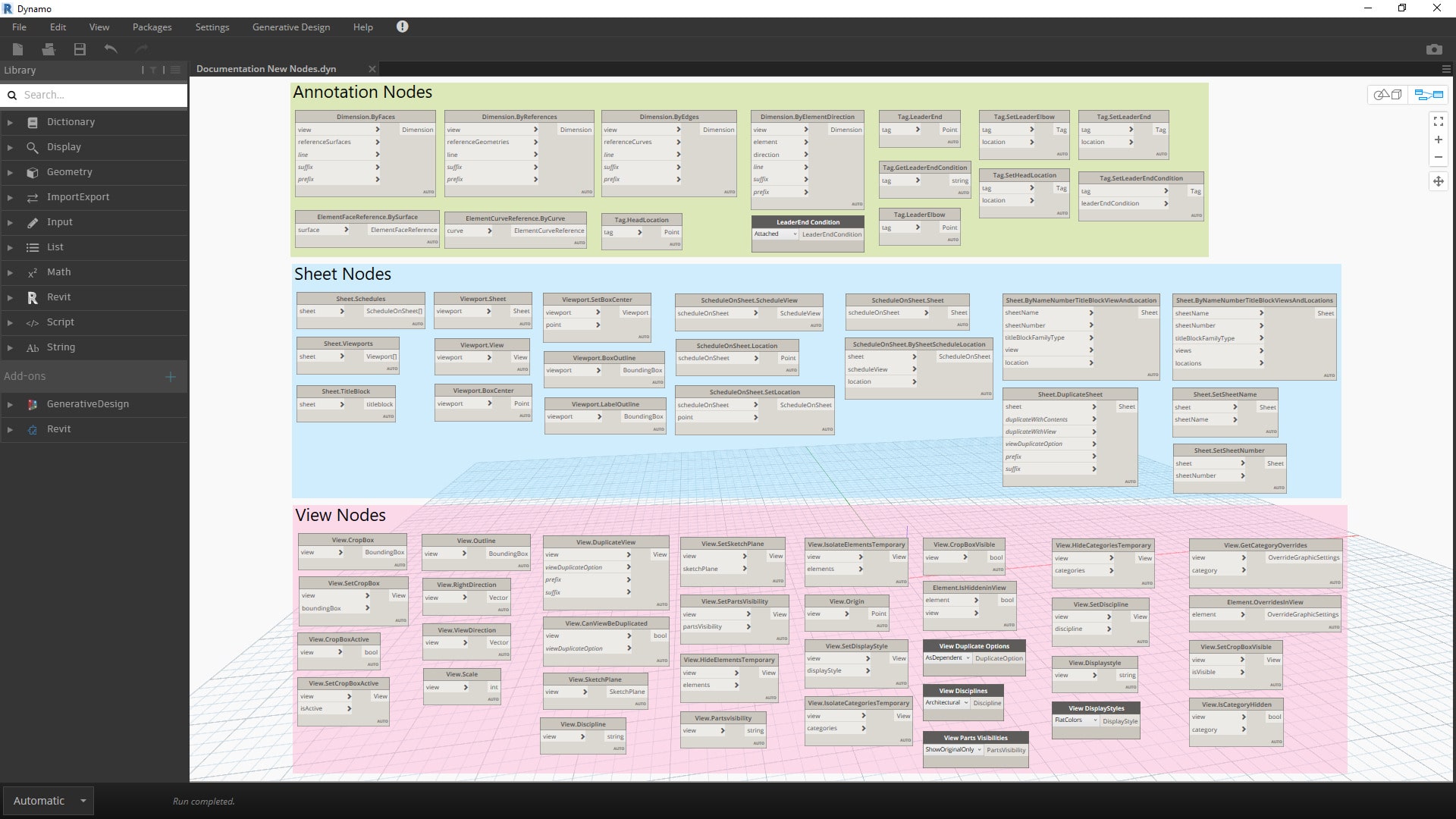
Autodesk Dynamo is a visual programming language that can be used to automate tasks in Autodesk software applications, such as Revit, Advance Steel, and Civil 3D and can be used to create custom tools, automate repetitive tasks, and improve the efficiency of your workflow.
This course will teach you the fundamentals including the basics of programming, the interface, and how to create and use nodes. By the end of this course, you will be able to:
Who is this course for?
This course is for anyone who wants to learn the basics. This includes:
What are the benefits of taking this course?
By the end of this course, you will be able to:

If you would to discuss Autodesk training courses, please contact us by calling on 1800 490 514, by filling out the form or clicking the live chat in the bottom right-hand corner.
$1,650.00