Creates an inspection dimension table in any drawing that has inspection dimensions, columns include label, size and inspection rate.
Autodesk released their impact report this month and how much impact are Autodesk having on sustainability?
You can download the report here
There focus is on:
DC is an authorised Autodesk Reseller providing products and services for the Architecture, Engineering, Construction, Infrastructure and Manufacturing Sectors.
Feel free to contact us on 1800 490 514, [email protected], by live chat or fill out the form below.
How do you stack your tolerances?
Dimensional variations can mean the difference to your design getting assembled or rejected.
Tolerance analysis tools reduce errors in manual stacking
Accurately calculate cumulative effects of GD&T
Communicate Analysis Results
Show cost-control efforts manufacturing
DC is an authorised Autodesk Reseller providing products and services for the Architecture, Engineering, Construction, Infrastructure and Manufacturing Sectors.
Feel free to contact us on 1800 490 514, [email protected], by live chat or fill out the form below.
Are your Inventor models and metadata same but different?
Use iLogic to save time on repetitive design and admin in Inventor.
Automate part and assembly design
Automate Sheets, Views and Annotations
Automate material/appearance assignment
iProperties and Bill of Material metadata
DC is an authorised Autodesk Reseller providing products and services for the Architecture, Engineering, Construction, Infrastructure and Manufacturing Sectors.
Feel free to contact us on 1800 490 514, [email protected], by live chat or fill out the form below.
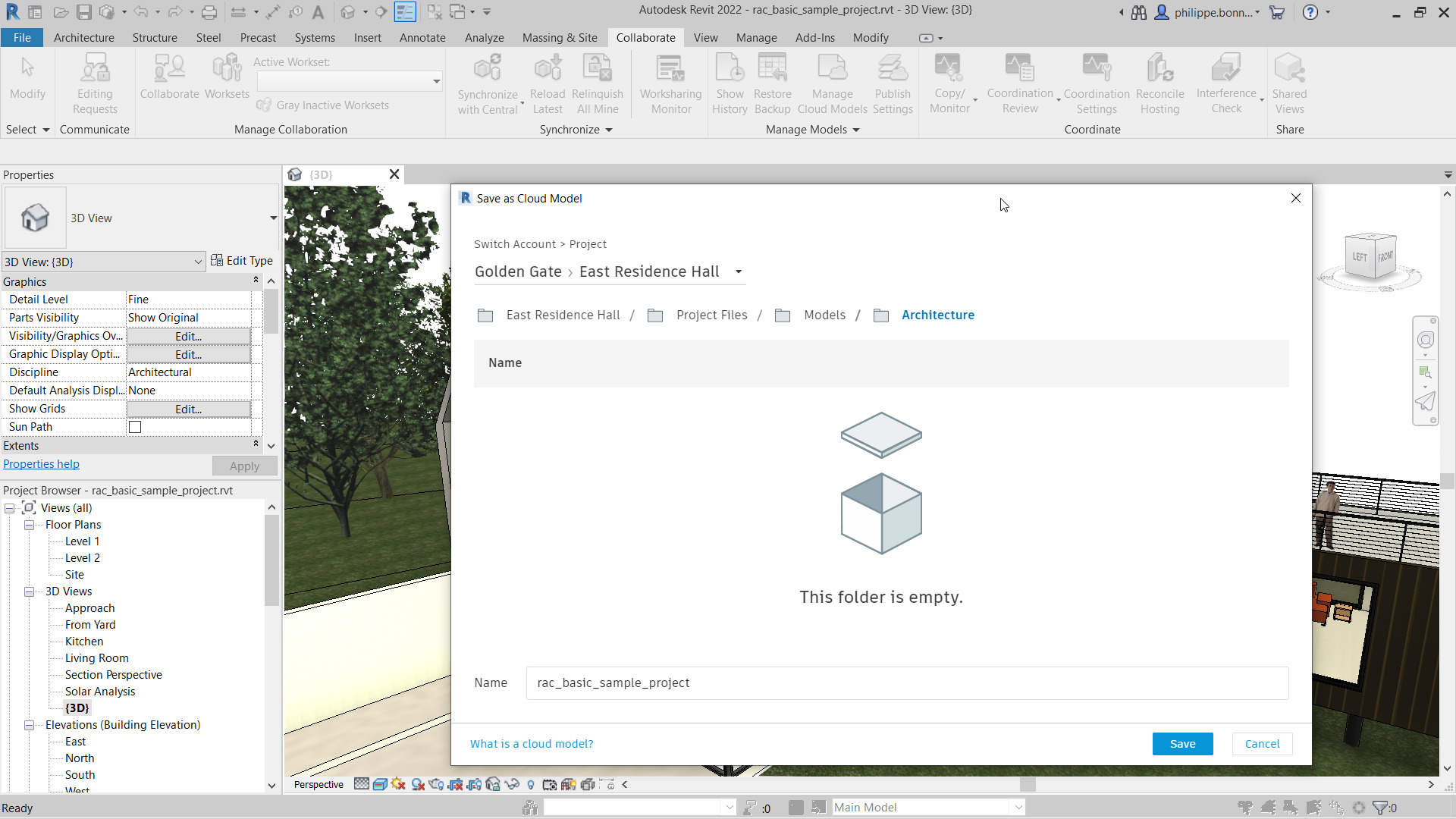
Save time and money by consolidating your IT systems and sync data with other services such as BIM 360, IMAGINiT Clarity and other construction platforms.
Confidently share files and collaborate with anyone in real-time.
Reduce complexity and mitigate risk while managing large data volumes.
Manage access permissions to files and folders based on user right to know.
Confidently share files and collaborate with anyone in real-time.
Reduce complexity and mitigate risk while managing large data volumes.
Manage access permissions to files and folders based on user right to know.
DC is an authorised Autodesk Reseller providing products and services for the Architecture, Engineering, Construction, Infrastructure and Manufacturing Sectors.
Feel free to contact us on 1800 490 514, [email protected], by live chat or fill out the form below.
Are you spending more and more time on admin and less on design? Stop Wasting Time in Revit and AutoCAD.
Clarity is the leading automation and analytics system that provides access for CAD and non-CAD users to view/edit project data, run CAD, BIM Management, IT related tasks and project analytics.
It works with Revit, Revit LT and AutoCAD-based software (Specialised Toolsets, Civil 3D, Advance Steel, etc.) and connects with major Construction Systems and Cloud Storage Providers to run tasks and sync data, saving time and money on every project.
DC is an authorised Autodesk Reseller providing products and services for the Architecture, Engineering, Construction, Infrastructure and Manufacturing Sectors.
Feel free to contact us on 1800 490 514, [email protected], by live chat or fill out the form below.
A Vault migration occurs where the Vault environment is being migrated from one release to a later release (e.g. 2022 to 2023).
Migrations need to be planned out and not left too long between releases and from the current release to avoid issues with data and config migrations which ultimately leads an increase in the time and cost to migrate Vault to the designated release.
If Vault migrations are left too long between releases or is migrated to a release that is more than 3 releases from the current, issues can arise in a migration where there are errors in configurations and database relationships due to:
Vault can only be migrated within 3 releases. A Vault environment on 2020 can only be migrated to 2022. If the current release in this scenario is 2023, then another migration is required to go from 2022 to 2023.
A triple migration is basically when the Vault release is far back from the desired release. In one example, Design Consulting migrated Vault from 2015 to 2017, 2017 to 2019 and then 2019 to 2021.
The time taken and steps involved to migrate are virtually replicated, resulting in a duplication in costs every time a migration is required, so planning your Vault migration is important to get the best value for money when migrating and also have users take advantage of the additional productivity features in the new releases of Vault and CAD software.
On one hand IT may want to delay the inevitable for as long as possible to reduce their workload on a 1, 2 or 3 year interval, however, the user base can lose out on new features that makes the business more productive and if there are issues with the migration due to unforseen errors in data and configuration, any time savings in IT may be minimal compared to these aforementioned factors.
While things get busy and there may be budgetary constraints, however, if possible, the best practice for Vault to optimise the migrations are:
DC is an authorised Autodesk Reseller providing products and services for the Architecture, Engineering, Construction, Infrastructure and Manufacturing Sectors.
Feel free to contact us on 1800 490 514, [email protected], by live chat or fill out the form below.
Focus on design and less on admin with Autodesk Vault Professional.
Setup schemes and rules
Work on the latest revision
Automate workflows
Lock files when released
Manage bills of materials
Automate PDF, DXF, STEP, files and more
Vault Professional offers data security, compliance, audit trails and many automated data and file administration tools to speed up the design and engineering process
DC is an authorised Autodesk Reseller providing products and services for the Architecture, Engineering, Construction, Infrastructure and Manufacturing Sectors.
Feel free to contact us on 1800 490 514, [email protected], by live chat or fill out the form below.
This years release of IMAGINiT Clarity is a an amazing release to say the least. Packed full of support for new applications, new features and enhancements, IMAGINiT have turned IMAGINiT Clarity into the ultimate automation, analytics and access system for AutoCAD, Revit and BIM projects.
For those who are just learning what Clarity is for the first time, it’s a server based application that automates tasks, provides analytics (metrics, business intelligence, etc.) and access for CAD and Non-CAD users to project data, deliverables and tasks.
Clarity now supports AutoCAD Tasks to automate and gain insights into AutoCAD projects, for environments with mixed CAD packages. Clarity works with all AutoCAD based applications for AEC projects like Civil 3D, Plant 3D, Map 3D, AutoCAD Electrical, etc.
Clarity runs the following AutoCAD tasks:
Pivot tables are now supported within the web portal, to be used for administrators to answer questions like:
Clarity now supports Autodesk AutoCAD Tasks to automate and gain insights into AutoCAD projects, for environments with mixed CAD packages. Clarity works with all AutoCAD based applications for AEC projects like Civil 3D, Plant 3D, Map 3D, AutoCAD Electrical, etc.
Clarity runs the following AutoCAD tasks:
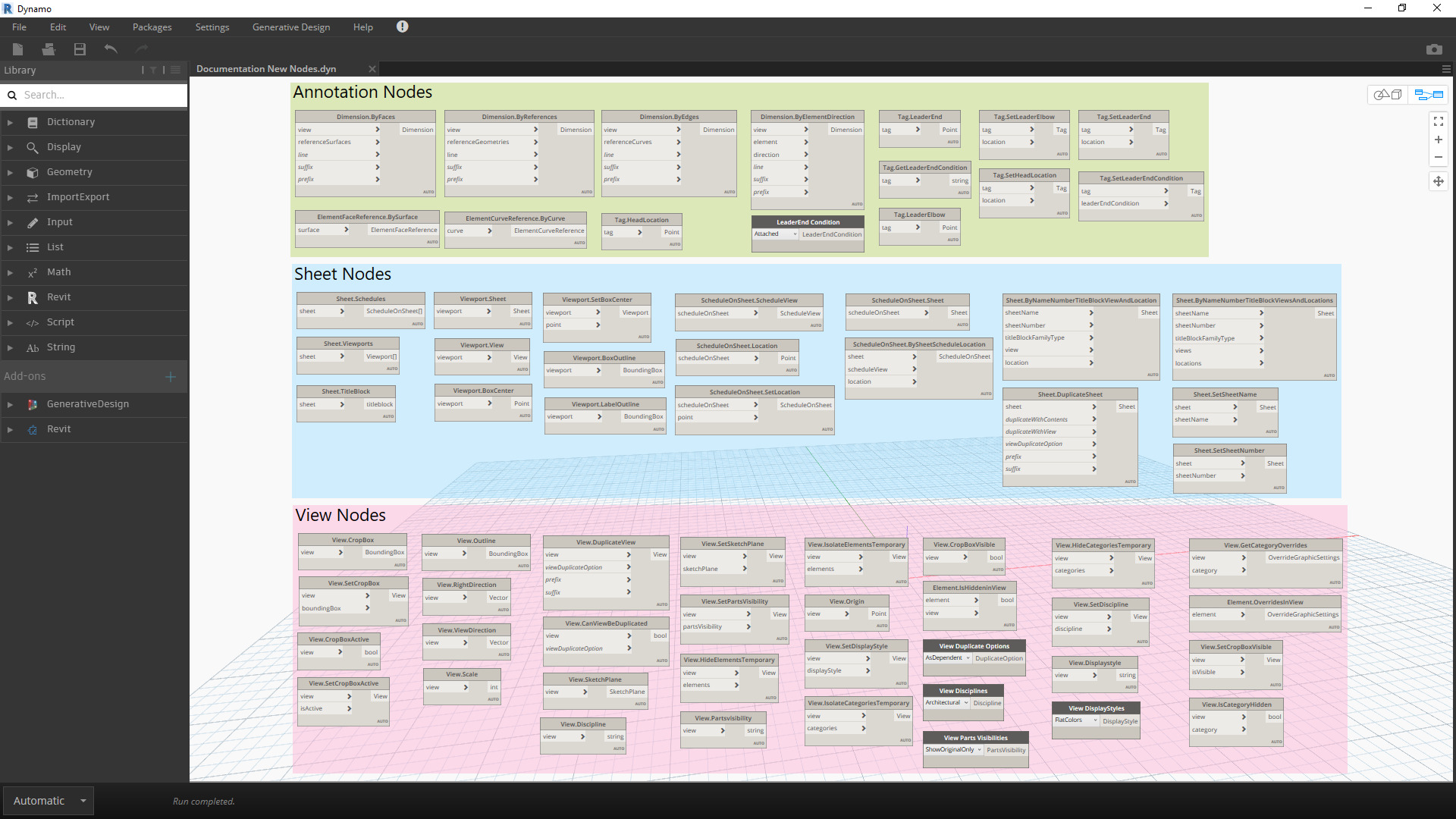
Macros and scripts using Python in Revit are supported by IMAGINiT Clarity 2022, whcih too many is like something in between Dynamo scripting and .NET/Revit API and gives the rapid development capability and full access to the Revit API.
This new addition allows users to run PyRevit scripts or in batch mode on demand or on schedule with your other IMAGINiT Clarity tasks.
Based on the legacy product, Autodesk BIM 360 Glue, IMAGINiT has added the ability to download projects from Glue.
IMAGINiT Clarity supports the ability to push files to Procore in previous releases and in 2022, Clarity supports the ability to Sync to Procore.
Instead of solely moving, copying and synching Revit and AutoCAD files or tasks, IMAGINiT Clarity can do this on any file that is stored somewhere else, on demand or on schedule sych as SharePoint, Microsoft Teams, Google Drive, etc.
Autodesk has included native PDF export and IMAGINiT Clarity has fully integrated this feature instead of relying on PDF drivers, and IMAGINiT have added this option inside the PDF task options.
IMAGINiT Clarity has added the following support for Autodesk BIM 360 and Autodesk Unified Platform Construction Cloud:
A new server (not project based) task has been added to Clarity 2022 which downloads Account level data from BIM 360 for Business Intelligence.
Autodesk BIM 360 and Construction Cloud through the Clarity task in 2022, downloads CSV’s of t his data and businesses can use apps like Power BI for business intelligence.
IMAGINiT Clarity has support for easy data integration into Excel, Power BI, Teams and Tableau, etc.
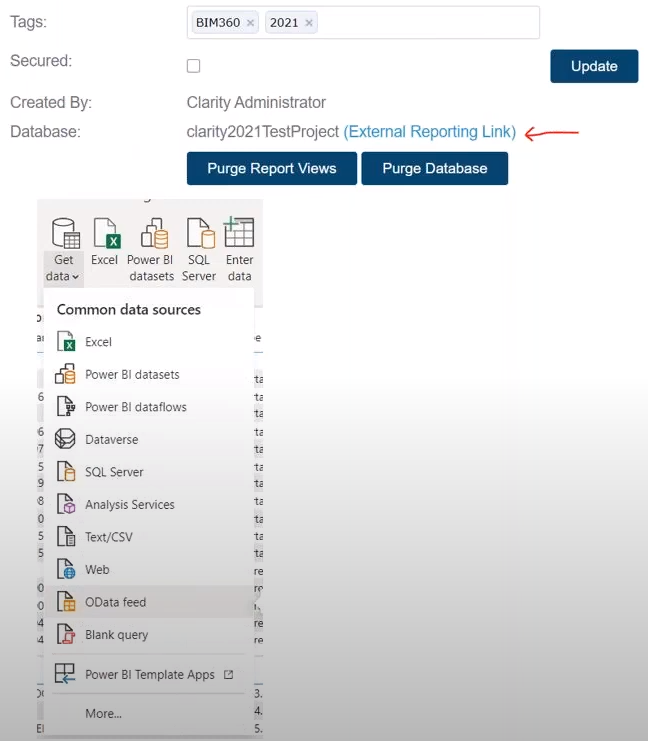
Through one-click, an external link is provide which can then be embedded into external systems where reporting is required by using the ‘GetData’ button in the required systems without having to worry about configuring it to work with SQL and setting permissions.
Clarity 2022 manages an index database with everything in one place where administrators can run cross project queries and visualise and analyse data through Business Intelligence systems like Power BI, Excel and Tableau.
Once an external link is generated, credentials can limit which projects are visible.
These queries can answer such questions such as what was the average size of a specific type of room/s in the last 5 projects
If you would learn more about IMAGINiT Clarity, please contact us by calling on 1800 490 514, by filling out the form or clicking the live chat in the bottom right-hand corner.
With the new Autodesk Construction Cloud platform and similarities to BIM 360 and new features, we thought we would write this blog to go through the comparison between the two platforms.
Autodesk’s Construction Cloud (ACC) platform integrates newly acquired technologies, PlanGrid, Assemble, Pype and Building Connected to bring even deeper end to end integration within their construction management portfolio.
With already having industry leading BIM and CAD design authoring tools such as AutoCAD with specialised toolsets, Civil 3D, Plant 3D, Navisworks and Revit, Autodesk had integrated these tools with BIM 360 Design (or Docs) in their construction management platform to better collaborate with teams and external parties within the cloud by being able to publish files to BIM 360 in real-time.
With Xref management for AutoCAD and tight integration with Civil 3D and Plant 3D, BIM 360 Docs provided intelligent document control and reference management.
No posts found!
Docs was like the backbone offering tools for document control and design review and they had Autodesk Coordinate (aka Glue) for coordination, Build for field operations, commissioning or project closeout and Ops for facilities management. There was a couple other apps for project management and costing, however, in the Construction Cloud platform, these tools are much more comprehensive.
The first product to compare is Autodesk Docs, which is only available in the Autodesk Architecture Engineering and Construction Collection.
This cloud application is very similar in feature and functionality to Docs with ISO 19650 compliant document control, RFI’s, submittals, issues, processes, design review, insight tools, etc.
Design has been replaced with Collaborate Pro, offering real-time Revit collaboration and both products have ‘Docs’ included.
Both products have ‘Docs’ included and offer model coordination tools for clash detection
Where Autodesk Construction Cloud comes into it’s own is in:
ACC Takeoff is a 2D/3D quantity take off tool for estimators allowing you to use the connected model in Construction Cloud to integrate 2D and 3D Quantities and manage related documents in the cloud.
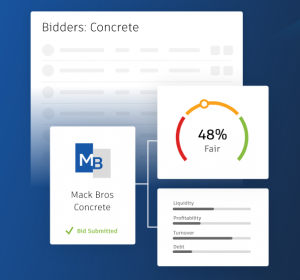
ACC offers centralised bid management on a single platform and ties into the Takeoff tools for estimators. Using the BuildingConnected network, owners, builders and sub-contractors can connect and can manage bid invites and use risk adjusted-bidding tools.
ACC configurable cost management module centralises all cost information, streamlines communications by managing all cost activities and forecasts.
ACC vs BIM 360, both powerful software platforms that can help construction teams manage their projects more effectively. However, there are some key differences between the two platforms.
ACC is a more comprehensive platform that offers a wider range of features, including project management, document management, and collaboration tools. BIM 360 is a more specialised platform that focuses on 3D modeling and collaboration and ACC will be the new platform moving forward.
Ultimately, the best platform for you will depend on your specific needs and requirements. If you are looking for a comprehensive platform that can help you manage all aspects of your construction projects, then Autodesk Construction Cloud is a good option. If you are looking for a specialised platform that can help you with 3D modeling and collaboration, then BIM 360 is a good option.
If you would learn more about Autodesk Construction Cloud, please contact us by calling on 1800 490 514, by filling out the form or clicking the live chat in the bottom right-hand corner.
Keywords:
acc vs bim360, acc vs bim 360, autodesk construction cloud vs bim 360, Autodesk BIM 360 Vs Construction Cloud, aconex, procore, plan grid,
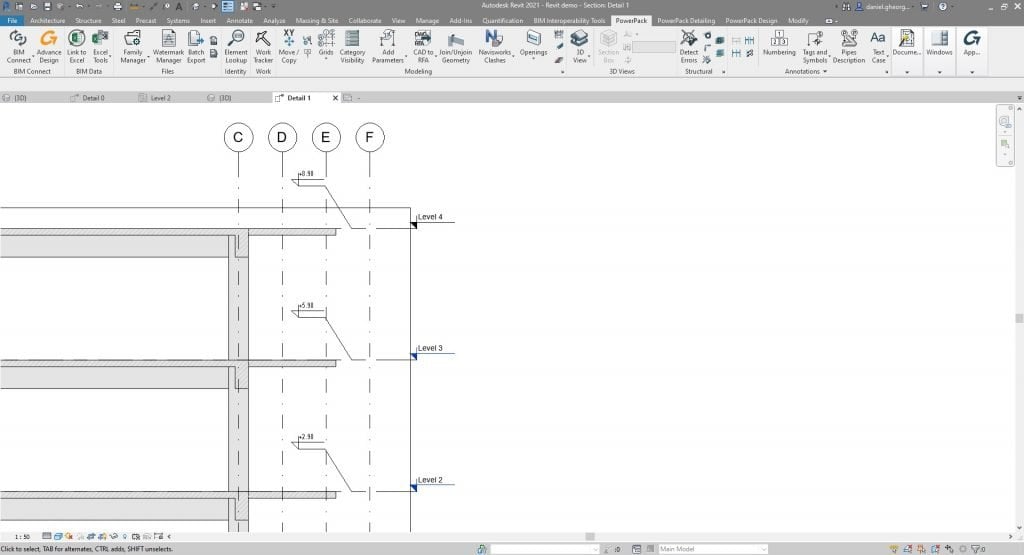
The GRAITEC PowerPack provides a broad suite of unique commands and functionality to significantly increase productivity when working with Autodesk® Revit®.
These practical, every-day utilities focus on speeding up modeling, simplifying family management, documentation and enhanced external data-links for a dramatically improved BIM workflow.
Flexible and multidisciplinary, GRAITEC PowerPack creates a significant added value for all experts involved in BIM Project (BIM Manager, BIM Modeller, BIM Coordinator, Architect, Structural engineer, Designer, or MEP engineer).
PowerPack for Revit introduces tools for automating tasks such as numbering any Revit objects, upgrade Revit files, automatically join connections on all intersections within a model, create dimension lines, or Export Revit views in several formats (PDF, NWC, IFC, DWG…). In addition, PowerPack for Revit proposes some features to enable external data-links such as a bidirectional link to Excel.
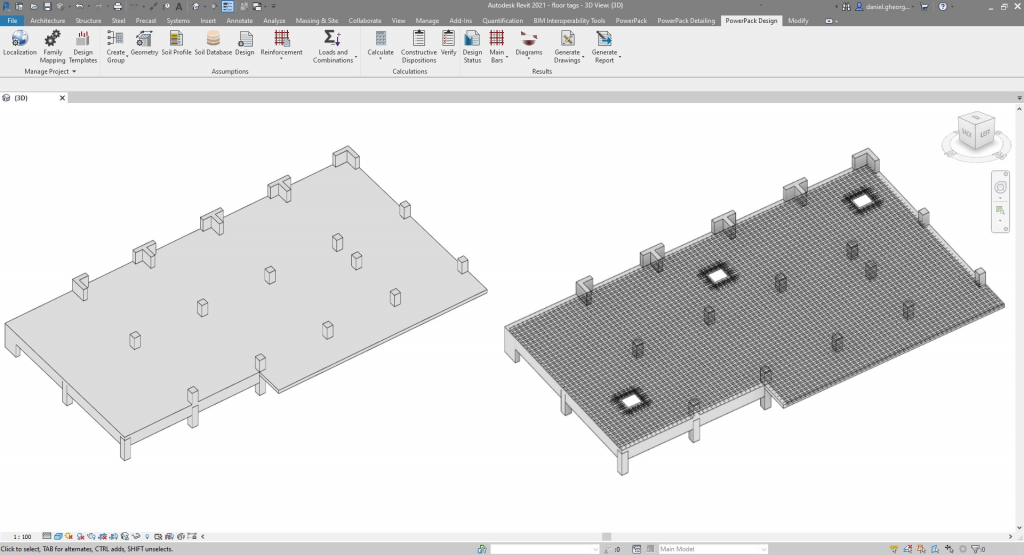
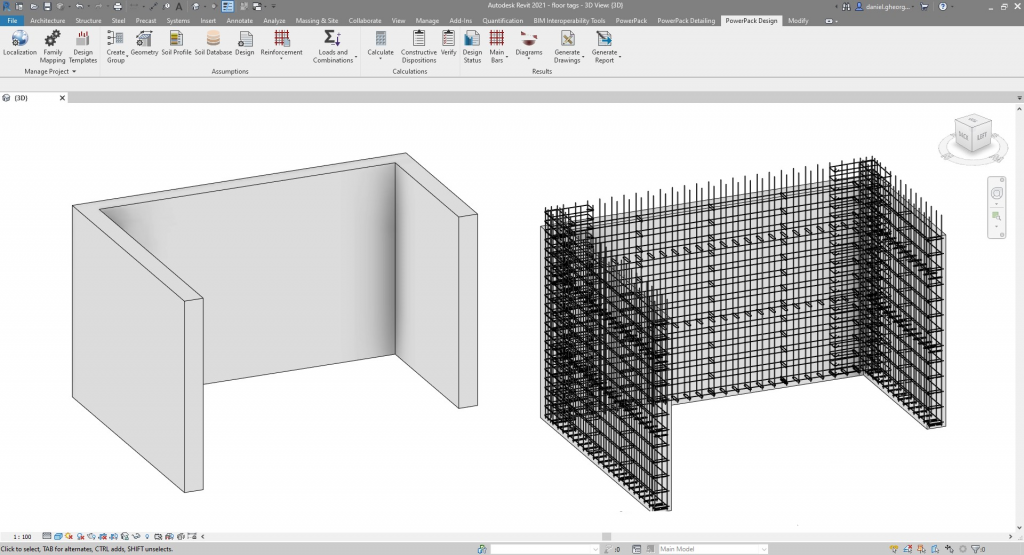
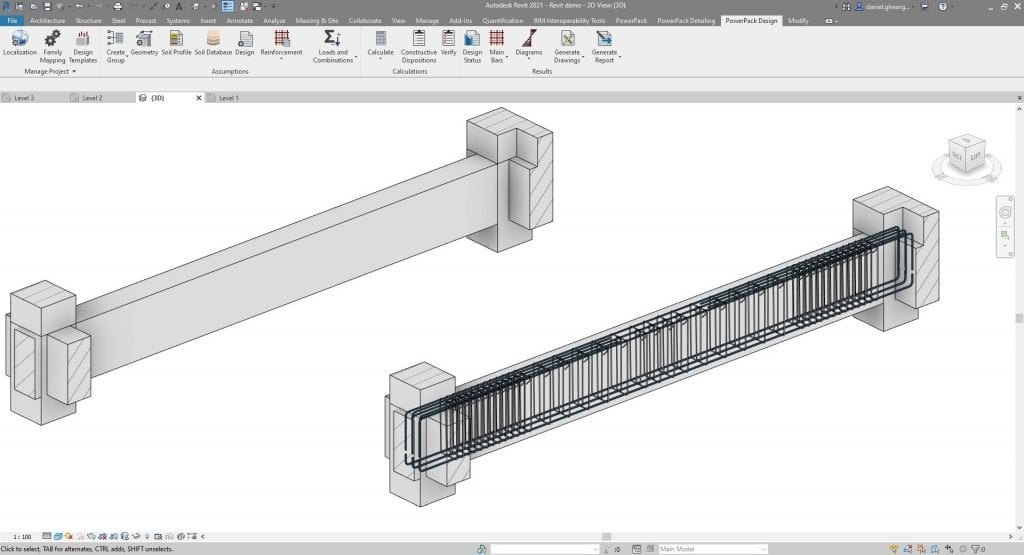
Besides a range of multidisciplinary tools, PowerPack for Revit offering a large set of commands for Rebar detailing to accelerate rebars drawing creation. Some other unique features will enable you to directly design structural components (walls, beams, columns, footing, or slabs) thanks to external FEM results load in Revit.
Converts an intersecting line to a dimension string.
Joins individual dimensions to a single chain.
Places elevation symbols.
Adds a tag with room floor type and material finish.
Adds a tag displaying the sill height and opening size.
Instantly change the case type of all or selected text.
Modify the mark parameter for selected elements using formulas to add prefixes or change numbering sequence.
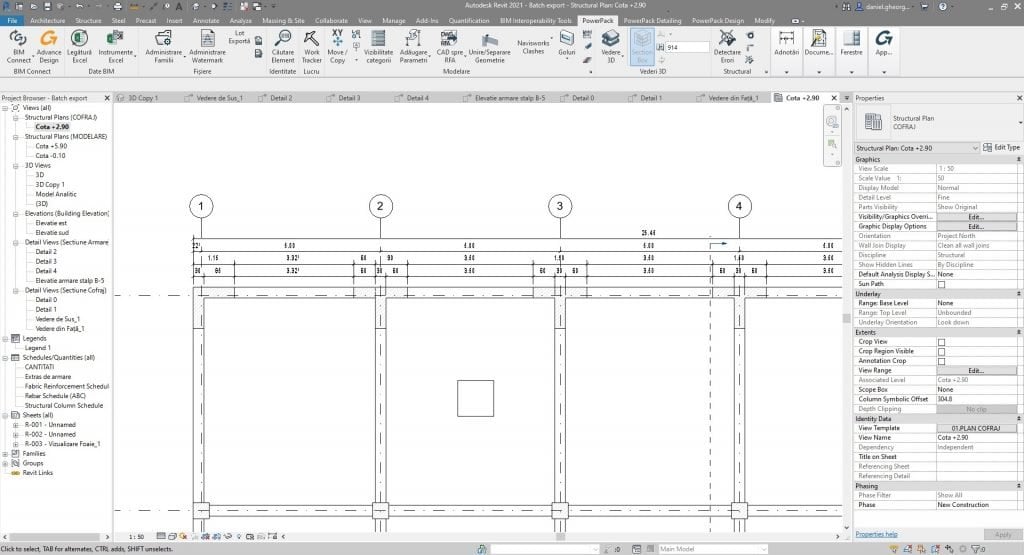
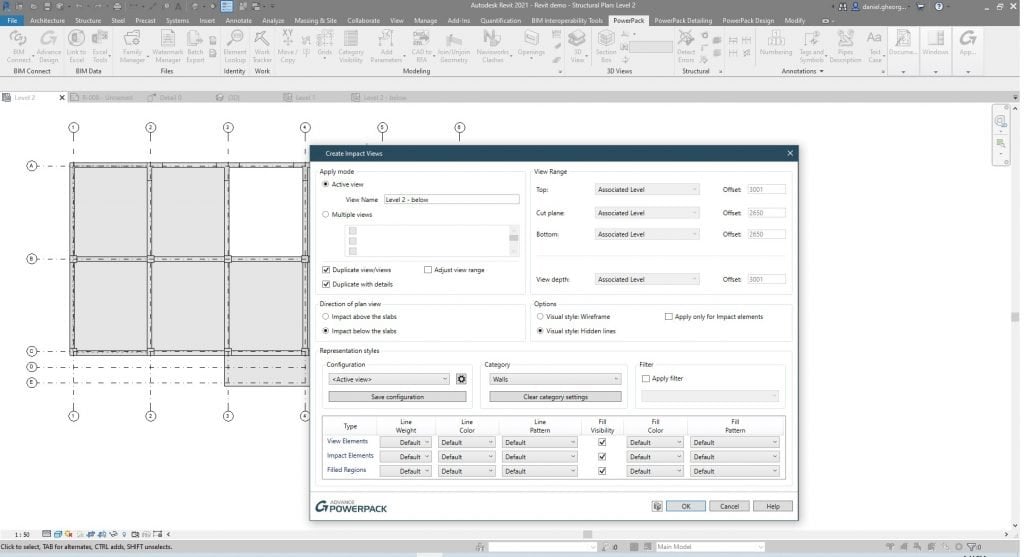
Creates a set of dimension lines for walls and grids.
Set the number, style and distance between dimensioning lines.
Generic numbering tool covers grids, levels, rooms, structural elements, ducts, doors, elements creation direction from source to end.
Calculates the Center of Gravity of selected objects.
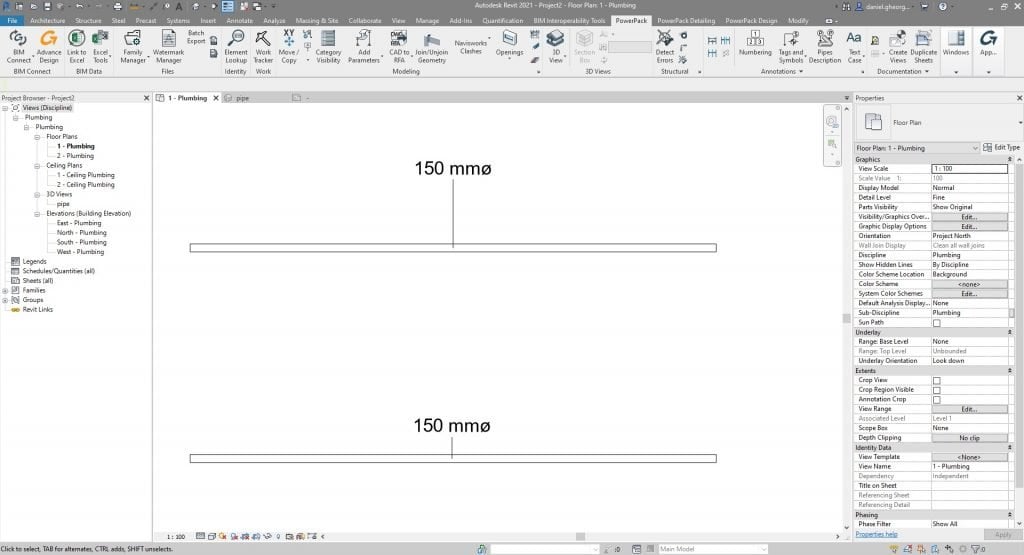
Adds a description tag to a selected pipe.
Creates an exploded or displaced model view.
Auto-arrange views on sheets.
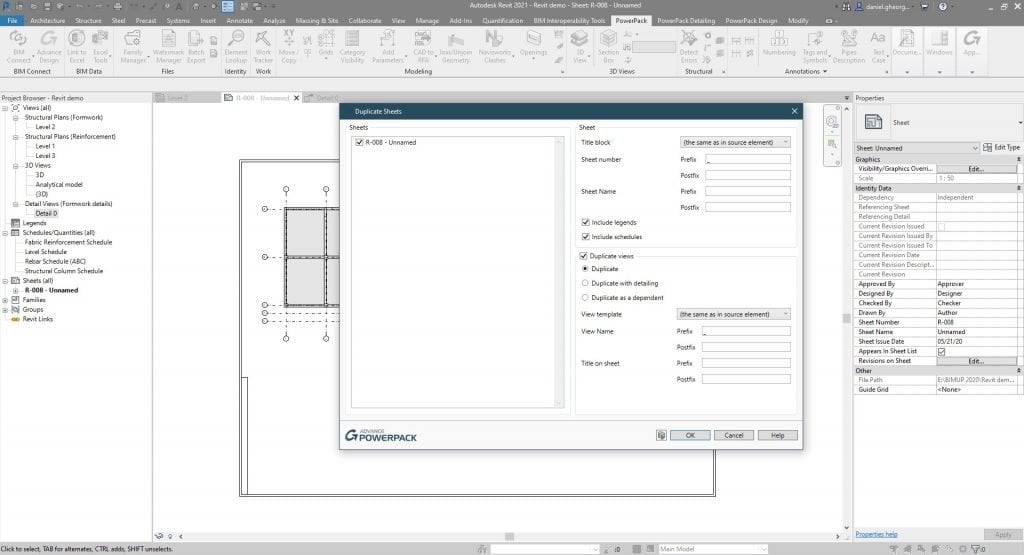
Duplicate a view with the exact same legends and schedules as the original one.
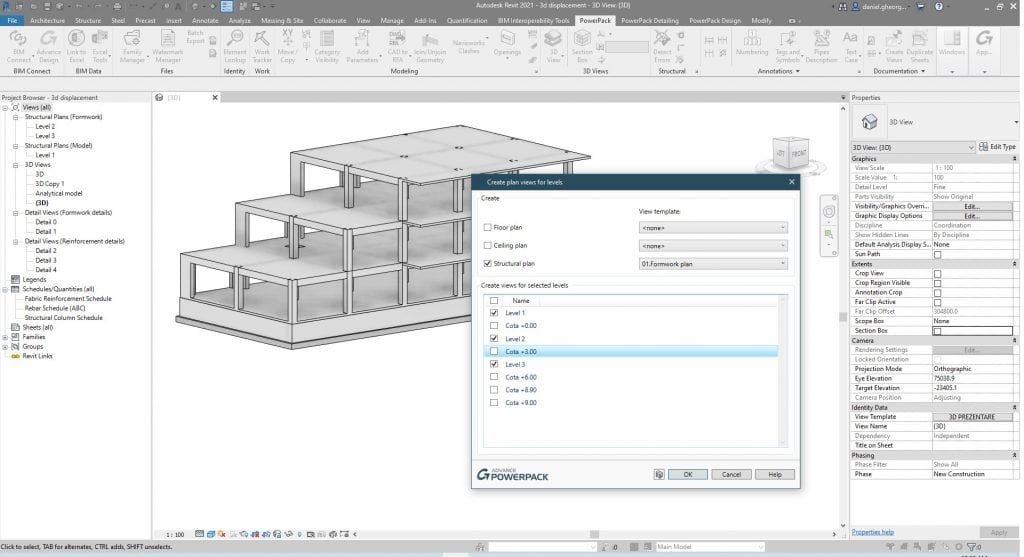
Create floors, ceilings and structural plans, with view templates.
Create 3D views of selected objects.
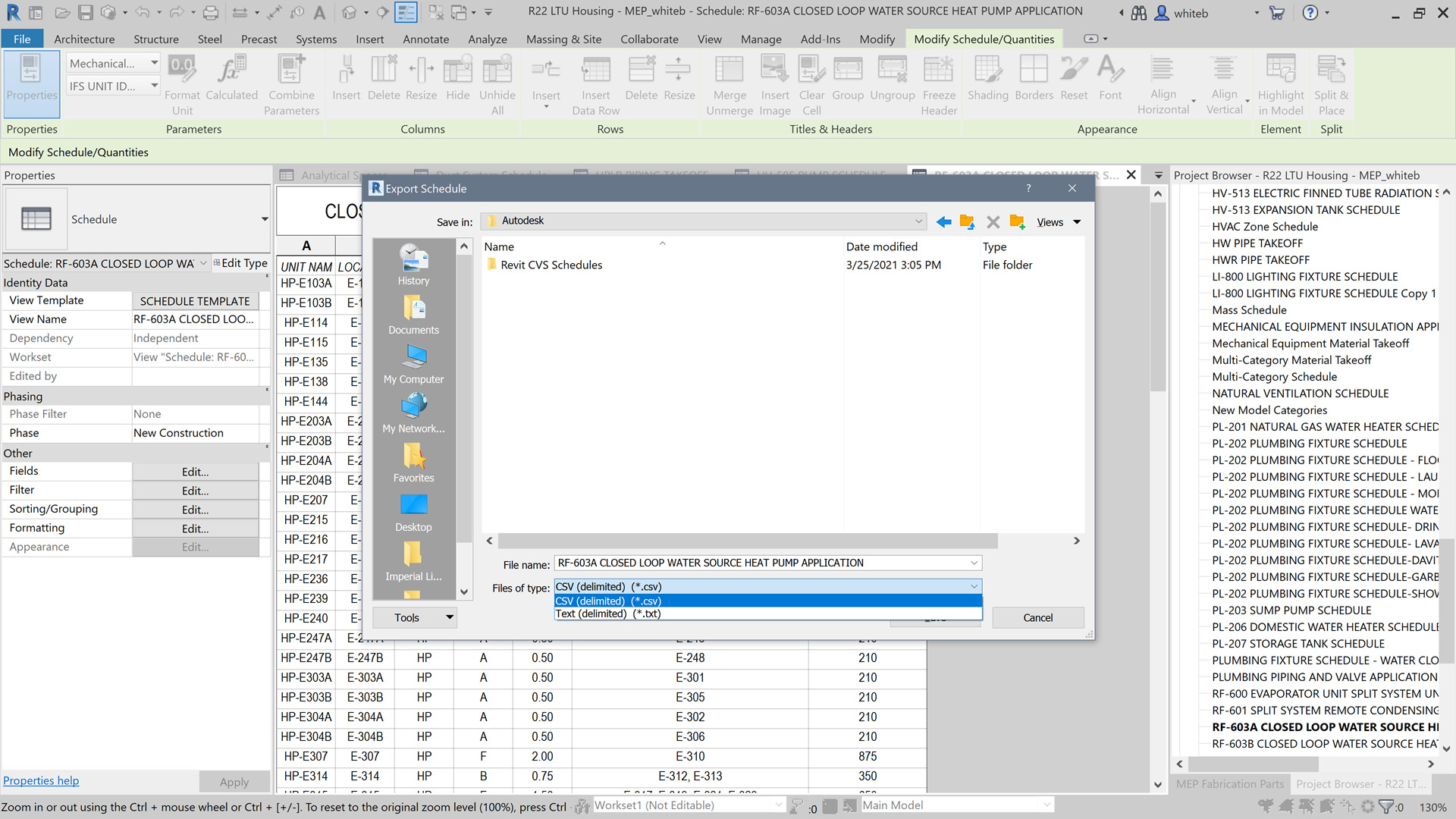
Batch export Sheets to DWG format.
Design and create dynamic custom legends to fit standard paper size.
Automatically generates a new 3D view of selected elements.
Used to compute volumes and decide which element is included in the schedules and which is not.
Design and create dynamic custom legends to fit standard paper size.
Automatically generates a new 3D view of selected elements.
Simplified arranging of active windows with auto-tile and center-view options.
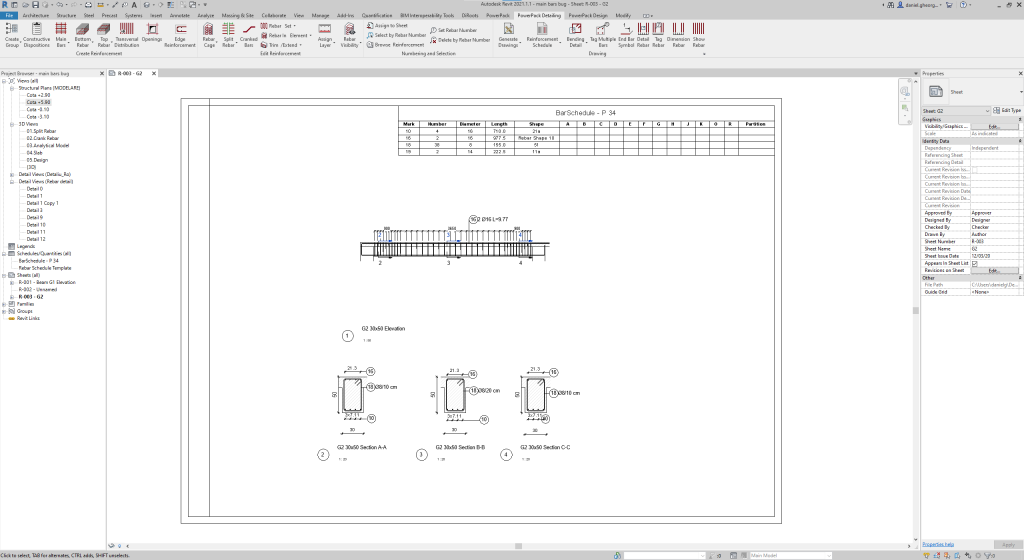
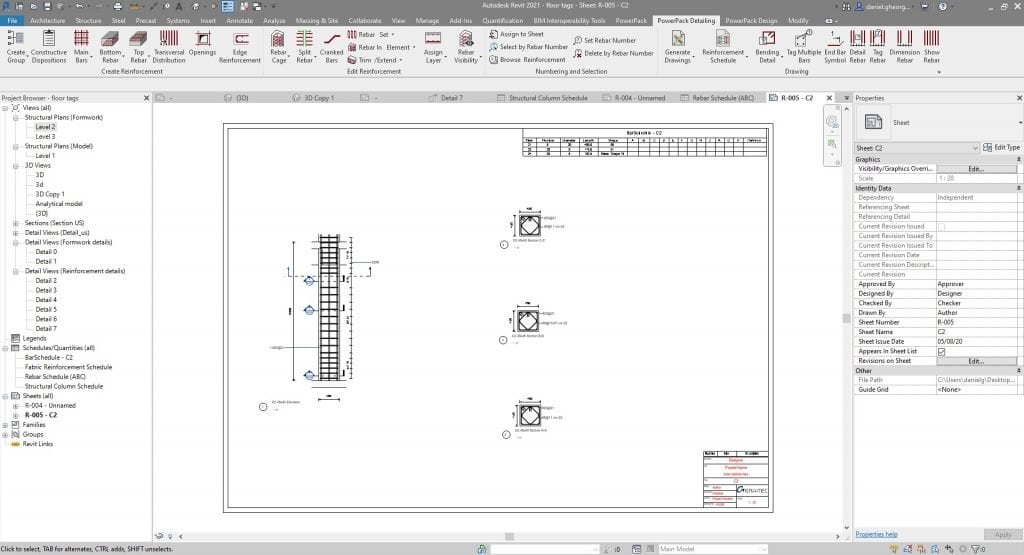
Automatically generate engineering drawings starting from configurable templates.
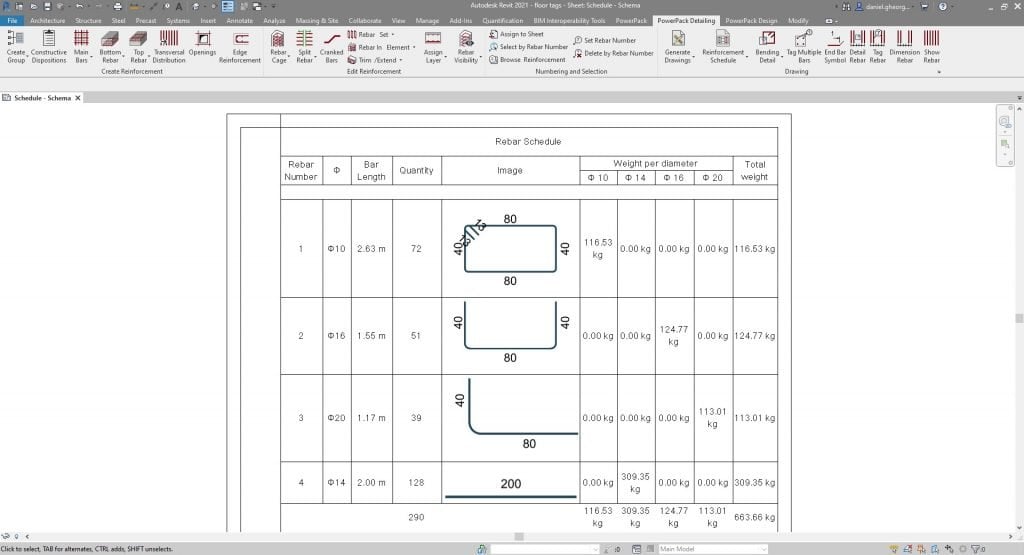
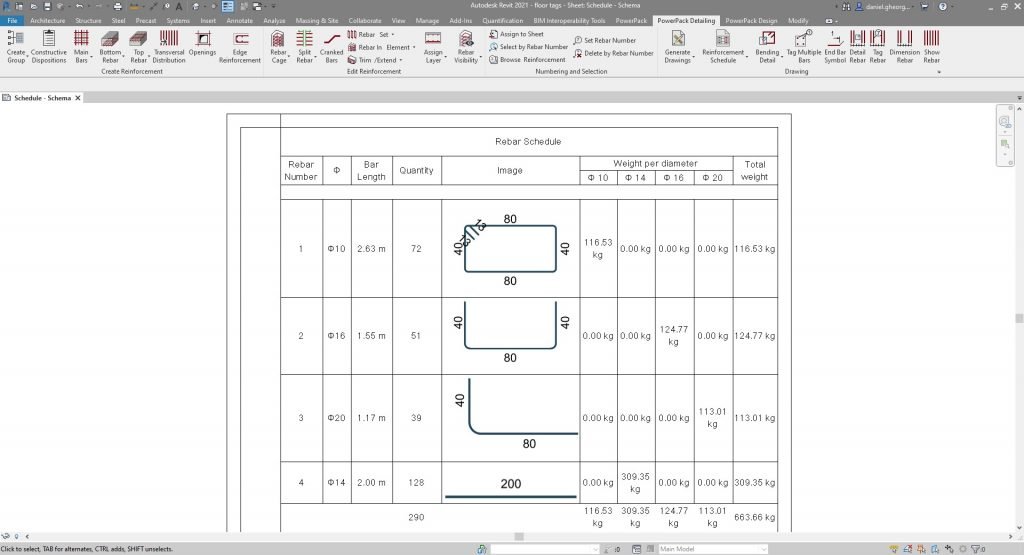
Automatically calculate and display rebar quantities in a bar schedule.
Graphically browse, search and load your families in a single window + Launch Family Editor.
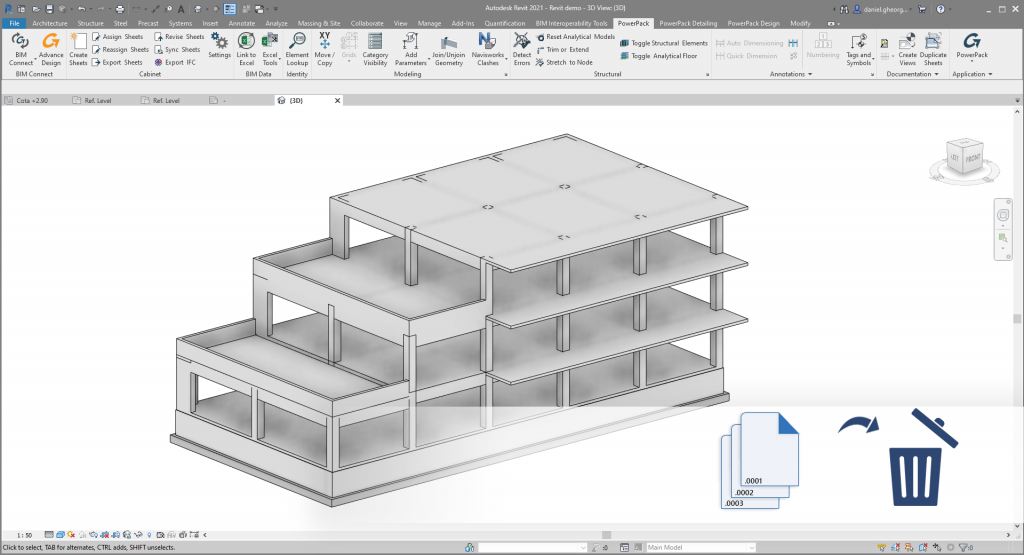
Automatically searches for backup file and deletes them.
Add password protected ownership credentials to your Revit® Families.
Before linking a Revit® project, easily purge it and automatically transfer projects standards and levels coming from this link to Revit® project host.
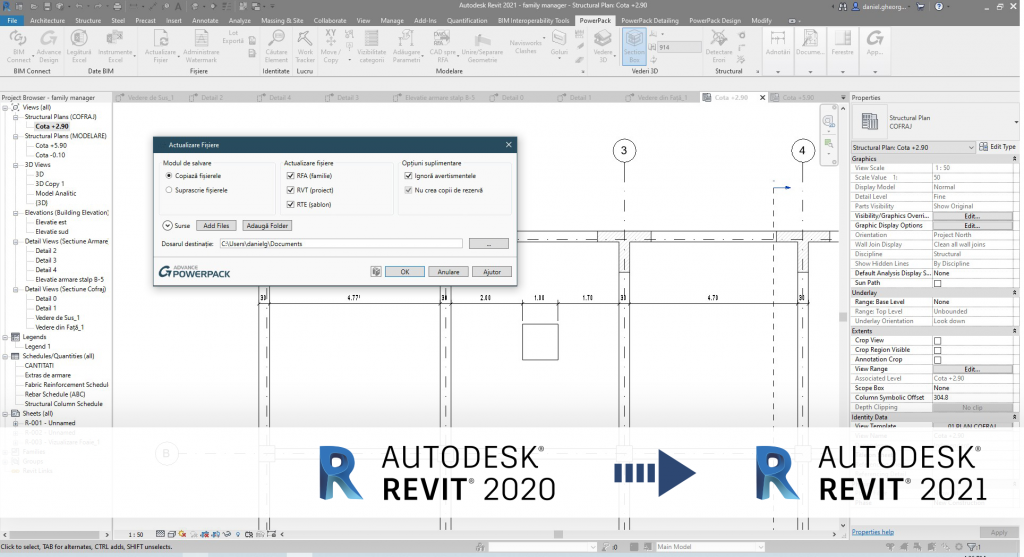
Batch update all your project files to a later version.
Batch export Sheets to DWG format.
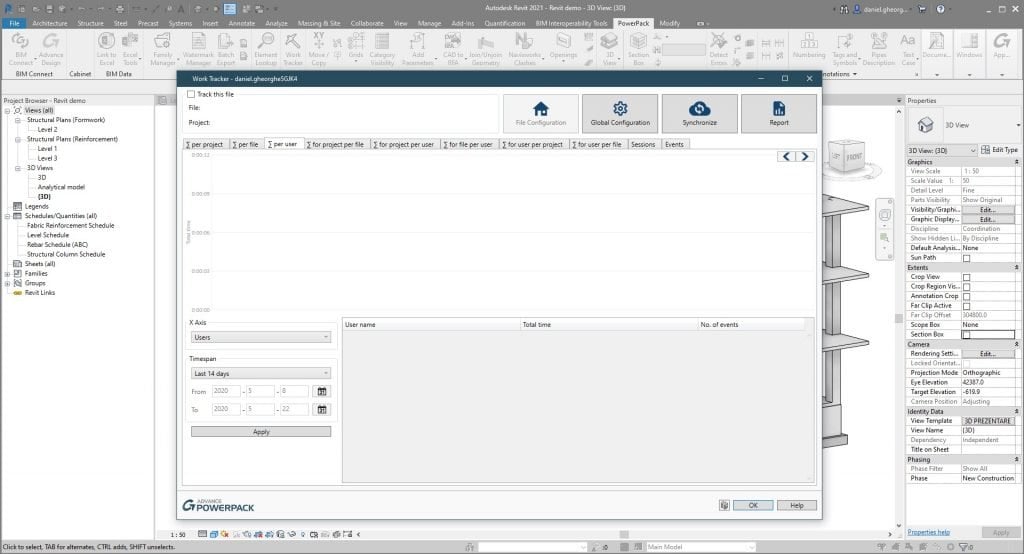
Records the time spent by a user on a project or file from Autodesk Revit® and creates activity charts, which can later be used to create activity reports.
Quickly export your Revit® views to any available format (PDF, IFC, NWC, DXF), all at once.
Automatically create holes in intersecting elements to accommodate pipe/duct runs.
Add door swing parameters to all doors for more accurate scheduling.
Allows elements to be moved in X & Y direction together.
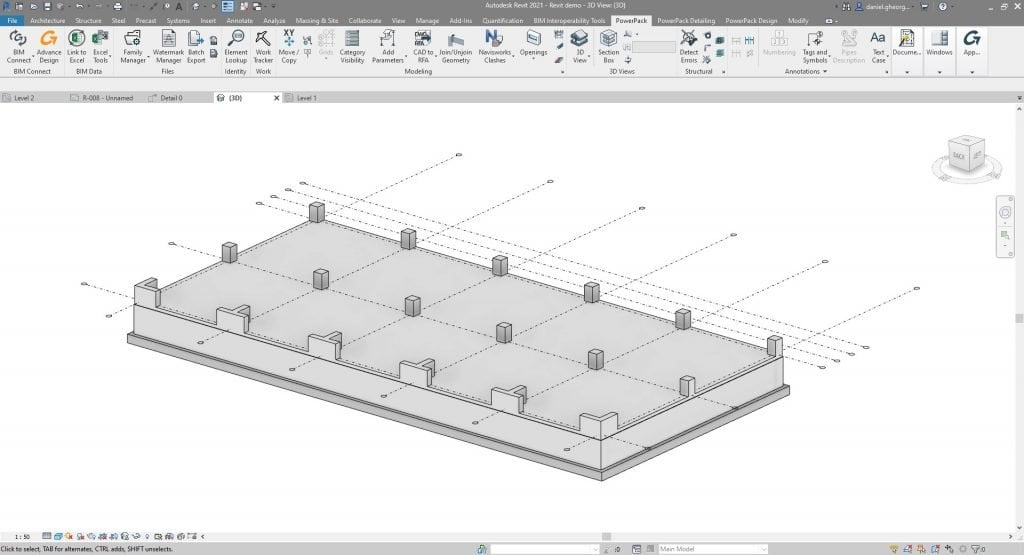
Creates a Revit® symbol from existing grids, making them visible in 3D Views.
Automatically draws model lines over selected elements.
Tick-box window to view/hide single elements or entire categories in model view.
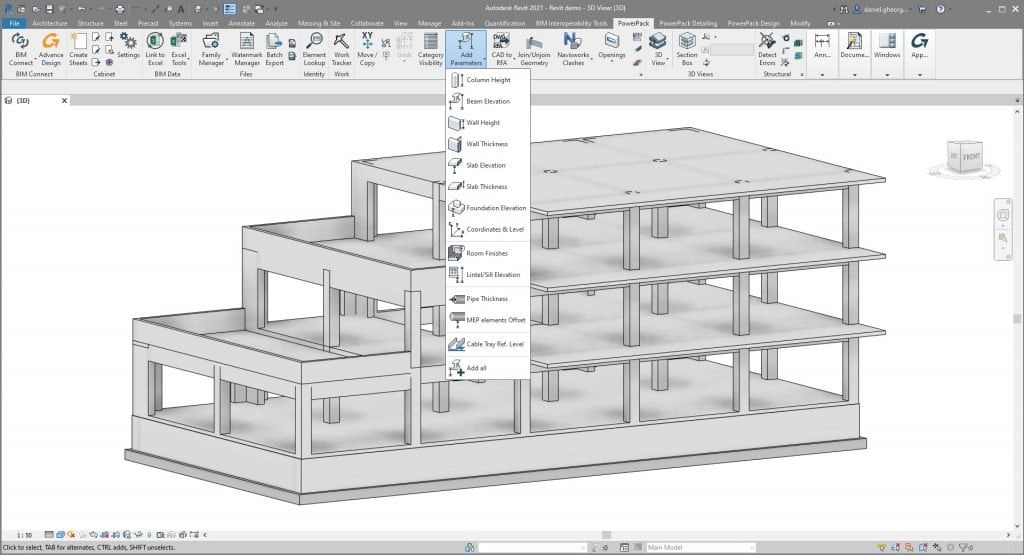
Automatically add a wide range of useful parameters, such as dimensions.
Convert 3D CAD files to Revit® Families with update feature
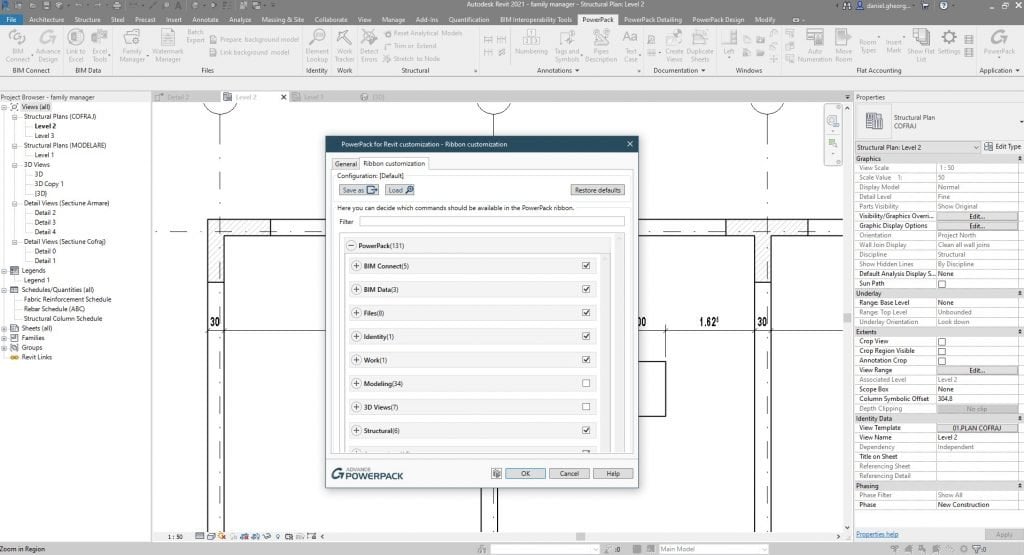
Manage and organize your PowerPack tools Ribbon.
Automatically generate clean intersections, by creating rules between categories (floor, wall, foundations).
Allows multiple openings to be combined in the same host element.
Automatically assigns insulation to the systems based on parameters or assigns a specific value.
Batch process all pipes and ducts to specified lengths.
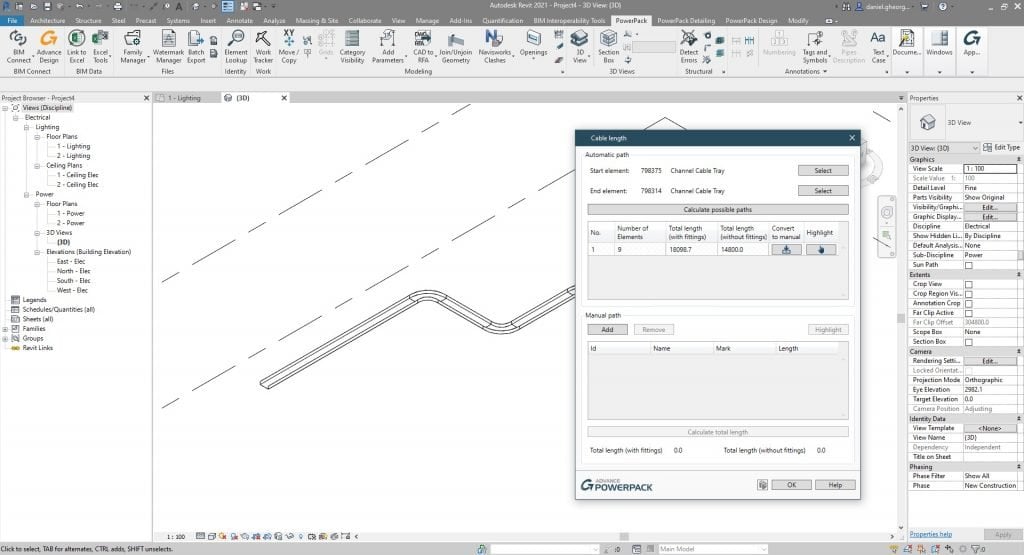
Calculates the total length of the automatic or manual cable paths.
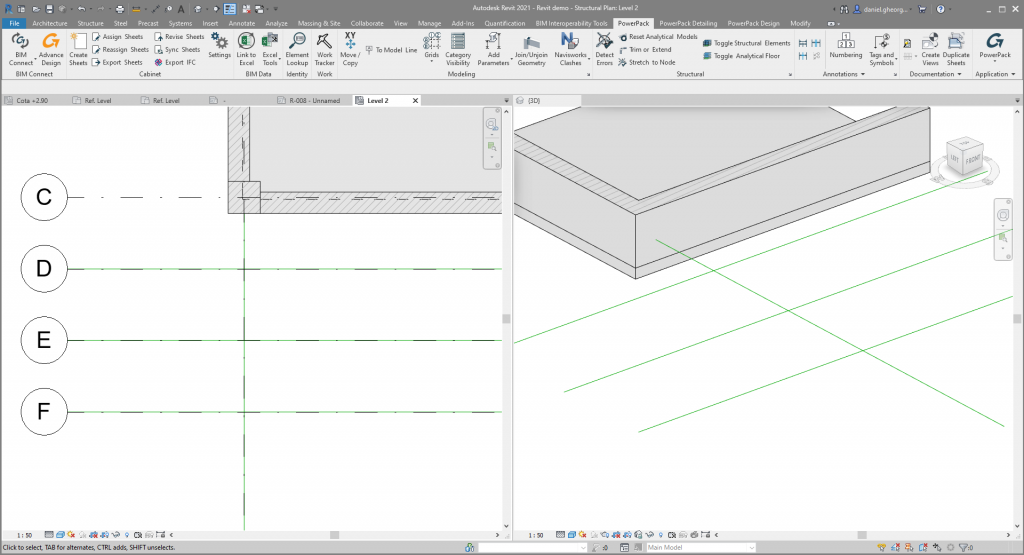
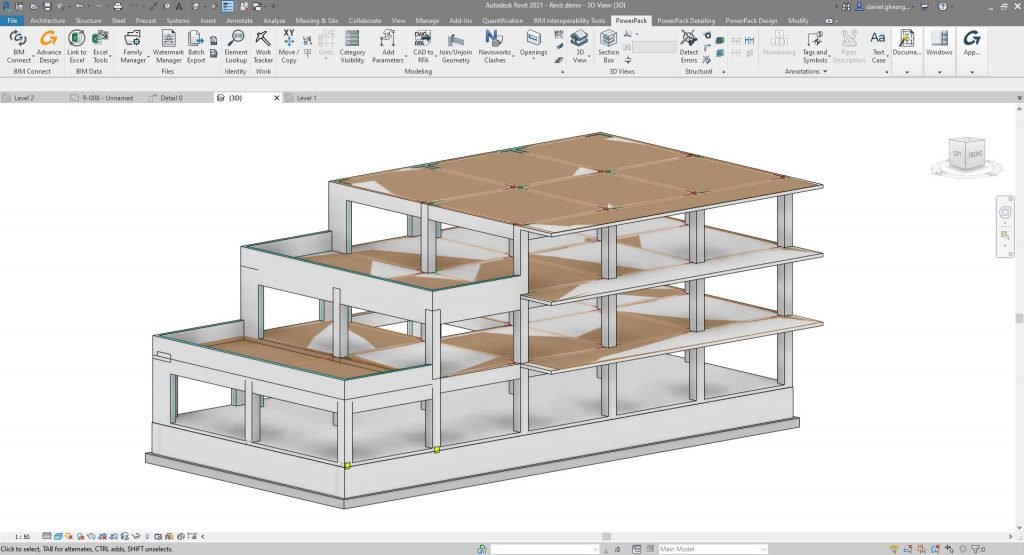
Check errors in the analytic model, and correct them using ergonomic features as trim, extend, stretch.
Reset manual adjustments for all analytical elements.
Used to activate or deactivate the analytical model, for a faster inspection of the model.
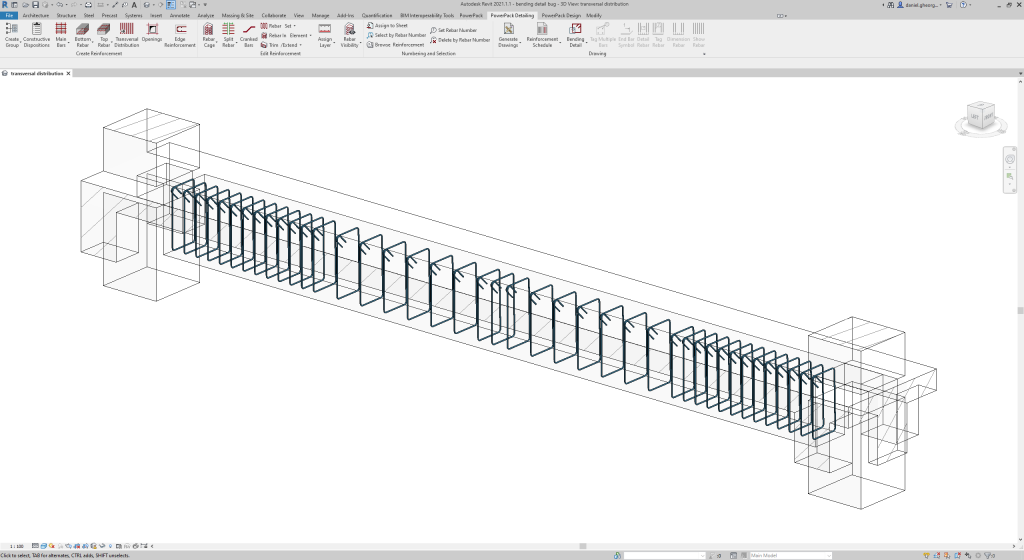
Split rebar by certain rules (maximum length, exact number of splits) and use different methods of connections (lapping, cranking rebars or using mechanical couplers).
Easily create reinforcement cages around multiple openings at once.
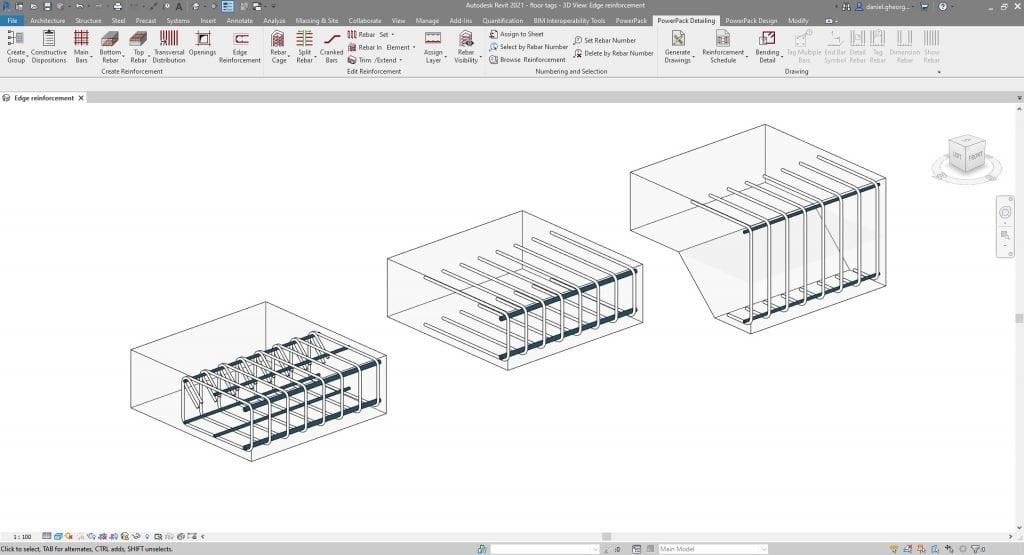
Easily create reinforcement cages along multiple edges at once.
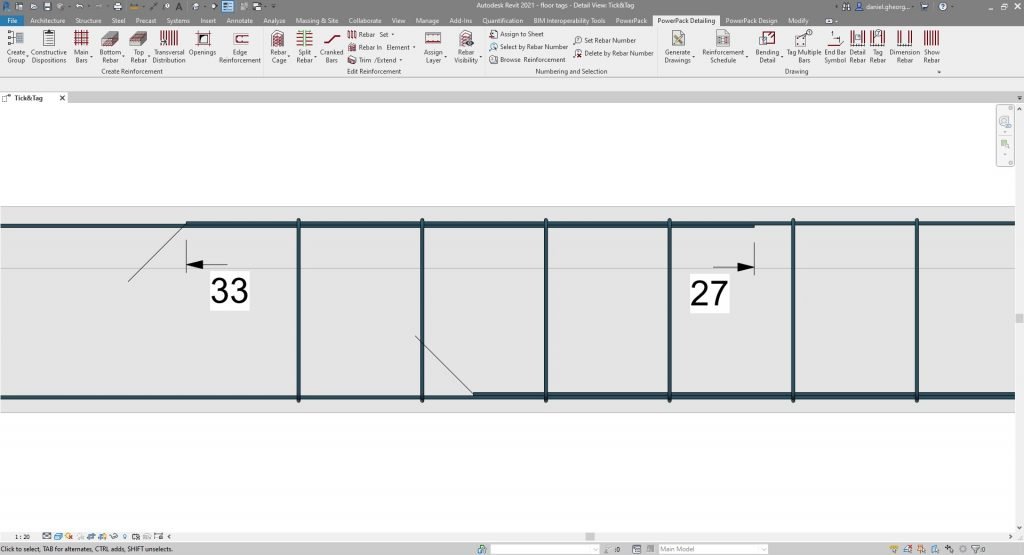
Places a symbol at the end of the rebar in order to highlight lap splices.
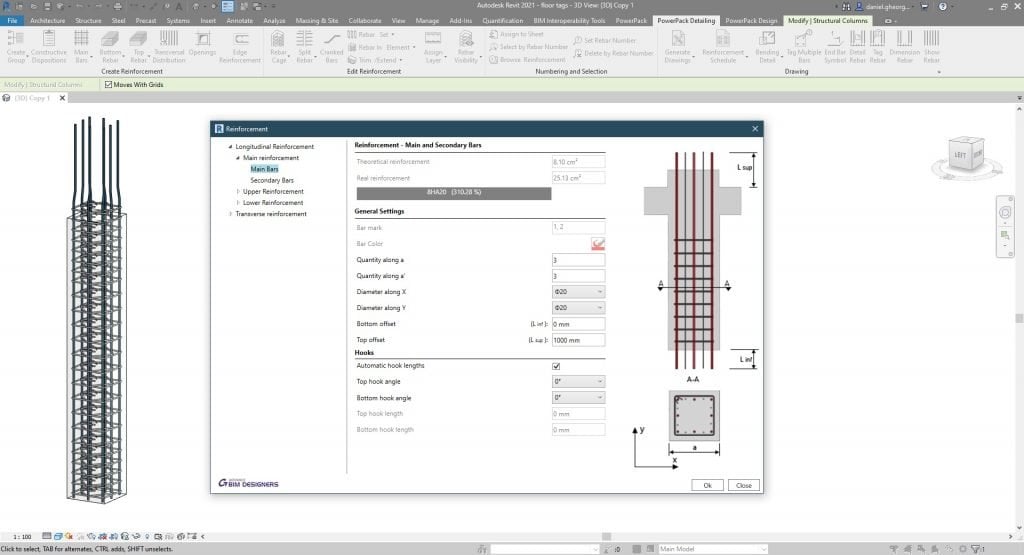
Edit the calculated rebar cage or model from scratch a parametric rebar cage.
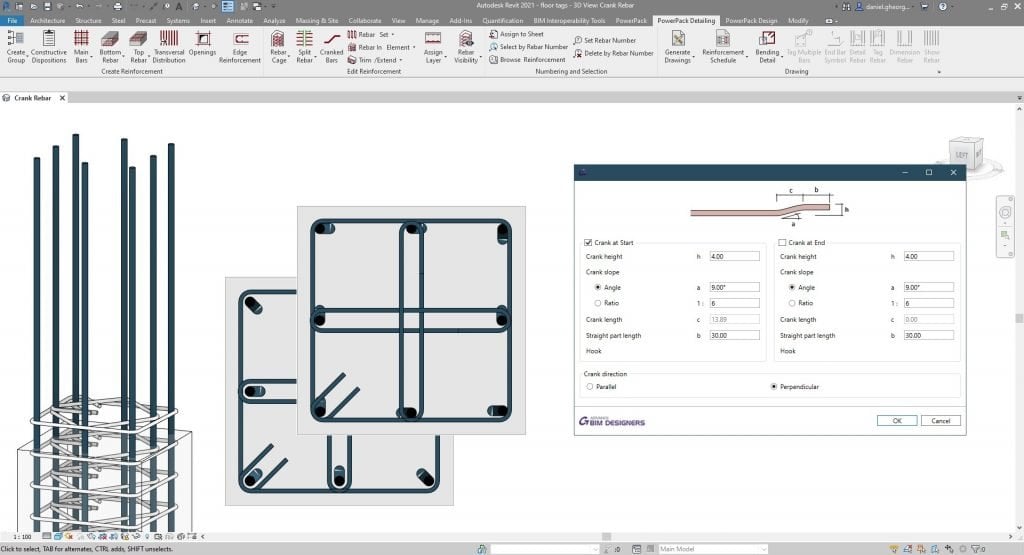
In order to address rebar collisions, parametrically crank the rebars at the endings.
Change the representation of the rebars from line to solid.
Automatically create rebar definition images for schedules.
Create bending details from selected rebars, improving detailing functionalities.
Automatically generate full reinforcement views, schedules and sheets.
Easily copy rebar structure from one element to another of similar shape or size, or delete the rebar from the selected elements.
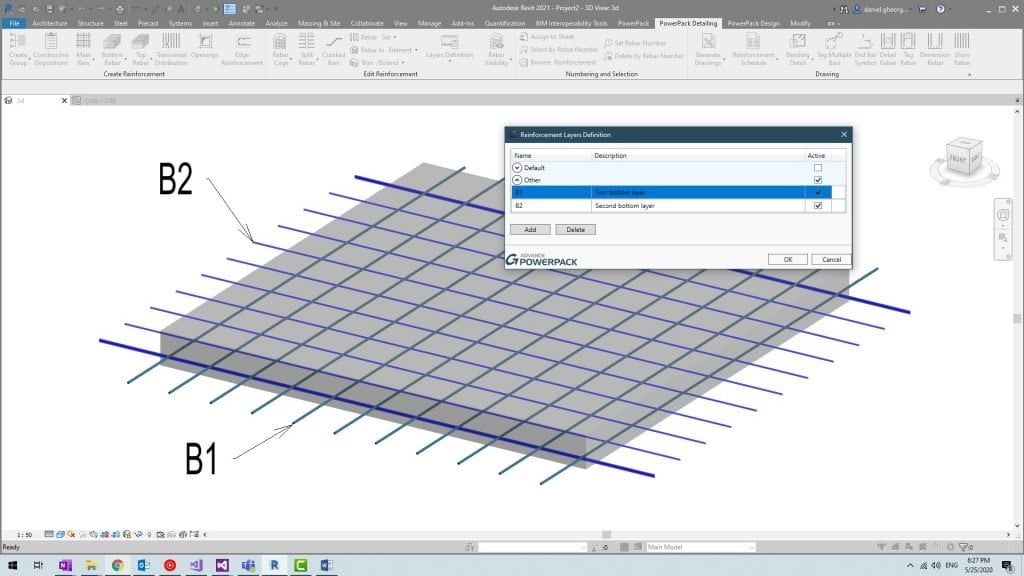
Use layer parameters in order to simplify rebar visibility on drawings and schedule creation.
Assign Rebar Mark number and Manage Rebar trough number (delete or select per number, browse reinforcement per number).
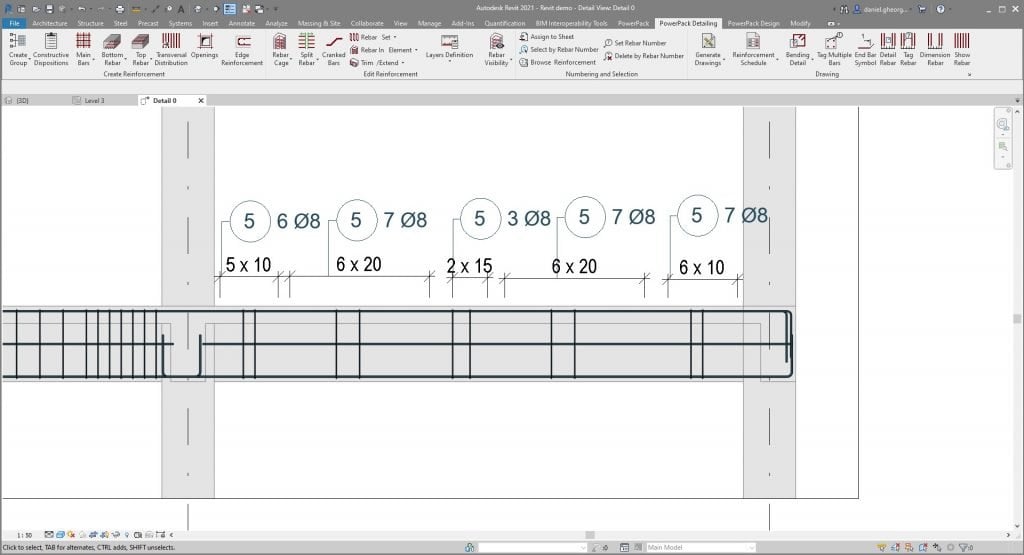
Place quickly dimension line for Rebar set, associated with a tag rebar.
Explode, Split, unite Rebar set in Autodesk Revit®.
Adjust Rebar geometry (Rebar to face, rebar to element, cut rebar around opening
The tool allows varying reinforcement to be applied to columns and beams as required.
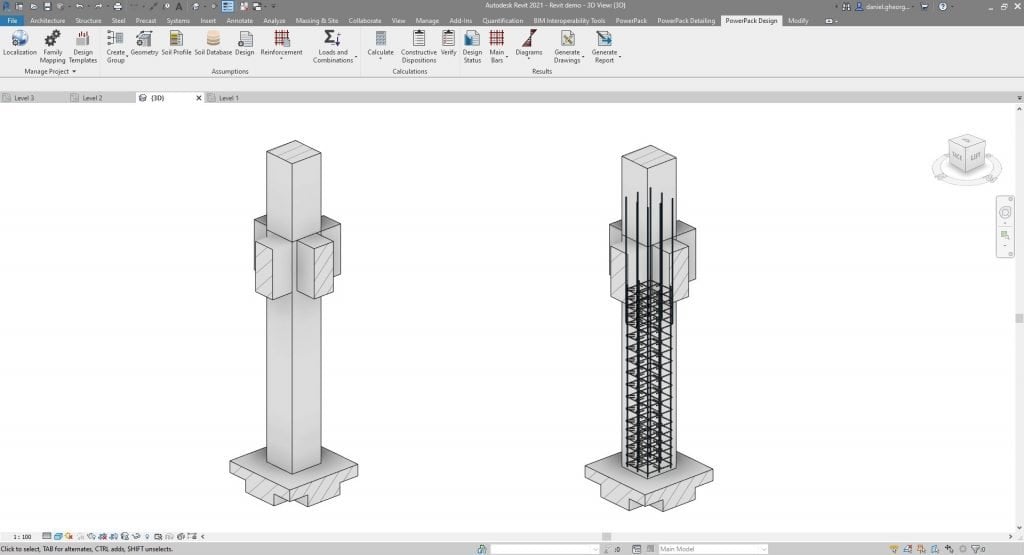
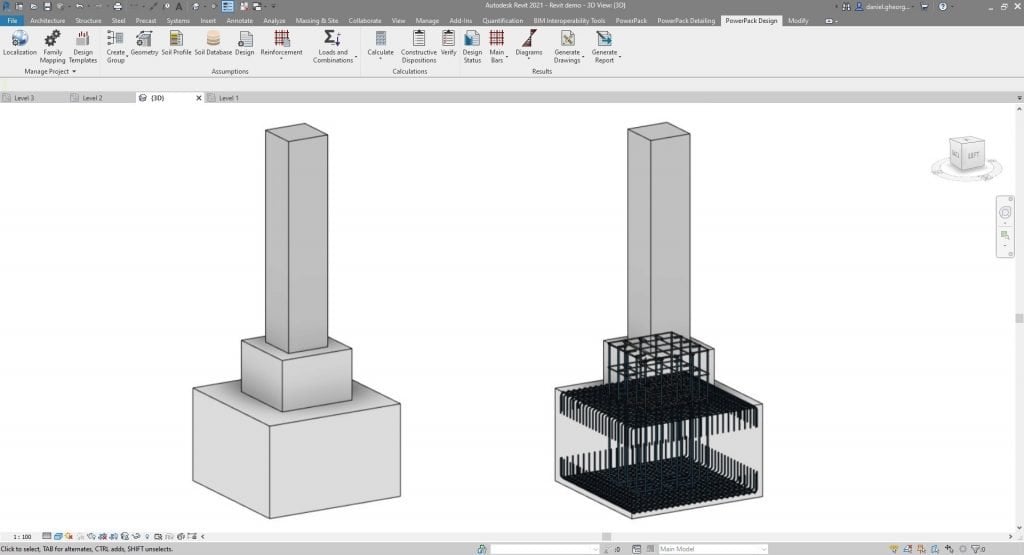
The reinforcement designer, available in the GRAITEC Power Pack for Autodesk Revit®, allows users to create, update and modify reinforcement cages for slabs, walls, beams, columns and footings. Reinforcement can be done automatically, based on numerous parameters, which can be either imported or set manually.
Connect Excel worksheets to Revit®.
Assign custom parameters to Revit® Families via Excel.
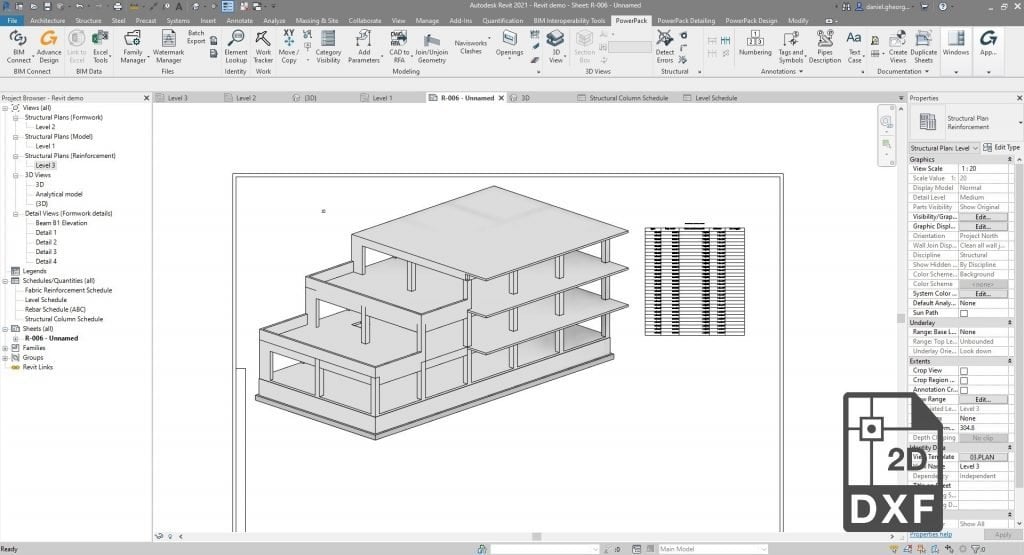
Connects Excel worksheets to the current Revit® project by inserting a linked and scalable DXF that auto-updates when the project is opened.
Quickly filter and select elements, according to any given parameters.
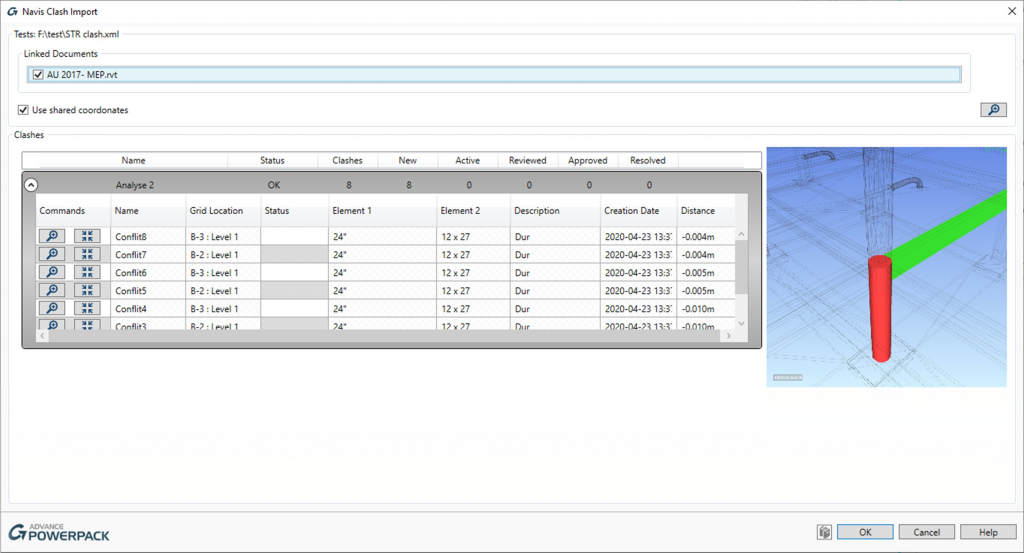
Import clash-detection analysis results from Navisworks, in order to easily modify and correct your model.
If you would learn more about add-in software for Autodesk products, please contact us by calling on 1800 490 514, by filling out the form or clicking the live chat in the bottom right-hand corner.
Developed for Autodesk® Inventor® users this add-in for Inventor features an assortment of new functionalities which will lead to an increase in productivity, speed up your everyday modelling, and improve your workflows.
Similarly, all manufacturing industry software users can increase control and automation within Inventor, as Advance PowerPack for Autodesk® Inventor® runs on top of the Autodesk® Inventor® Professional platform, but please note that it will not run on Inventor® LT.
Visibility enhancement tools allow you quickly choose what you want to display and what you don’t want to display.
Export file properties will export all Assembly, Part, Drawing or Presentation iProperty information to a txt file.
Purge tools allow you to clean up parts and assembly files by getting rid of unwanted geometry and information.
Creates an inspection dimension table in any drawing that has inspection dimensions, columns include label, size and inspection rate.
One click exports parts list to excel based on assembly bill of materials setup
Creates a tolerance table in any drawing that has tolerance dimensions, columns include size, shaft/hole, tolerance range and dimension range.
One click exports all sheet metal components of an assembly file to DXF files which also include part number, description, material and thickness.
Title block swap will replace any existing title block on a drawing with another selected title block, which will maintain all iProperty information.
Rename your browser nodes in the assembly based on summary information, design tracking properties or user defined properties.
If you would learn more about add-in software for Autodesk products, please contact us by calling on 1800 490 514, by filling out the form or clicking the live chat in the bottom right-hand corner.
The Autodesk Civil 3D 2022 release brings new alignment and ArcGIS workflows, enhancements with pressure networks and for AEC Collection subscribers, new functionality to the Project Explorer.
The better handle complex geometry for ramps and interchanges, there has been new enhancements to connected alignment functionality:
For AEC Collection users, Civil 3D now includes Grading Optimisation which works as a preliminary terrain optimisation tool for site designers. It uses design data and automates otherwise repetitive manual grading tasks according to customized object constraints.
Once these objects are defined with their project relate constraints, Grading Optimization delivers an optimized terrain surface and 3D geometry back into the design tool for further detailed design.
If you would to discuss Autodesk software, please contact us by calling on 1800 490 514, by filling out the form or clicking the live chat in the bottom right-hand corner.
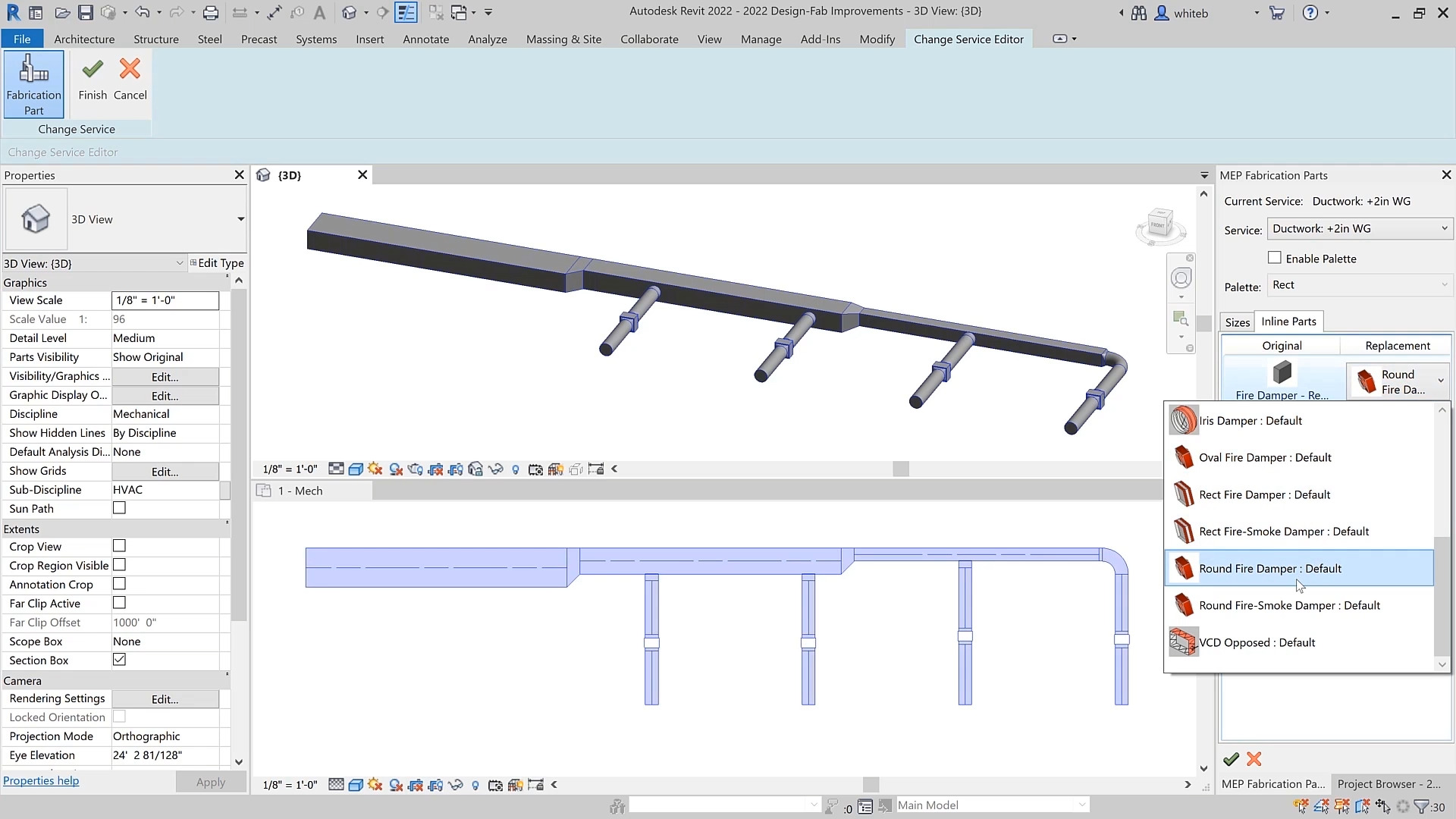
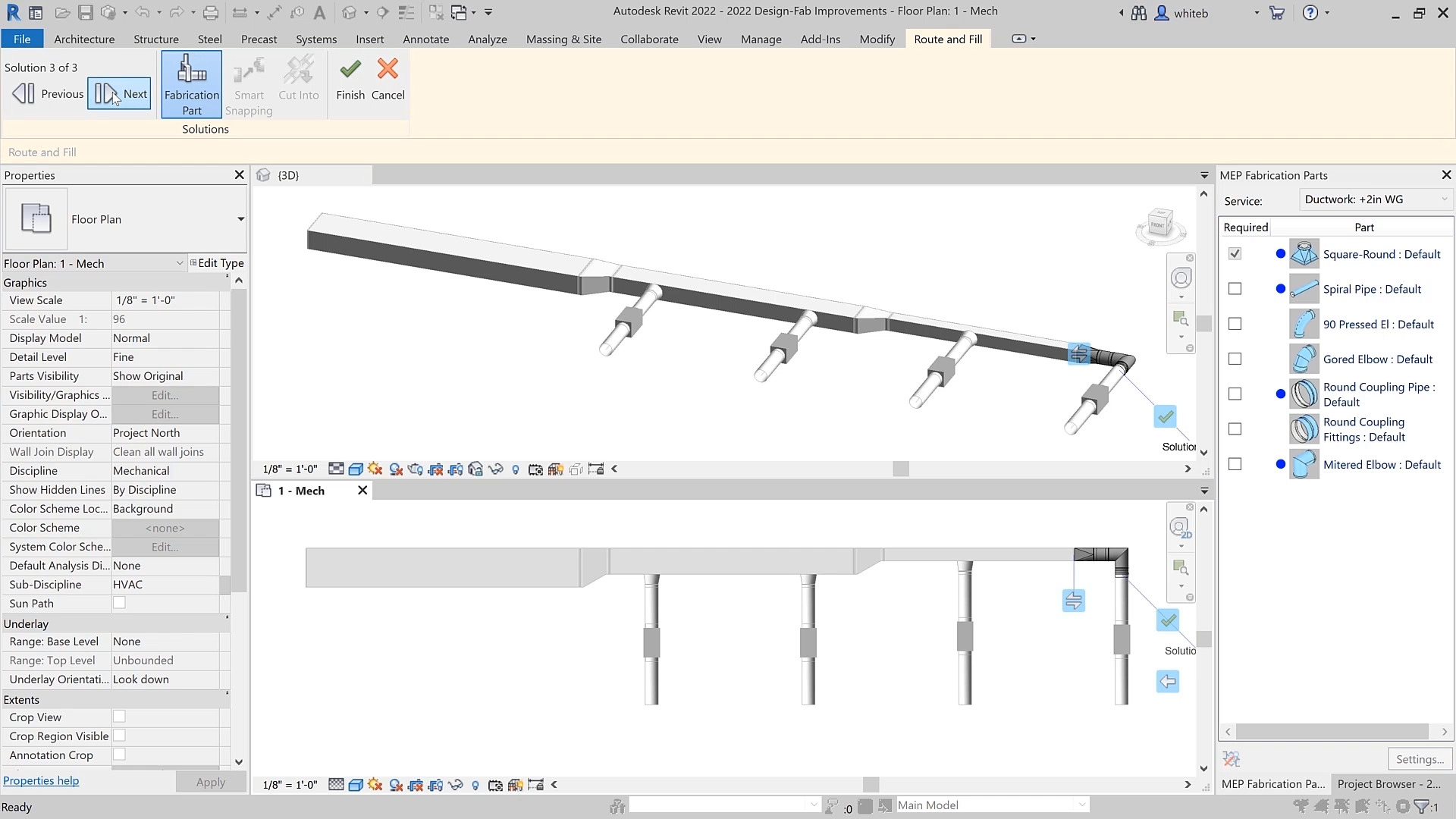
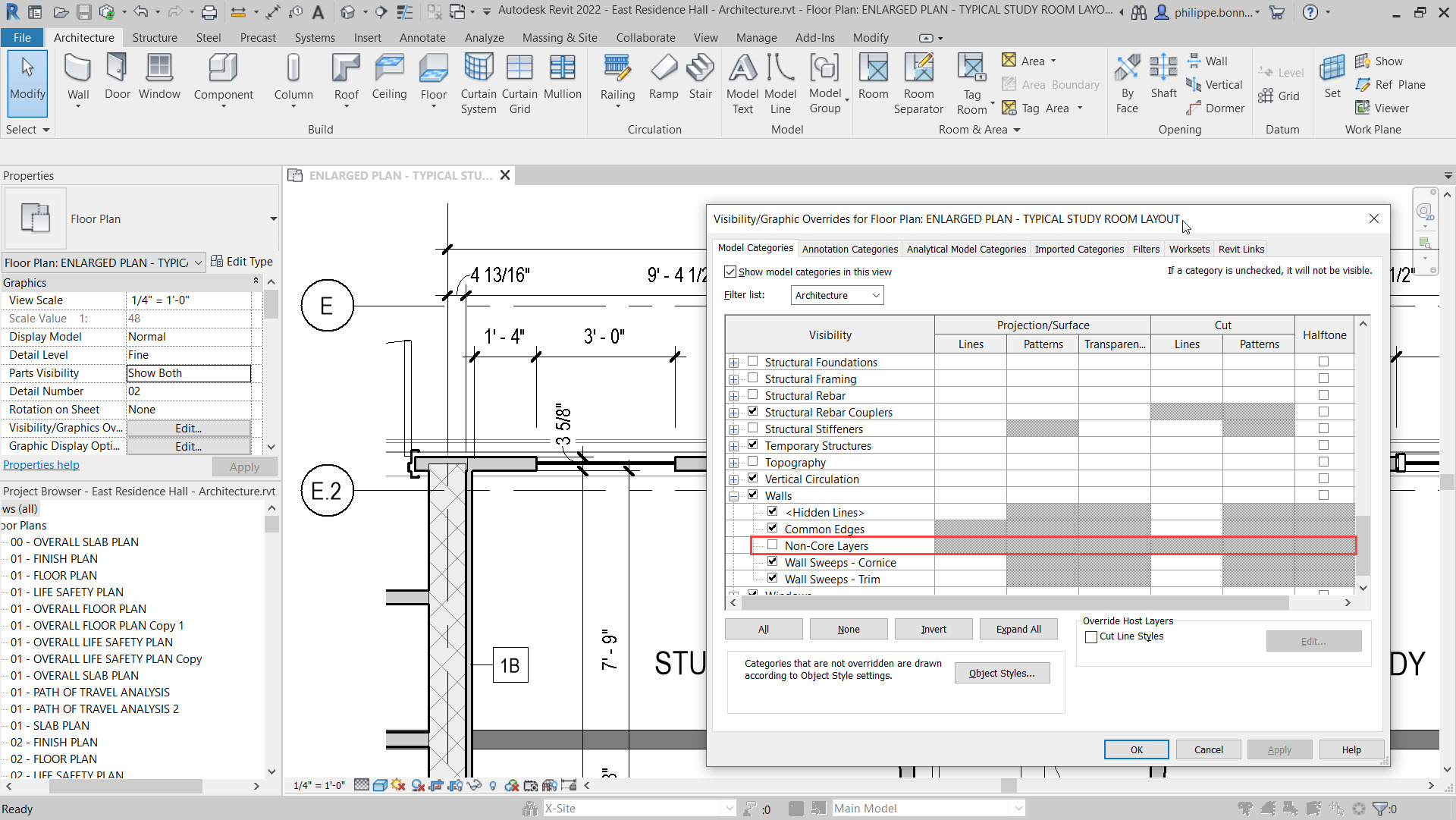
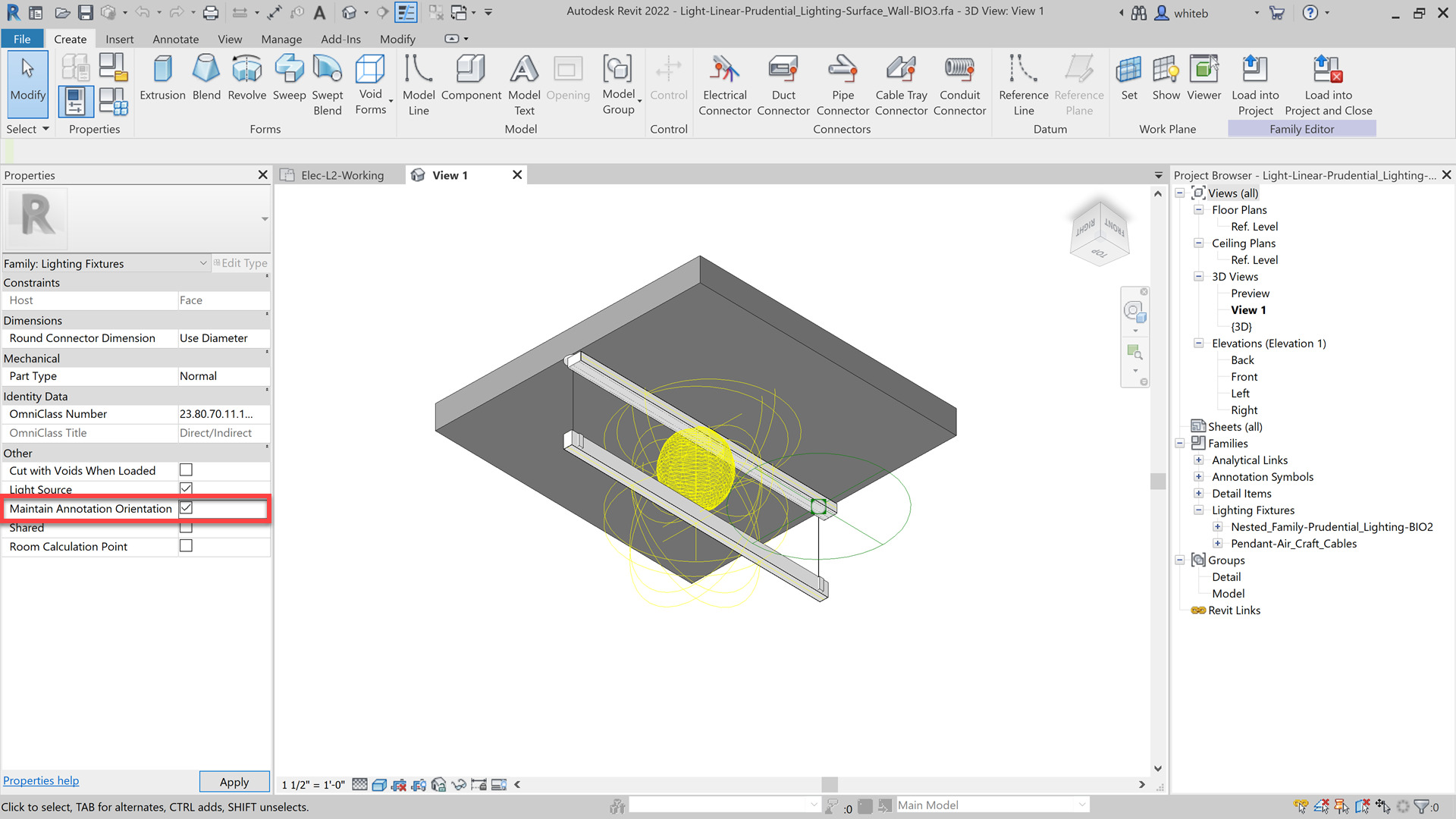
Autodesk Revit 2022’s main focus has been on four main areas:
The 2022 release now has tapered walls.
Change any wall to a tapered wall by changing the cross-section parameter to tapered.
Update the sloping angles using instance overrides or the wall’s temporary dimensions.
Align wall-hosted components to the sloped interior or exterior faces of the wall with clean joins at corner conditions.
Modify the sketch boundaries of a slanted wall along its work plane.
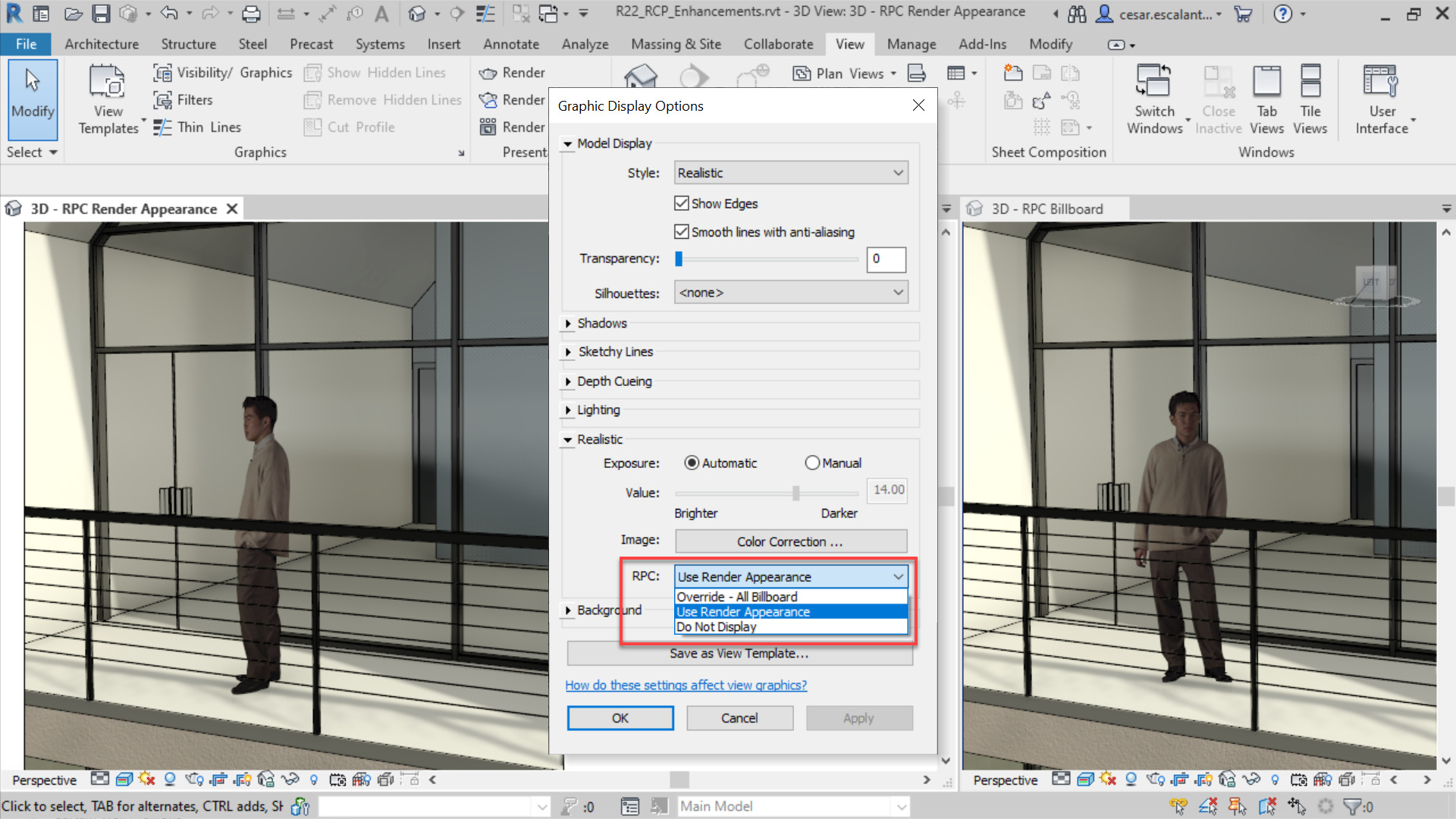
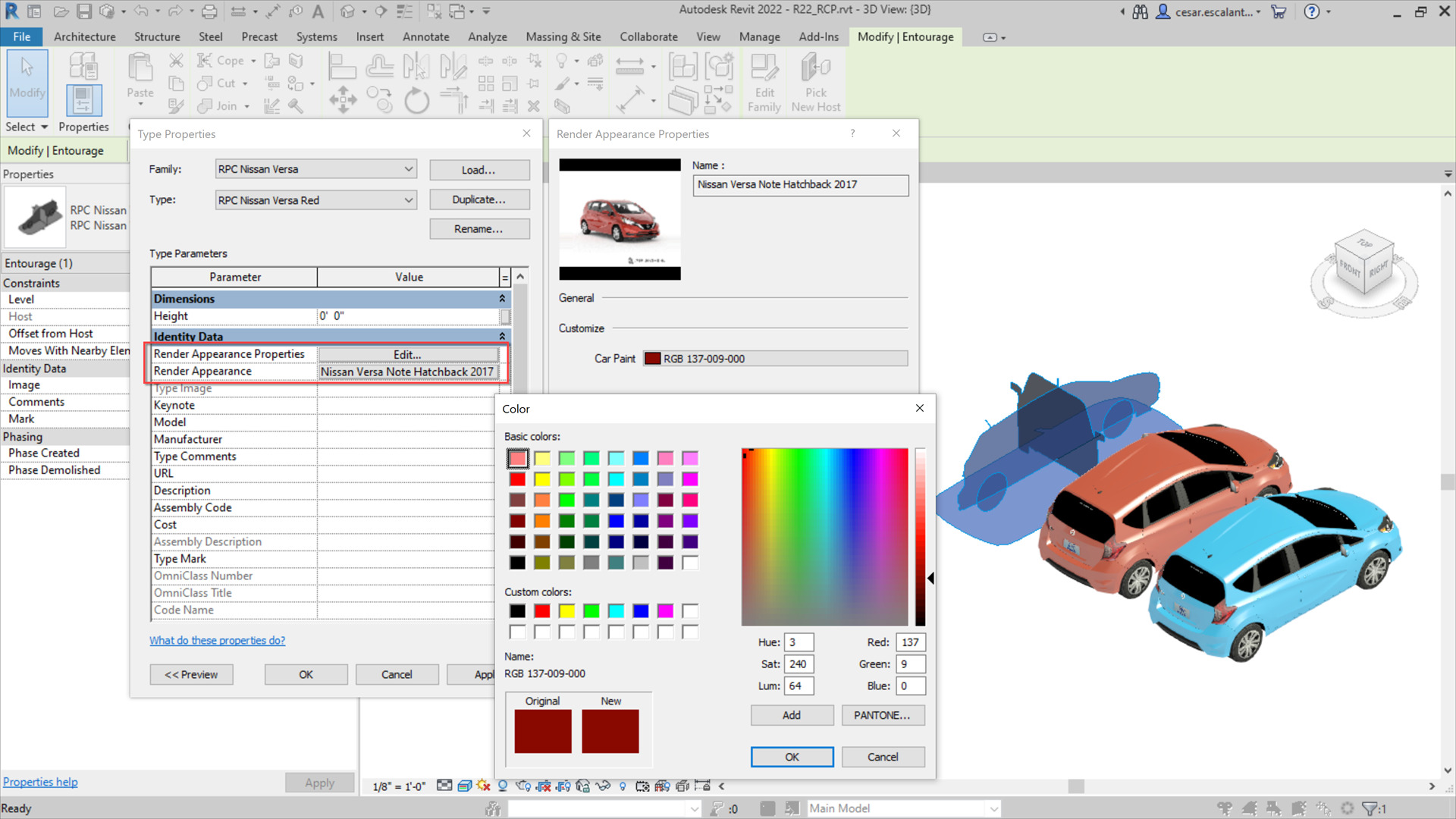
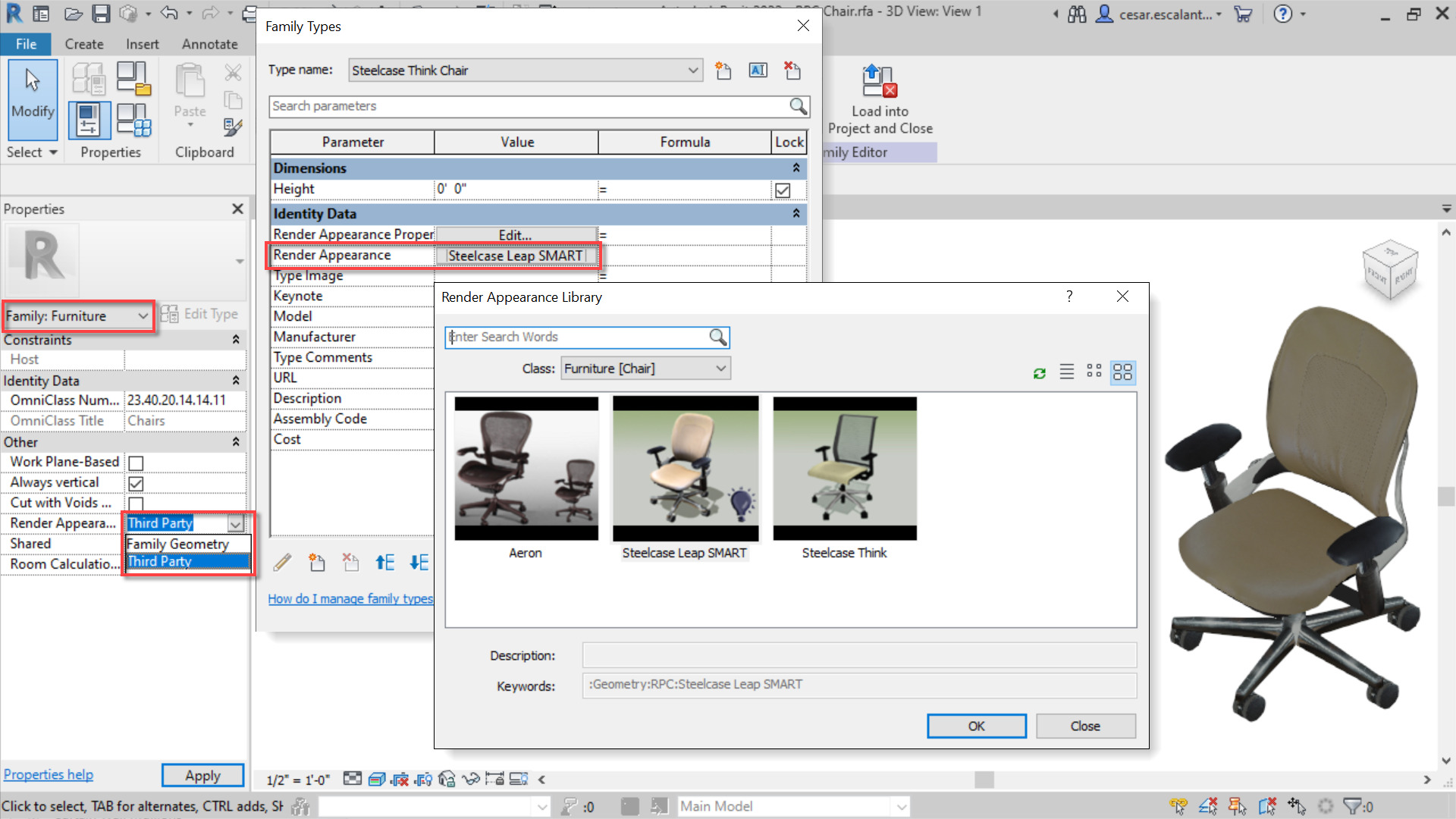
2022 now supports the RPC 2.0 file format:
The support of the RPC 2.0 format displays high-resolution, complex images with physical-based materials and lighting with greater parameter intelligence and control.
The following generative design enhancements have been added:
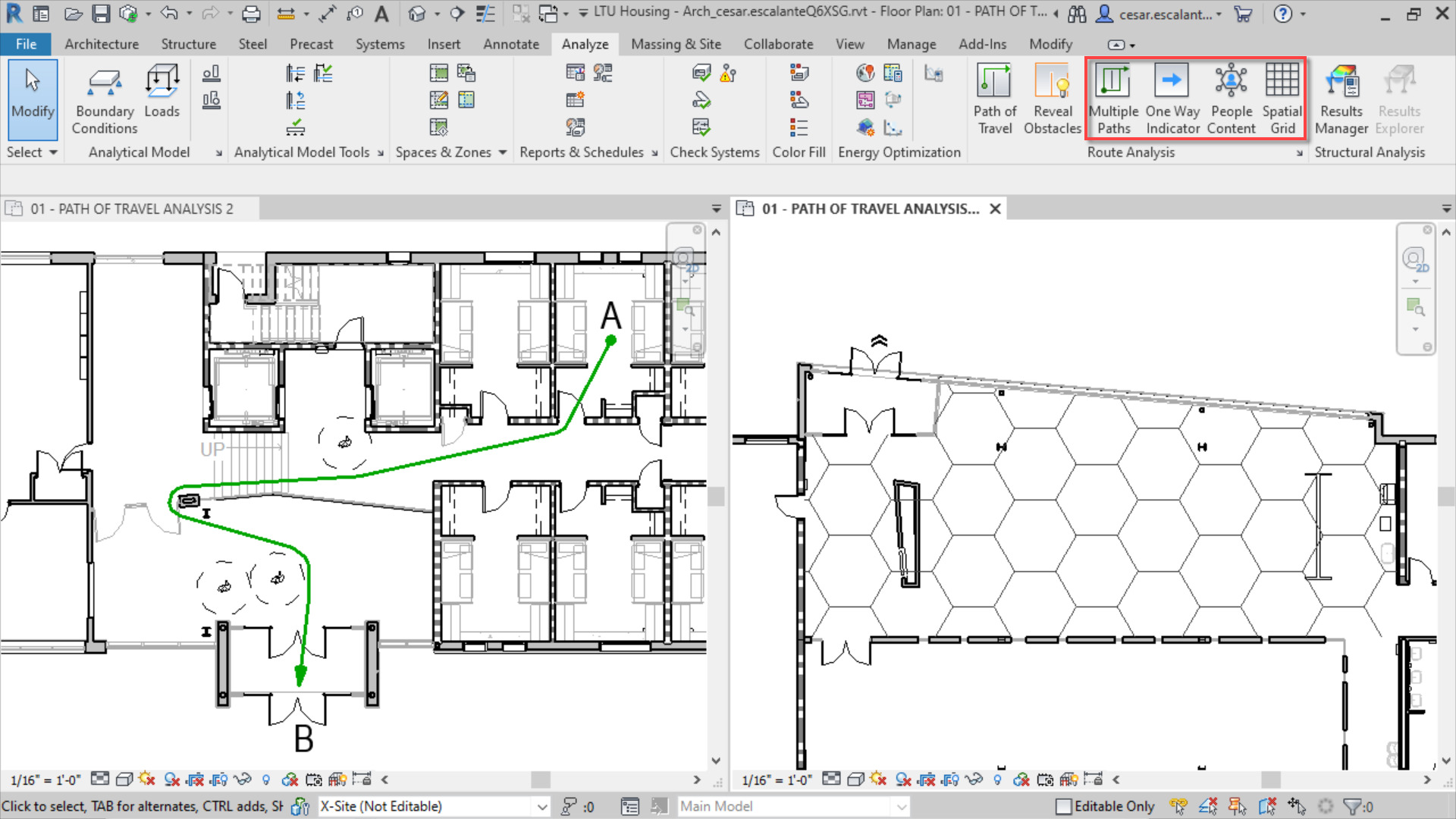
The People Flow Toolkit technology preview has been added into Revit as standard, providing four new tools under Route Analysis to visualise, automate and analyse the impacts of physical distancing and routes within a design.
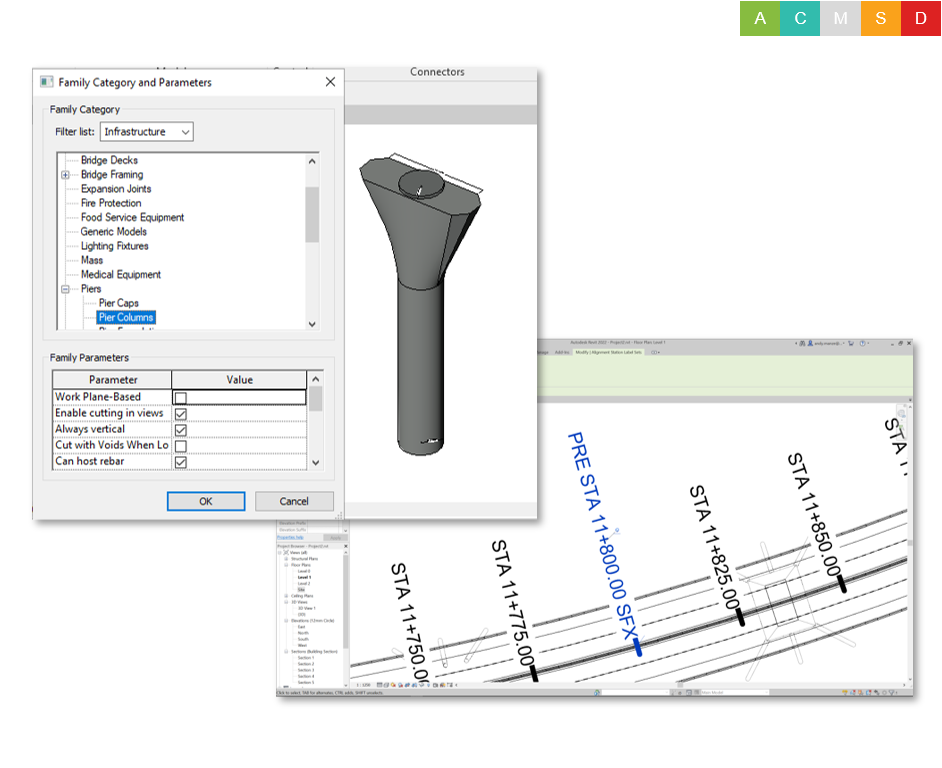
Revit families created using the generic model family template can be assigned to the Bridge and Road categories and subcategories (e.g. Abutments, Piers, and many more).
Rebar can be hosted and be defined as cuttable in views, scheduled, tagged, etc.
There has also been minor enhancements to alignment stationing:
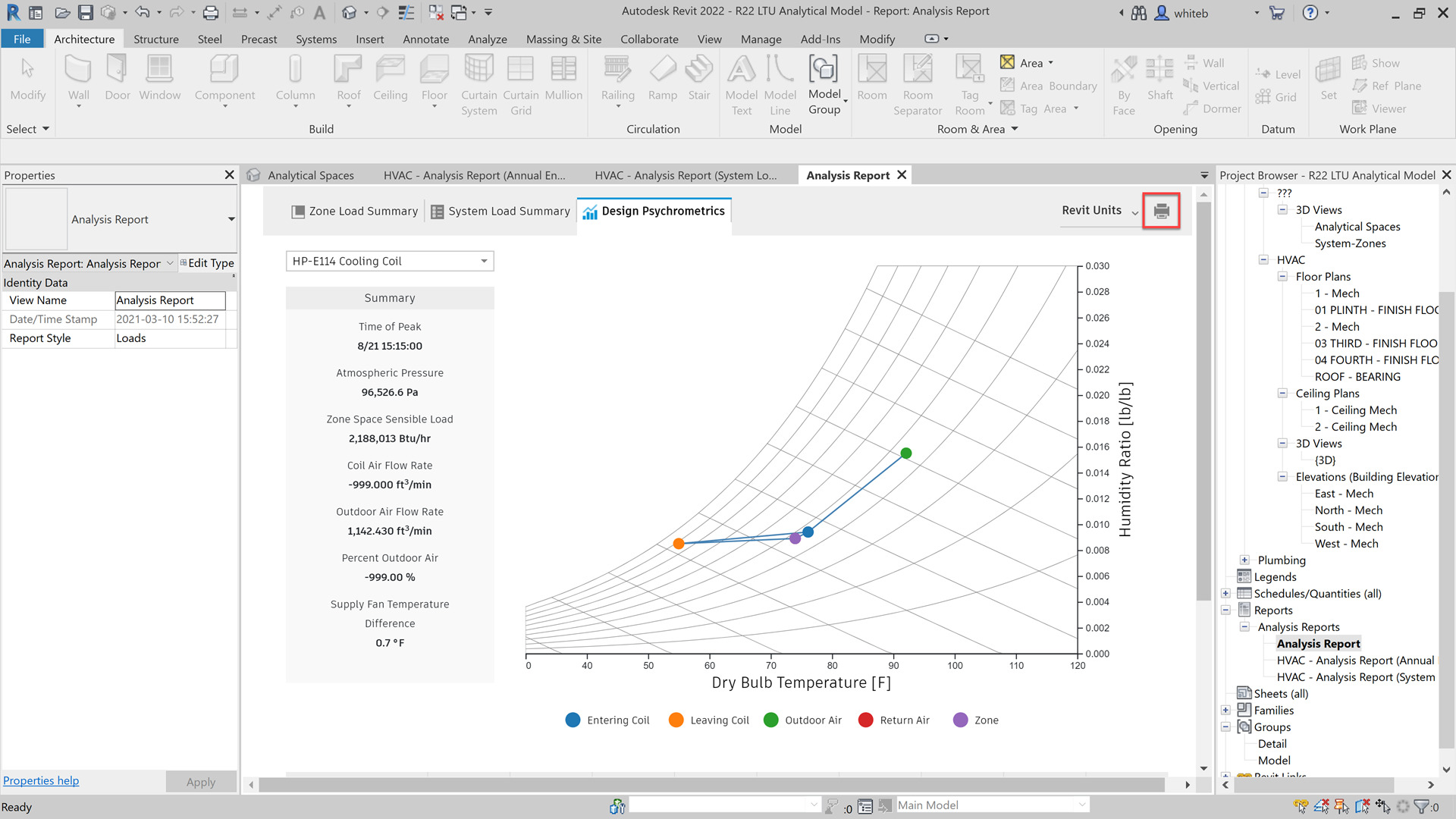
A new feature has been included in the Revit Systems Analysis to get more detailed loads and psychrometric reports.
A user can view a floor plan, 3D view or explore results in the report on a single screen.
After running a simulation on a Systems Analysis model view the summary information for QA/QC checks on multiple unit systems. Reports show a breakdown of load components, totals for sizing equipment, a psychrometric chart, and detailed psychrometric state point properties in a printable formats.
The workflows for exporting to gbXML have been consolidated into a new dialog.
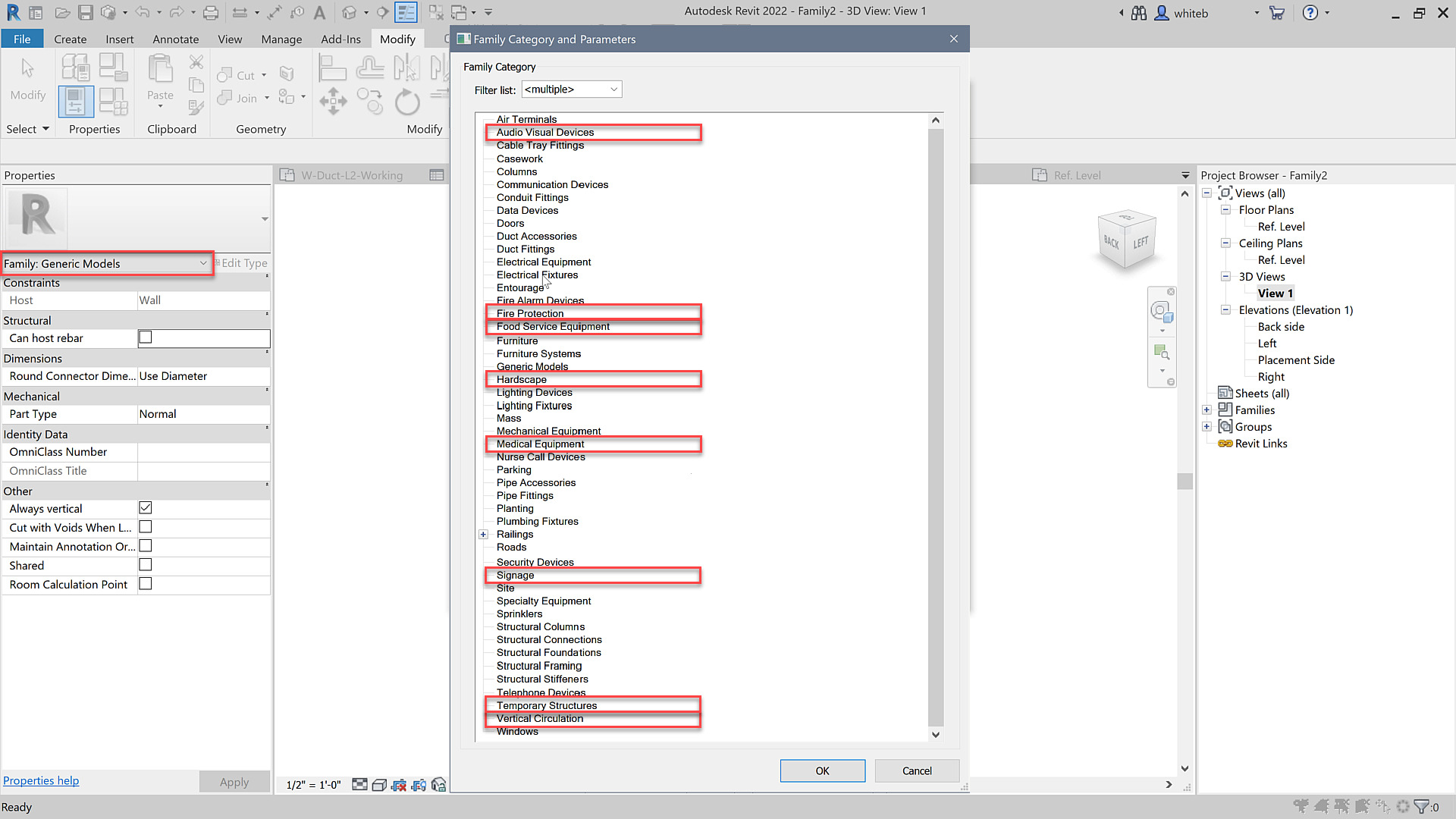
There are new Family Categories for Equipment and Building Elements:
Expanded Category List for MCS and MTs has also been included.
When creating multi-category schedules you will find more categories and sub-categories are available in the table.
This improvement enhances the ability to schedule system categories.
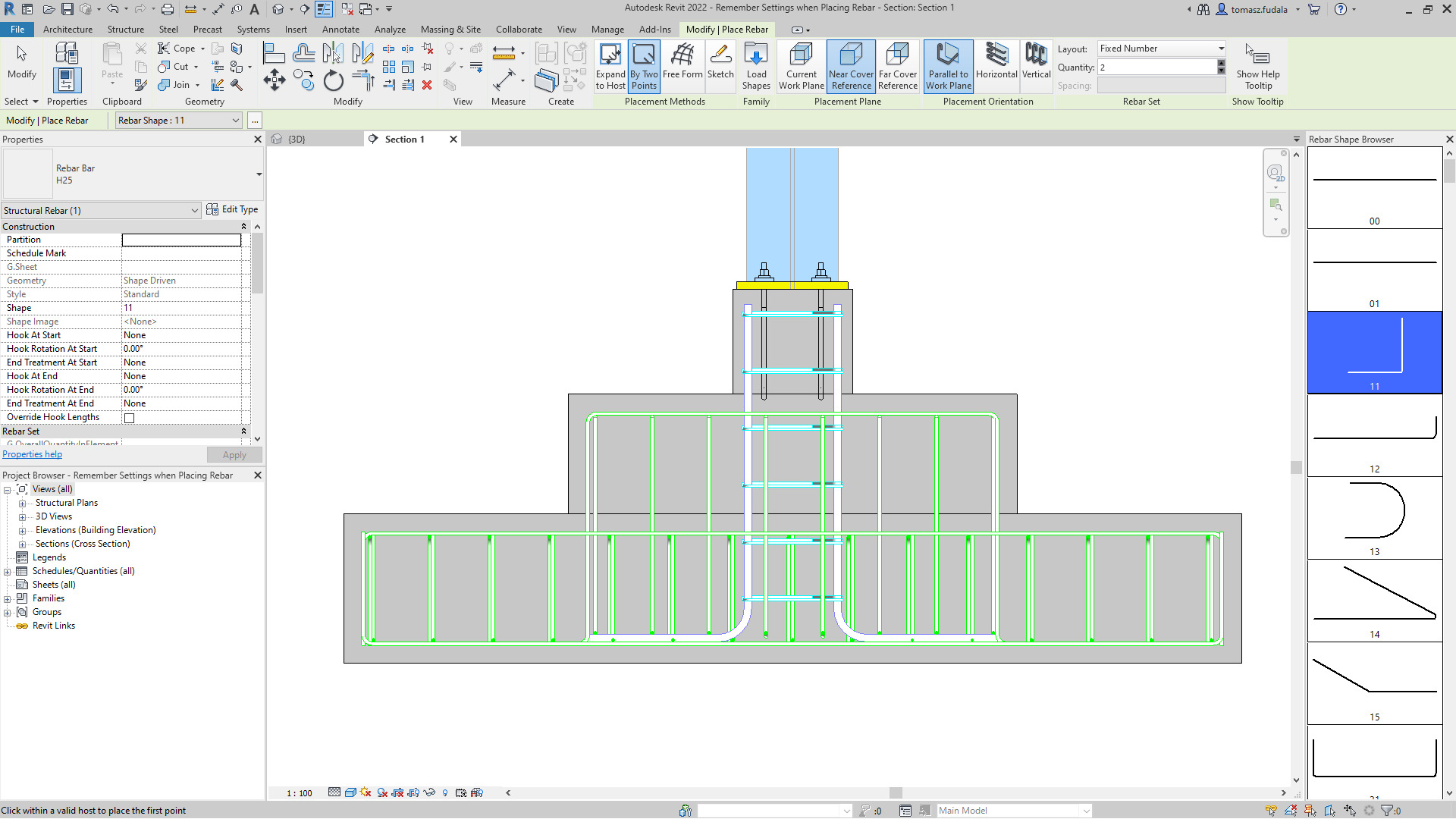
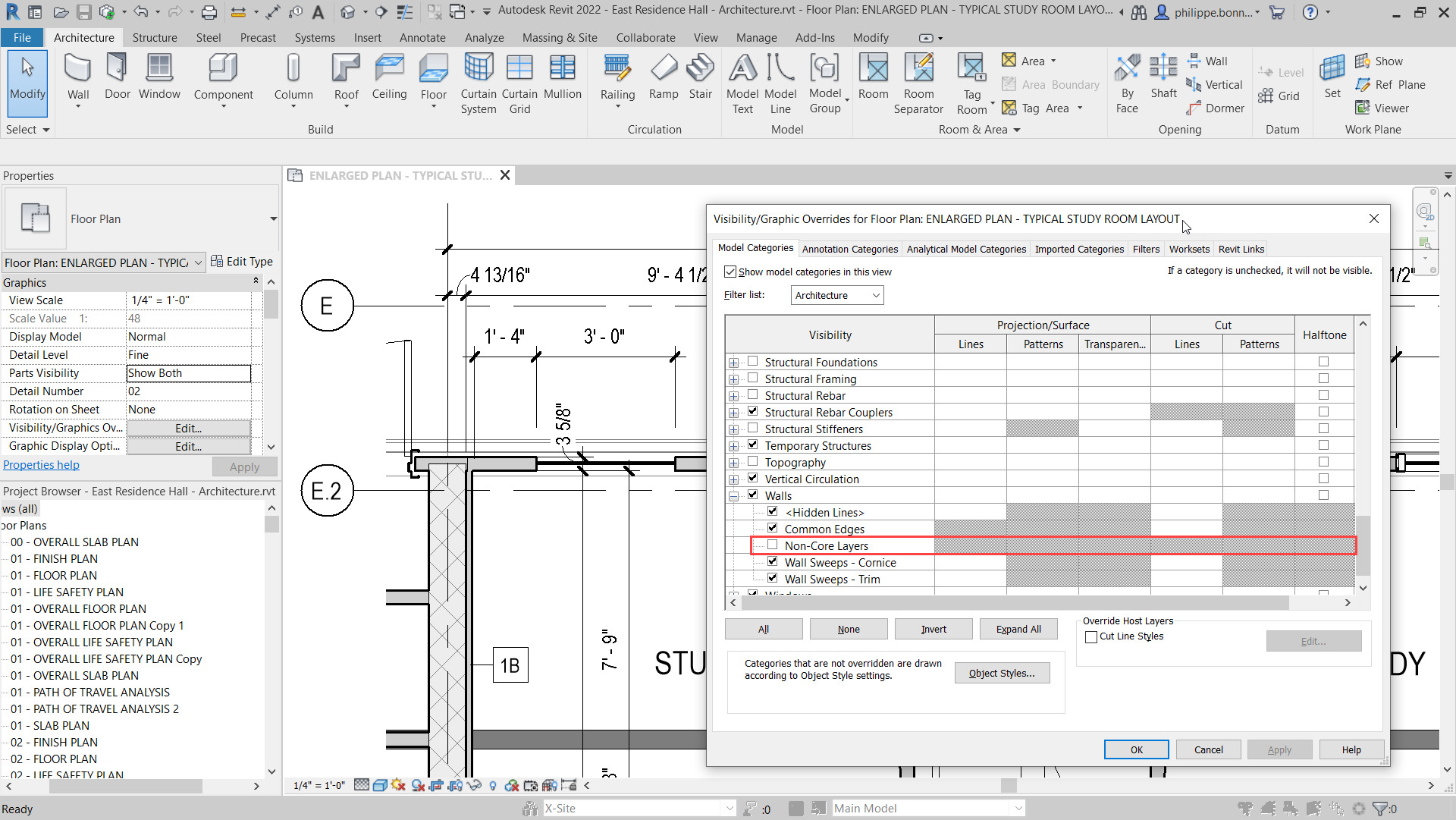
Rebar modelling and detailing has been improved in 2022 with the ability for structural enginers and detailers to move/remove individual bars in rebar sets or area and path reinforcement systems to avoid clashes with other rebars, openings or other elements, while maintaining the logic of the rebar set or system.
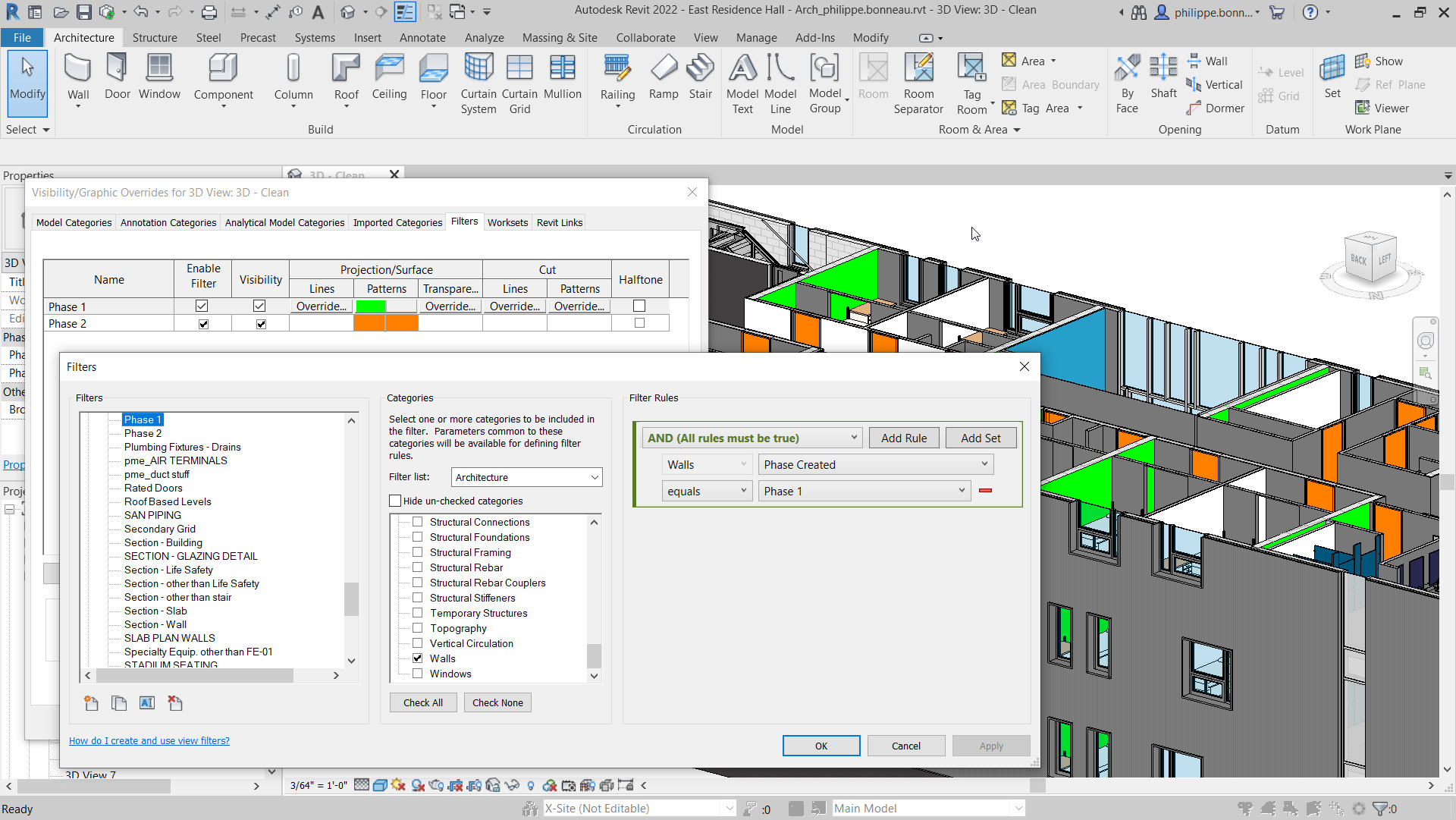
Revit 2022 allows you to quickly filter and find available parameters when creating schedules or when working with project parameters.
When you create a schedule or when working in the Project Parameters dialog, the Fields tab in the Schedule Properties dialog includes a filter section
Filter the available parameters based on the following criteria: Parameter Name, Parameter Type, Discipline, Value, Type or Instance
A native, configurable 2D PDF export feature is included in Autodesk Revit 2022.
Offering similar options to the Print dialog, such as a user-defined selection of views and sheets or the ability to export the visible portion of a view.
In the the Export Setup section of the dialog, users can setup PDF naming rules and can use this feature to generate PDF file names automatically based on your project or shared name parameters.
By automatically analysing the the selected views and sheets, the exporter can detect output size and orientation.
Link a Rhino (3DM) file into Revit and if the source file changes, users can reload the file and it will update inside of Revit.
In addition, you can link your Rhino files in Autodesk Docs.
Revit 2022 has achieved IFC4 Reference View certification for architecure and structure exports.
The IFC property set definitions and the associated Revit shared parameter definitions have been updated with the latest IFC4 PSDs of version 4.0.2.2 (partial update from the scope of IFC4 RV1.2 MVD).
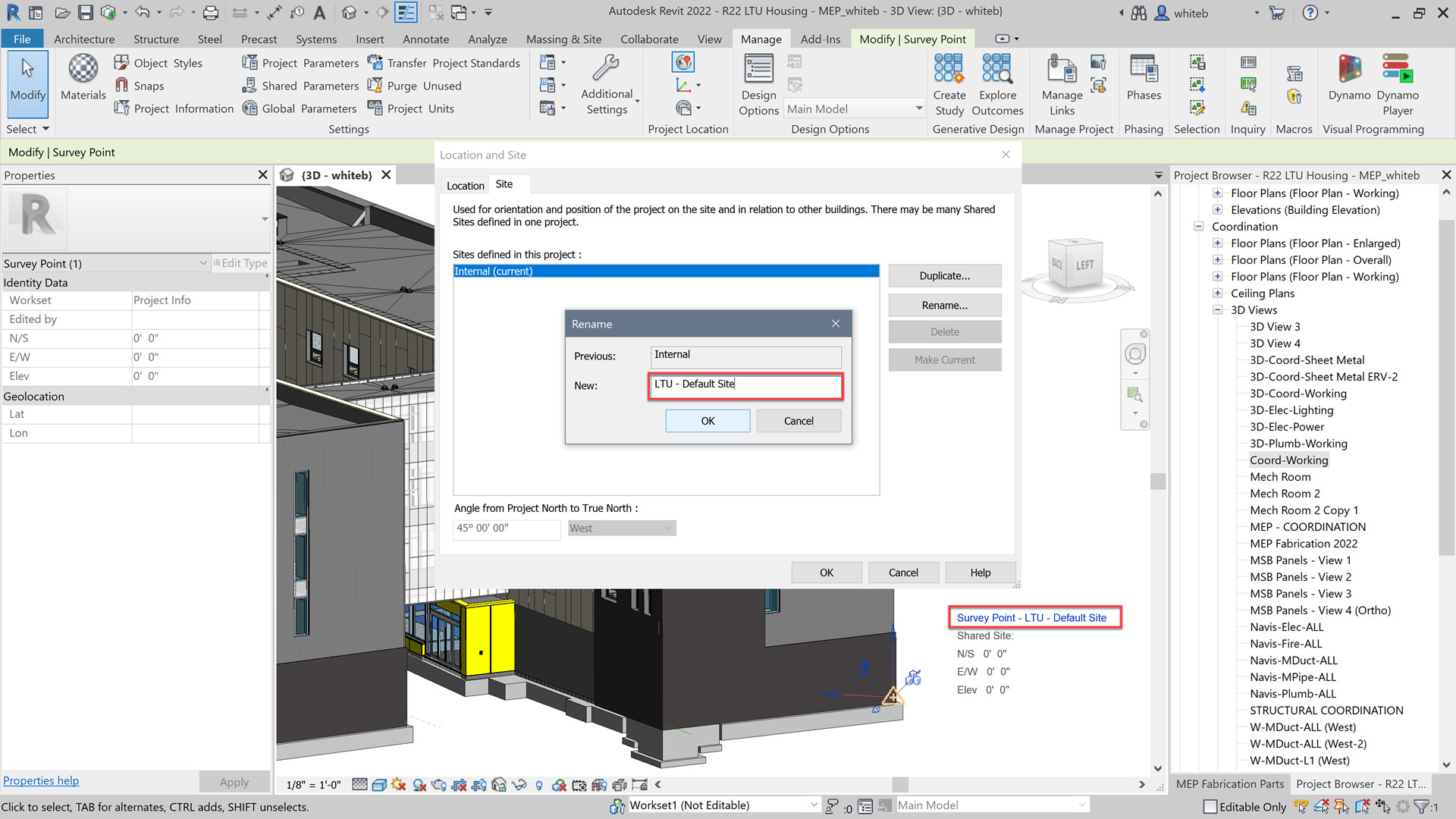
Performance of linking in some IFC files containing elements with many parameters has been improved and Autodesk has added the ability for IfcExporter to pick up information from SiteLocation regarding the GeoCoordinateReference in EPSG code format as required by IFC.
Revit can now maintain a link between Revit and Inventor by using the Revit exporter from Inventor.
Worksets can now be scheduled in 2022 and users can add a Workset parameter in workshared models when creating a schedule.
The workset parameter can also be accessed when creating takeoffs and lists (view, sheet) and title blocks allowing users to filter and format schedules based on worksets.
The following improvements have been made to:
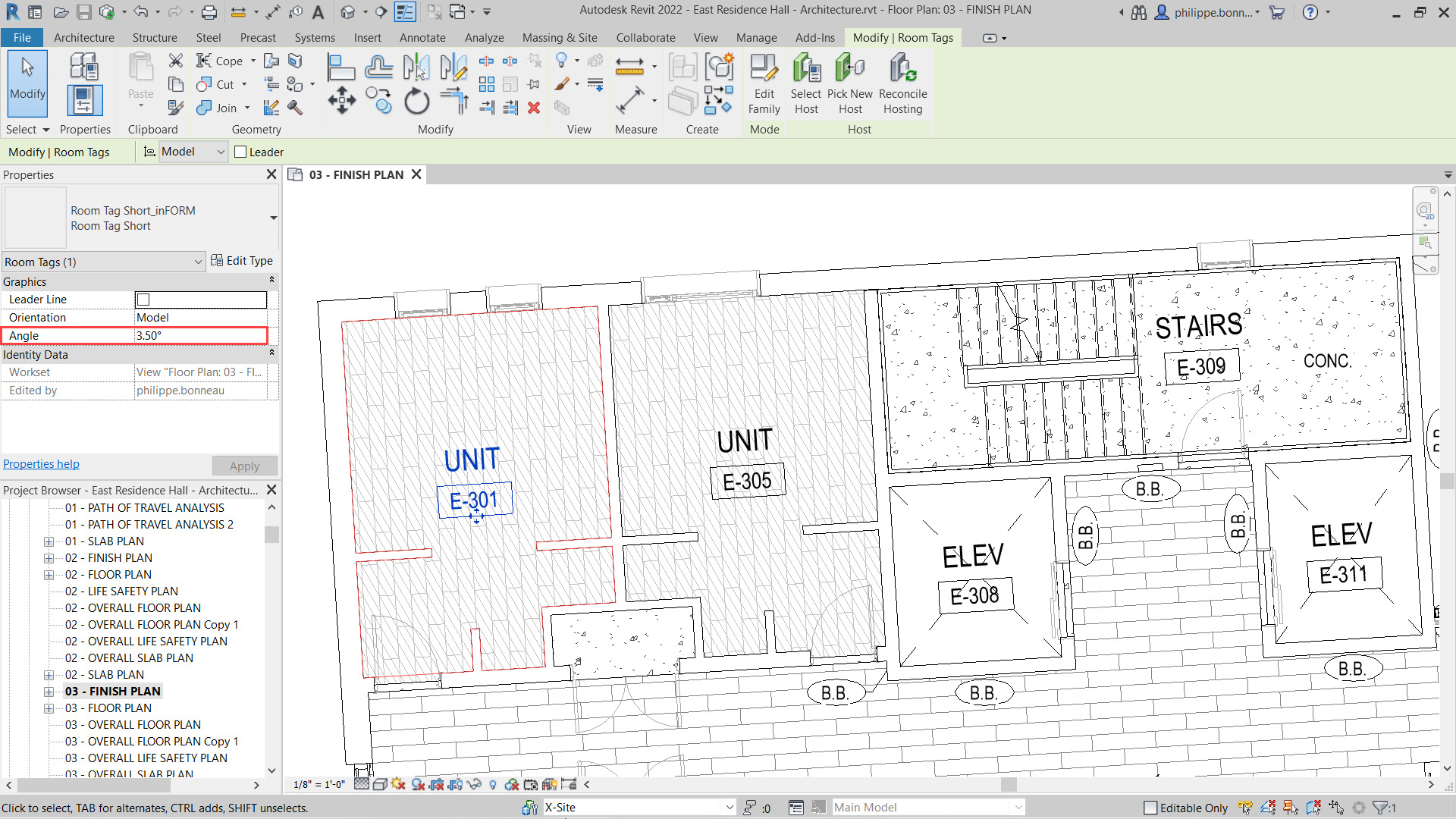
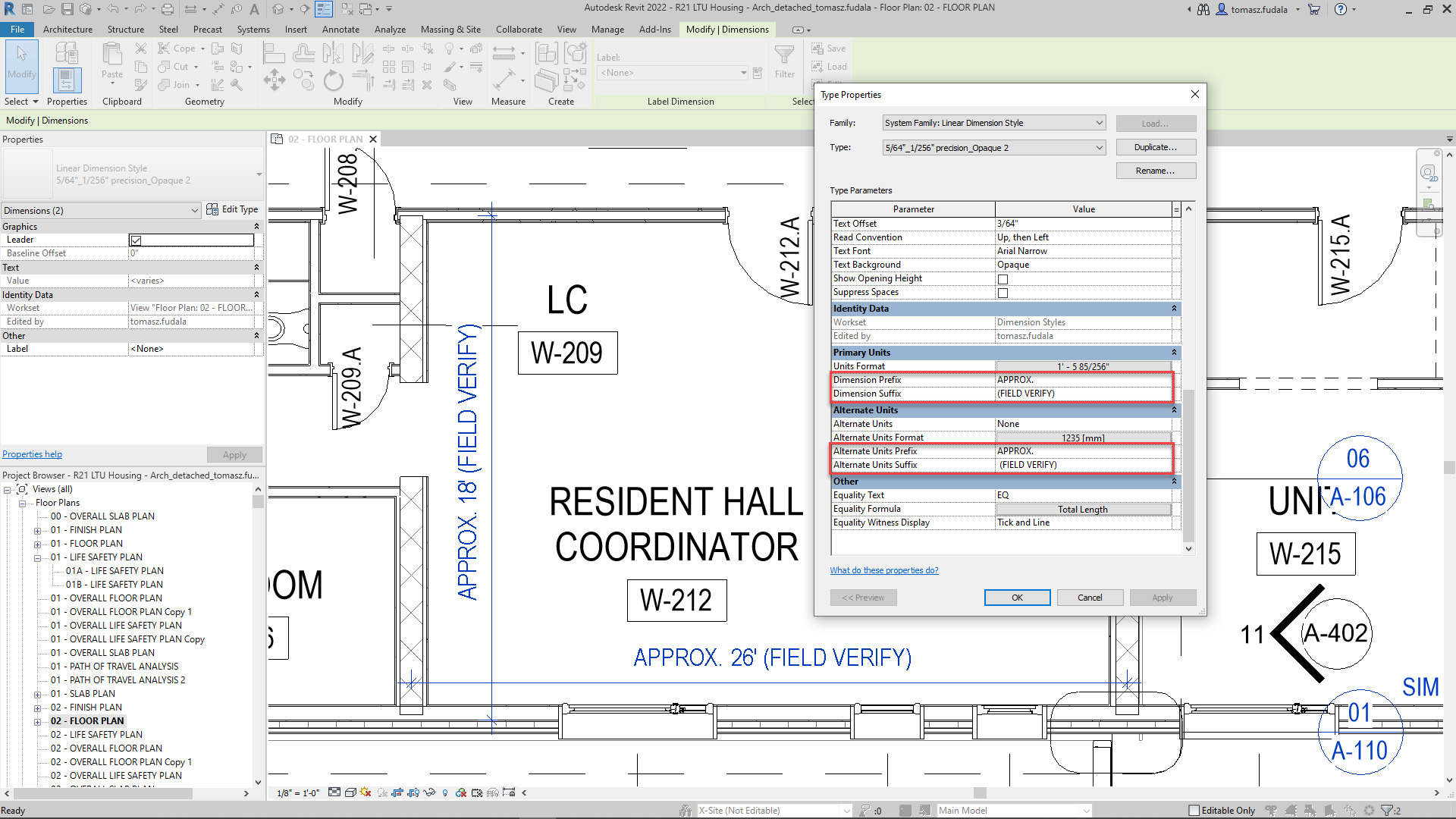
When you rotate a tag in Revit, a new Angle parameter for tags, found in the Properties Palette is available.
If you rotate the tag with the Rotate command, the angle value is automatically calculated, but you can enter a specific value afterwards if you like.
If a view in your project contains similar elements, you may prefer that they share a tag.
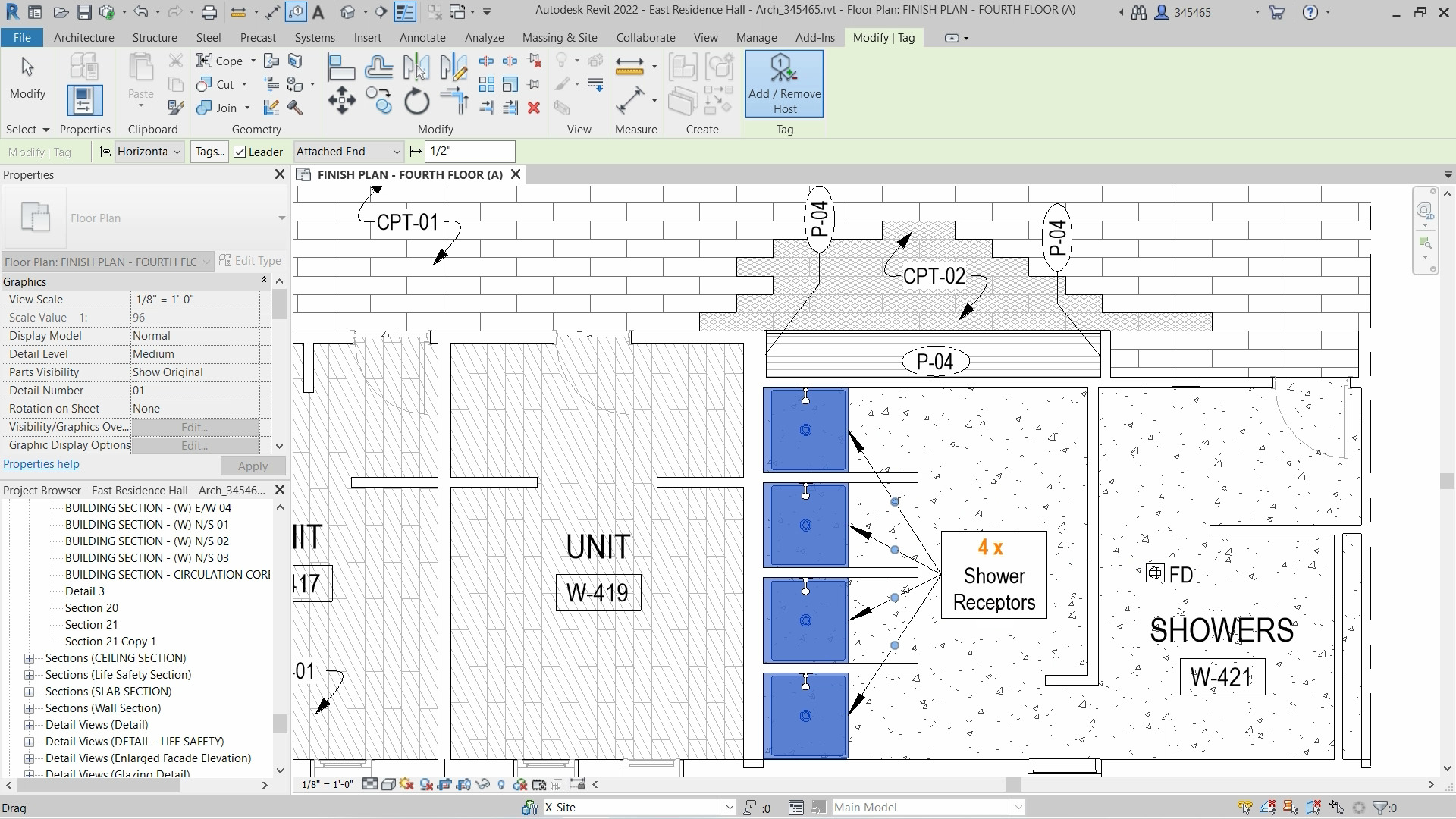
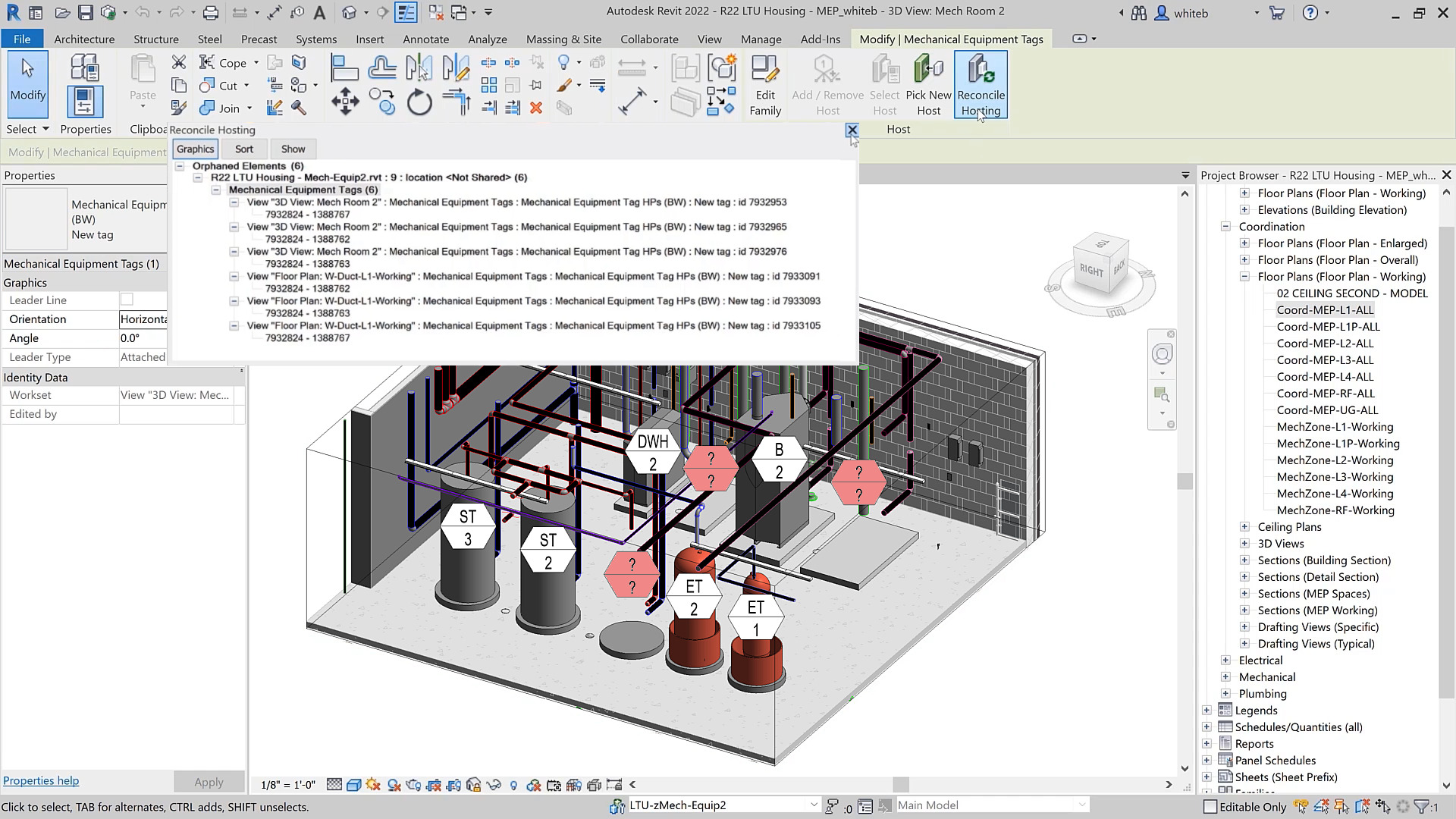
In Revit 2022, users have the ability to apply a single tag to multiple elements and optionally, indicate the total quantity.
Once a tag has been placed in the model, users can add or remove leaders to similar host elements by selecting the tag and using the Add / Remove Host option.
The quantity of host elements is automatically tracked and displayed both in the tag itself and in the Properties Palette.
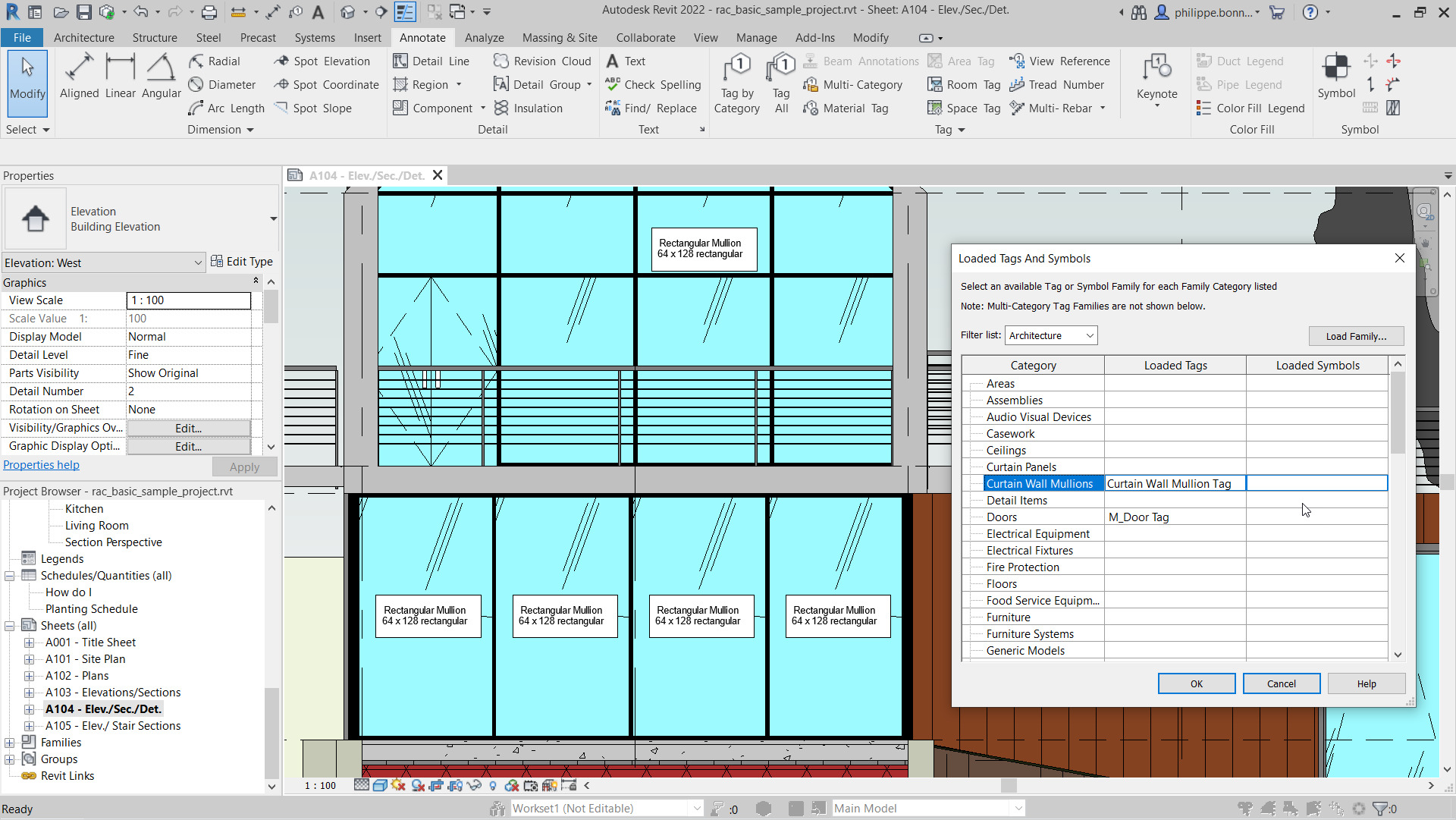
Revit 2022 enables tags to be applied to curtain wall mullions.
A new category has been added for Curtain Wall Mullions in the Loaded Tags and Symbols dialog.
Users can to load the tag for curtain wall mullions provided with Revit 2022 or create their own tag specifically for this category.
Users can use the Tag by Category command or the Tag All command to tag curtain wall mullions.
If you would learn more about Autodesk software, please contact us by calling on 1800 490 514, by filling out the form or clicking the live chat in the bottom right-hand corner.
Autodesk have announced that it has signed an agreement to acquire cloud-based artificial intelligence platform Spacemaker
Spacemaker is an AI platform for the Architectural industry suited for architects, urban designers, and real estate developers make data-driven design decisions for building and urban development projects. A SaaS-native platform, Spacemaker enables customers to quickly optimize and iterate on design solutions in the early stages of a project. Dozens of firms already use Spacemaker for their early-stage urban design efforts and our Architecture, Engineering, and Construction customers will now benefit from being able to leverage their technology as well.
Click the link below to learn more: https://adsknews.autodesk.com/pressrelease/autodesk-aquires-spacemaker
If you would to discuss architectural and generative design please contact us by calling on 1800 490 514, by filling out the form or clicking the live chat in the bottom right-hand corner.
Autodesk Deal Days Sale Starts 11/07/2022 and Ends on 13/07/2022
With the push towards cloud computing, connectivity and collaboration, Autodesk Vault has largely remained a local network environment data management system. It had recently added project sync where Vault data could be synchronised with BIM 360 or Fusion 360 Teams cloud systems, however, lacked it’s own mobile application.
They recently announced a webinar on August 25, where they will be showcasing the new mobile app for Autodesk Vault.
Autodesk Vault can also be hosted in the cloud. If you’re interested in running Vault in the cloud, Design Consulting offers cloud hosting and system deployments for Vault.
If you need additional adminstration features or want more productivity out of Vault, take a look at IMAGINiT Utilities for Vault.
If you would to discuss Autodesk Vault system deployments, migration, training or another related topic, please contact us by calling on 1800 490 514, by filling out the form or clicking the live chat in the bottom right-hand corner.
Autodesk has released their new IoT app which was acquired mid-2015. With products evolving to more more complex and connected, manufacturers are under pressure to provide instant information which also opens exciting opportunities for innovation, new markets and providing a unique customer experience. Autodesk SeeControl is an IoT app that connects your products to the cloud, so it can give…
Redstack has launched the Pegasus UAV for the Australian market. Based on a DJI S900, this professional grade customised UAV took flight yesterday and impressed us all. The Pegasus is ultra portable, made of lightweight materials and has a Hex V motor configuration, providing a flight time of 18 minutes (@1200mAh & 6.8Kg Take-Off Weight). It weighs in at 3.3 kilograms…
Autodesk has launched The Future of Making Things. A vision of how they see future human and business interaction with technology when it comes to engineering, design, analysis and collaboration. At the Autodesk University Keynote address in December, 2014, Jeff Kowalski, Autodesk SVP and Chief Technology Officer, discussed how Autodesk is looking at technology and design through the lens of…
I just logged into Autodesk Beta and checked out the new enhancements and downloaded Alpha. If you thought 2015 was a kick-ass release, from what I’m seeing in the Autodesk Inventor 2016 Alpha… Wow! As I’m binded by confidentiality, I can’t say anything specific except that they are doing some great work over at Autodesk with the help of the…
Autodesk bring another level to Cloud CAD/CAM With the CAD companies clamouring to get a cloud CAD system to the market, Autodesk have been pioneering integrated CAD and CAM and now they’ve bundled the offering. When you get a monthly, quarterly or annual subscription of Fusion 360, you also get integrated, CAM 360. What makes Autodesk’s offering unique to…
Parametric Connections, NC File Support, Revit & Robot Structures Interoperability plus more. Built on the familar AutoCAD, Autodesk Advanced Steel brings a lot of features and functionality missing in Autodesk’s portfolio of design products. Anyone who had experience with AutoCAD Structural detailing knew of it’s limitations, so to have this product released is a step in the right direction. When you…
Open Collaboration Services Added to the Suite’s Subscription Services. If real-time open collaboration (regardless of CAD tool), large scale 3D visualisation, clash detection analysis and project management ticks boxes as benefits in your design workflows, then take a look at Mockup 360. Product Design Suite Services are cloud based services such as Autodesk 360 (Document Hosting, Sharing, Editing & Collaboration), Optimisation Studies for Inventor…
With sheet metal design being an integral part of many Inventor customers, the new features and enhancements are always taken with great interest, so here’s a video I put together: So What’s New in Sheet Metal for Inventor 2015 Rename End Of Part (EOP) to End Of Folded (EOF) for sheet metal parts Enhanced orientation control in…
Hybrid Parametric Direct Editing, N.U.R.B.S with T-Splines and more… Inventor 2015 is one of the best releases yet, unlike any other CAD tool on the market today because it not only delivers enhancements to existing tools and UI but adds new technology that makes this product so unique. There’s 2 big additions and many enhancements, so in this article…
Project Chronicle: Bringing CAD and Video into One. This Free Technology Preview from Autodesk is really ingenious. It’s a recording utility for CAD & Design Programs that not only records video screen capture and voice narration but also records and shows below the video software gestures too with a timeline chronicle of the sequence of commands, dialogue boxes, files and…
Showcase, once a $40k platform, is now an affordable HDRI Visualisation tool, but is it as good as Keyshot? It opens all major CAD formats, has Kiosk features via the web or ipad, updating scene’s if the model changes without loss of work, photo-realistic rendering and animation capabilities. Keyshot has been an great choice for users of 3D CAD packages…
Acquisitions and Insider Share Trading are High at Autodesk. As Autodesk are named one of Fortune 100’s best companies to work for, so why is the CEO and 7 other employees selling so many shares? With the Shareholder’s of Delcam approving the Autodesk acquisition, there’s a lot of money being exchanged, so let’s take a look at the activity…
Autodesk strengthens it’s web-based 3D presence and hints towards 3D Printing market. Joining the 123D App family is Circuits.io a web-based and connected community for designing and simulating electronic circuits and will now be branded Autodesk 123D Circuits. Not only can you do PCB design, you can order multi-layer PCB’s from the website too. Other features are a breadboard…
When People Buy Your Products Because They Look Better. A Class A Surface can be defined as one without physical imperfection. In the Automotive world, Class A Surfaces are mandatory as any reflection while highlight any imperfections, and have been used for Automotive surfaces for years, but what about consumer products, why doesn’t this market segment demand Class A…
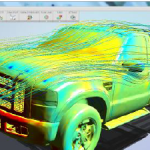
This free technology preview is available from Autodesk Labs, and will simulate air flow around buildings, vehicles, outdoor equipment, consumer products or other objects in a virtual wind tunnel. Open your 2D or 3D model, set the wind direction (angle), speed (velocity) and analyse the flow. There are analysis settings for dimensions, resolution and 3D drag too. There are…
All manufacturers have processes and inevitably these processes have bottlenecks that need to be analysed, simulated and improved. Process Analysis 360, builds on the Factory Design Suite Portfolio by helping engineers and systems designers study and optimise manufacturing processes from any web0-enabled device. This is not a CAD product. You design a layout by drag and dropping block diagrams and…
The Recent Acquisitions of VSR & Delcam Make It a Serious Player It’s pretty clear what Autodesk’s goal is; World Domination! It’s got it’s fingers in every industry that uses software for engineering and design. In Automotive, Autodesk’s acquisition of Alias, gave it a foot in the door, adding Class-A Surfacing tools to their MCAD portfolio, and in many countries,…
Will Additive Manufacturing Get Australian Manufacturing Competitive Again? The short answer is no, not today, but there is hope for the future. The only problem is will it get here quick enough to save the industry… Ok, here’s the argument for TiAM (Titanium Additive Manufacturing); you have two factories, one in China, one in Australia. There’s 10 TiAM Machines,…
First HSMWorks now Delcam – what is Autodesks strategy? In October 2012, Autodesk bought HSMWorks, a year on, they have integrated 2 1/2 Axis CAM called HSMXpress, free for Inventor users and look to be releasing HSMWorks on subscription cloud based version for 3 axis or more. Delcam is a mature and reputable offering with more than milling and…
Autodesk Releases Features in Inventor that are Long Time Coming It’s Beta time for Autodesk Inventor users and what a release it is! What’s it got? The NDA says I can’t tell you, you’ll have to go here to download it. What I can say is that Autodesk are making it better with not just enhancements but new technology and better…